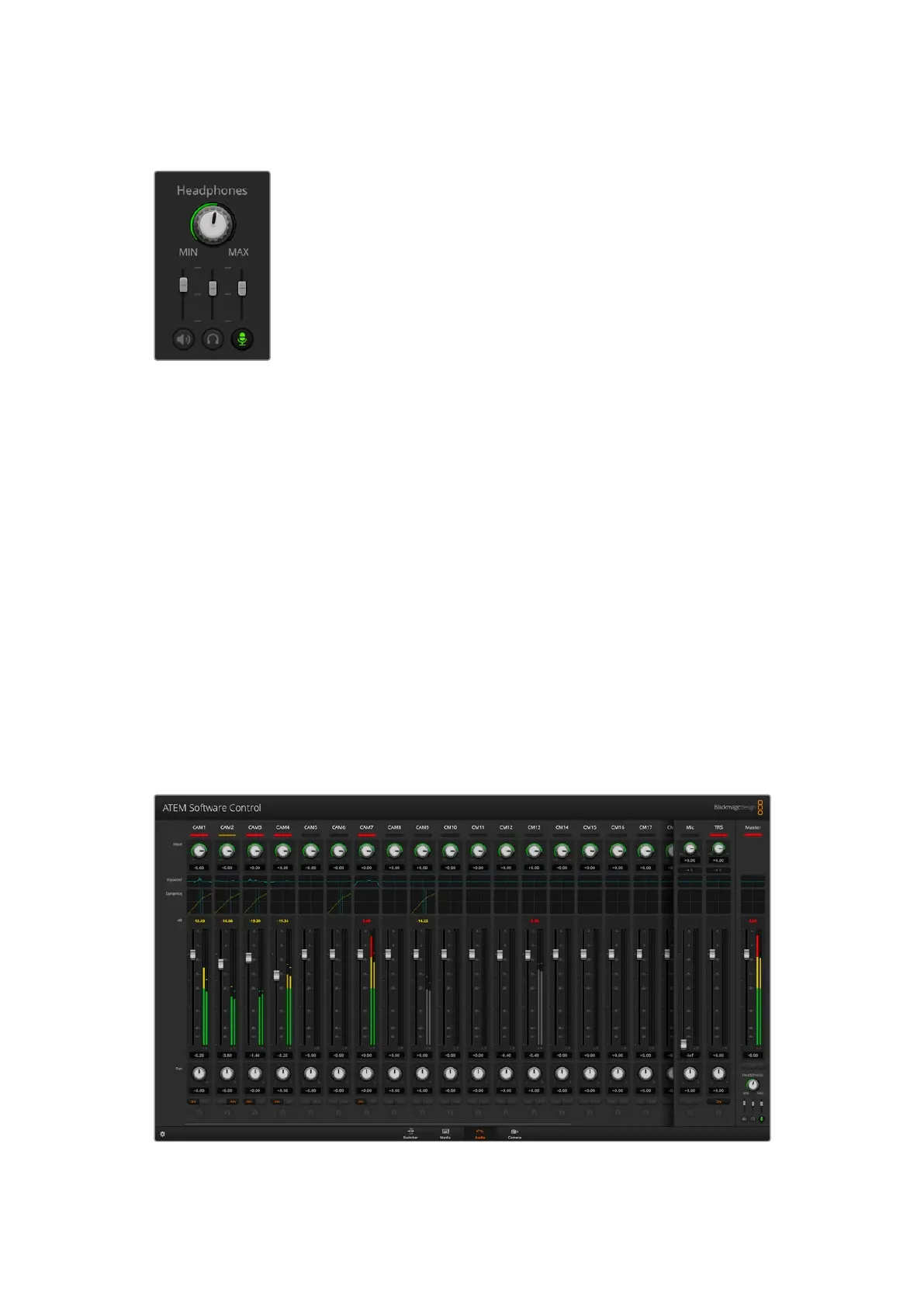
Headphones Settings
Master
Adjust the master level slider to set the program audio level in the headset and if you don’t want
to listen to program audio, then slide this control fully to the left.
Talkback
The talkback level slider sets the audio level of camera operators who are talking to you and
by setting the master and talkback sliders you can get your preferred balance of talkback and
program audio into your headset.
Sidetone
The sidetone level slider lets you mix your voice from your headset mic into the monitor output.
This is helpful when wearing a headset that supports noise canceling.
Shaping your Audio Mix using Advanced Fairlight Controls
ATEM Constellation HD switchers have advanced Fairlight audio controls that let you enhance
andrefine the quality of sound on each input and master output, including input level controls,
a6 band parametric equalizer and powerful dynamics settings. This section of the manual
shows the different Fairlight audio controls you can use to shape and optimize the audio mix
inyour liveproduction.
The headphones settings are used to adjust the audio mix forthe
headphones. Aheadset can be connected via the 5 pin XLR connector
on the front panel for communicating with camera operators. However,
the headset is not just limited to talkback useas you can also use the
headset microphone for doing voice overs and you can use the headset
headphones for program audio monitoring.
Headphones settings let you mix the levels of each monitoring output. For
example, you may want to increase or decrease the level of the talkback
audio against the program audio.
42ATEM Software Control



 To Next Page