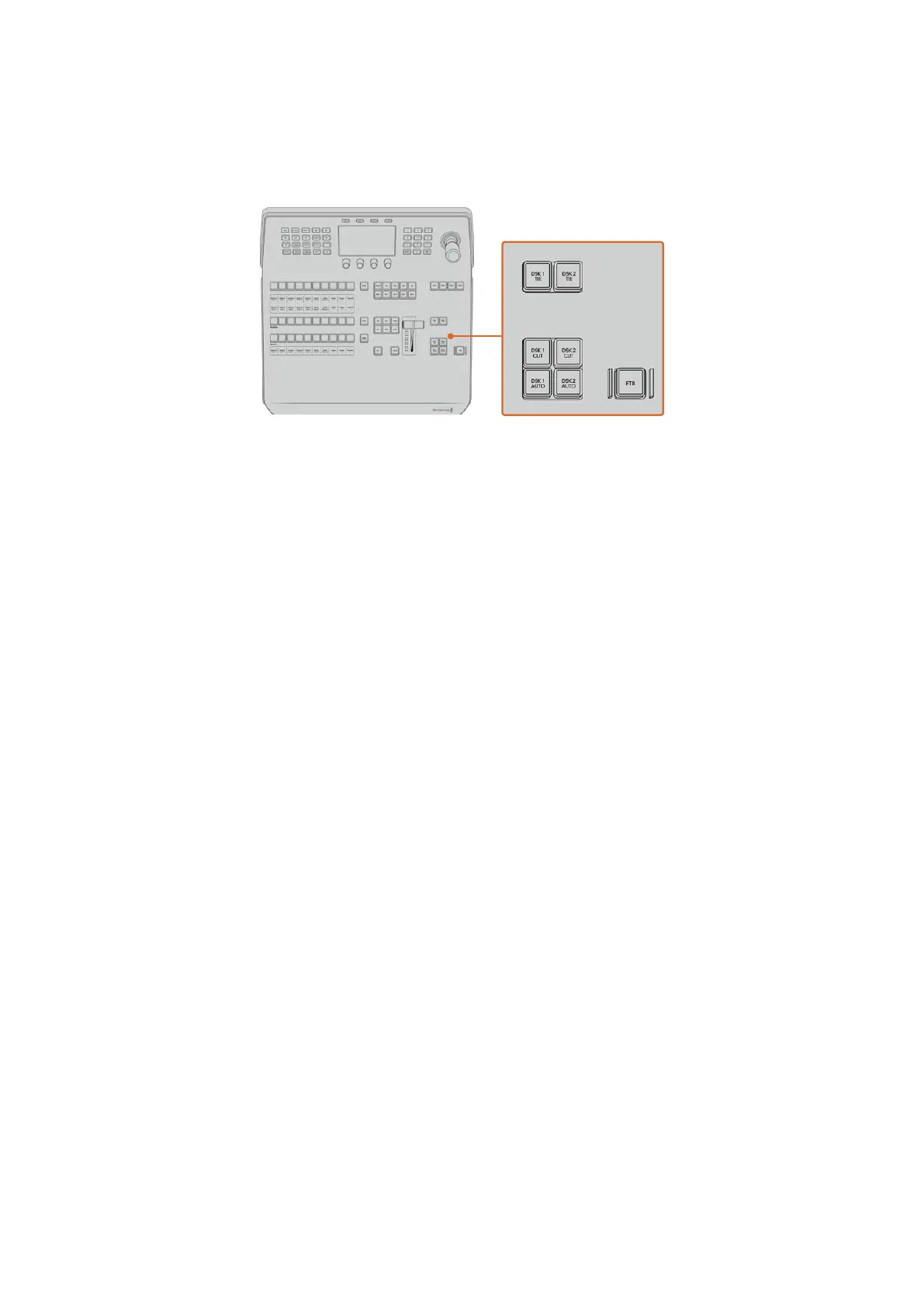
DSK AUTO
The DSK AUTO button will mix the DSK on or off air at the rate specified in the DSK rate
LCD menu setting.
Downstream Keyers and Fade to Black
M/E Buttons
When using ATEM 2 M/E and 4 M/E Constellation HD switchers you can select which M/E you
want to control using the M/E buttons. When an M/E is selected, the LCD menu will change to
show the settings that correspond to that M/E panel.
Fade to Black
The FTB button will fade the program output to black at the rate specified in the FTB rate LCD
menu setting. Once the program output has been faded to black, the FTB button will flash red
until it is pressed again, fading the program output up from black at the same rate. A fade to
black cannot be previewed.
You can also set your switcher to fade audio together with the fade to black by navigating to the
FTB LCD menu and setting AFV to ‘on’. This sets the switcher to fade the audio to silence at the
rate set for the fade to black. If you want audio to remain on during and after the fade to black,
set AFV to ‘off’.
System Control Menu Buttons
The buttons on the top left side of your panel, combined with the LCD and its four soft buttons
are called the system control. When you press a system control button, for example the ‘home’
button, the LCD will change accordingly to show the relevant controls and settings. Use the soft
buttons and knobs above and below the LCD to make changes.
If there are small dot icons on the LCD menu, this means there is more than one page of
settings and you can move through the pages by pressing the left and right arrow buttons.
For example, to change the border softness on a wipe transition
1 Press the ‘wipe’ button.
2 Press the right arrow button next to the LCD to move to the third page of settings.
70Using ATEM Hardware Panels


 To Next Page
 Loading...
