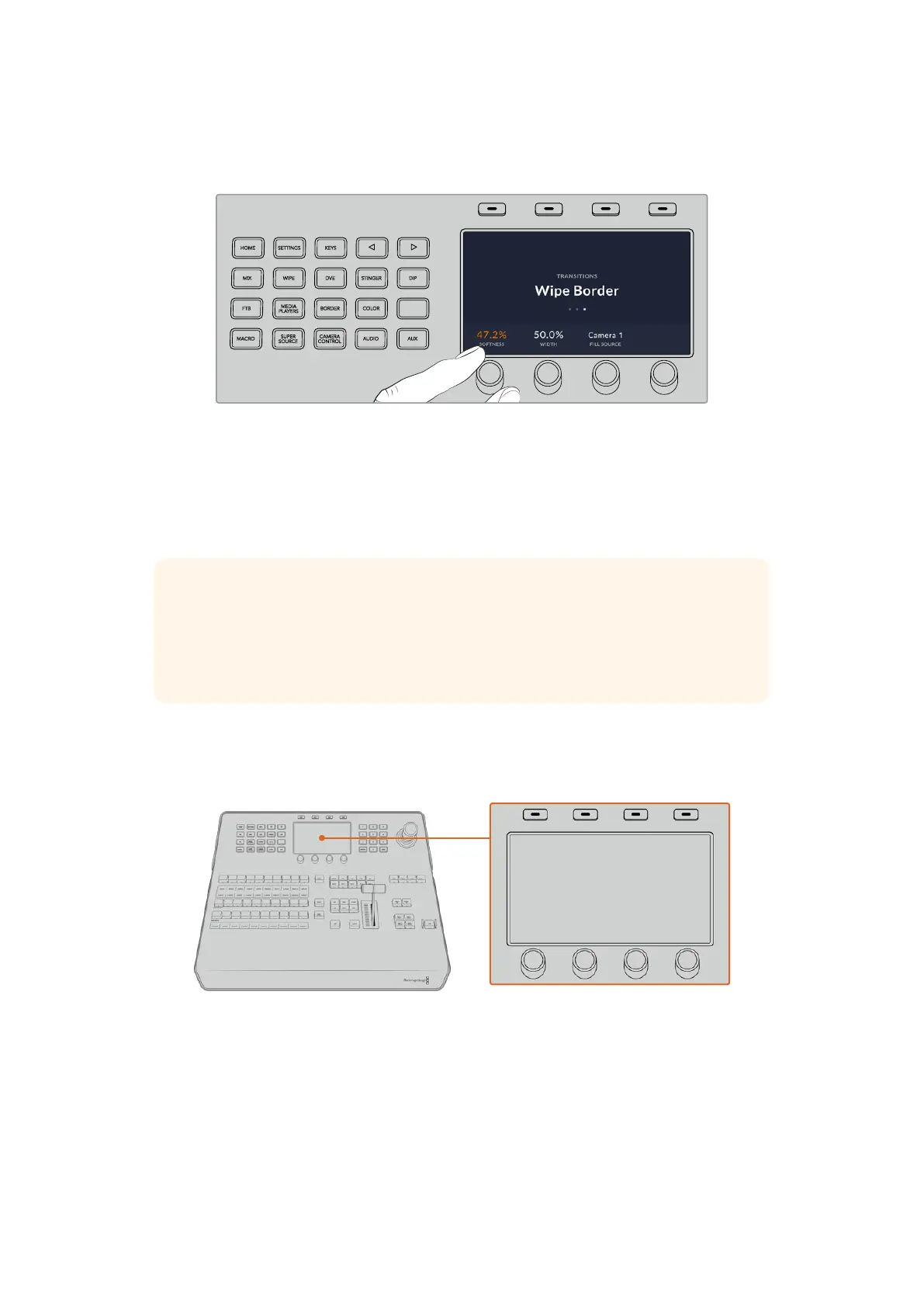
3 Rotate the control knob under the ‘softness’ setting to change the softness of the wipe
transition border.
HOME
MIX
FTB
MACRO
SETTINGS
WIPE
MEDIA
PLAYERS
SUPER
SOURCE
KEYS
DVE
BORDER
CAMERA
CONTROL
STINGER
COLOR
AUDIO
DIP
AUX
1
4
7
ENTER
2
5
8
0
3
6
9
RESET
SHIFT MACRO
BKGD
KEY 1
KEY 2
KEY 4
KEY 3
ON
ON
ON
ON M/E 1 M/E 2
M/E 3
M/E 4
SHIFT DIP
DVE
STING
DSK 1
TIE
DSK 2
TIE
DSK 1
CUT
DSK 2
CUT
DSK 1
AUTO
DSK 2
AUTO
FTB
MIX
CUT
AUTO
WIPE
ARM
PREV
TRANS
If you want to change the direction of the wipe transition
1 Press the arrow buttons to navigate back to the first page of wipe transition settings,
orpress the ‘wipe’ button to return to the first page.
2 Press the ‘reverse direction’ soft button at the top of the LCD to change the direction.
3 Once you are satisfied with the setting, press the ‘home’ button to return to the home page.
TIP When changing the border softness, you can visually monitor your adjustments
in real time. Simply press the PREV TRANS button and move the fader bar while
watching the preview output on the multiview to visually monitor your settings.
Remember to press PREV TRANS again to disable the transition preview when you’re
happy with thesettings.
The system control buttons and LCD menu are used to access all the settings for your panel
and you can even set general switcher settings directly from the panel. For example, if you
need to change the switcher’s video format, aspect ratio, or configure VISCA control on the
remote port.
System Control
Joystick and Numeric Keypad
The number pad is used to enter numerical data. For example, the number pad can be used
to enter a numerical value for transition duration. When entering data using the number pad,
the soft buttons below each parameter are used to apply the entered data to that parameter.
71Using ATEM Hardware Panels


 To Next Page
 Loading...
