TIP You will also see the ATEM software control panel mirror the move on the
hardware panel.
5 At the end of the transition, sources selected on the program and preview buses are
exchanged to indicate that the video source that was on preview is now on program and
vice versa.
Saving user profiles on ATEM Advanced Panel
ATEM Advanced Panels allow you to save up to ten profiles. This means you can save
allyourpreferred panel settings and macros and then reload them the next time you
are using the panel, perfect for when a panel will be used by more that one user.
HOME
MIX
FTB
MACRO
SETTINGS
WIPE
MEDIA
PLAYERS
SUPER
SOURCE
KEYS
DVE
BORDER
CAMERA
CONTROL
STINGER
COLOR
AUDIO
DIP
AUX
1
4
7
ENTER
2
5
8
0
3
6
9
RESET
SHIFT MACRO
BKGD
KEY 1
KEY 2
KEY 4
KEY 3
ON
ON
ON
ON M/E 1 M/E 2
M/E 3
M/E 4
SHIFT DIP
DVE
STING
DSK 1
TIE
DSK 2
TIE
DSK 1
CUT
DSK 2
CUT
DSK 1
AUTO
DSK 2
AUTO
FTB
MIX
CUT
AUTO
WIPE
ARM
PREV
TRANS
To save a user profile:
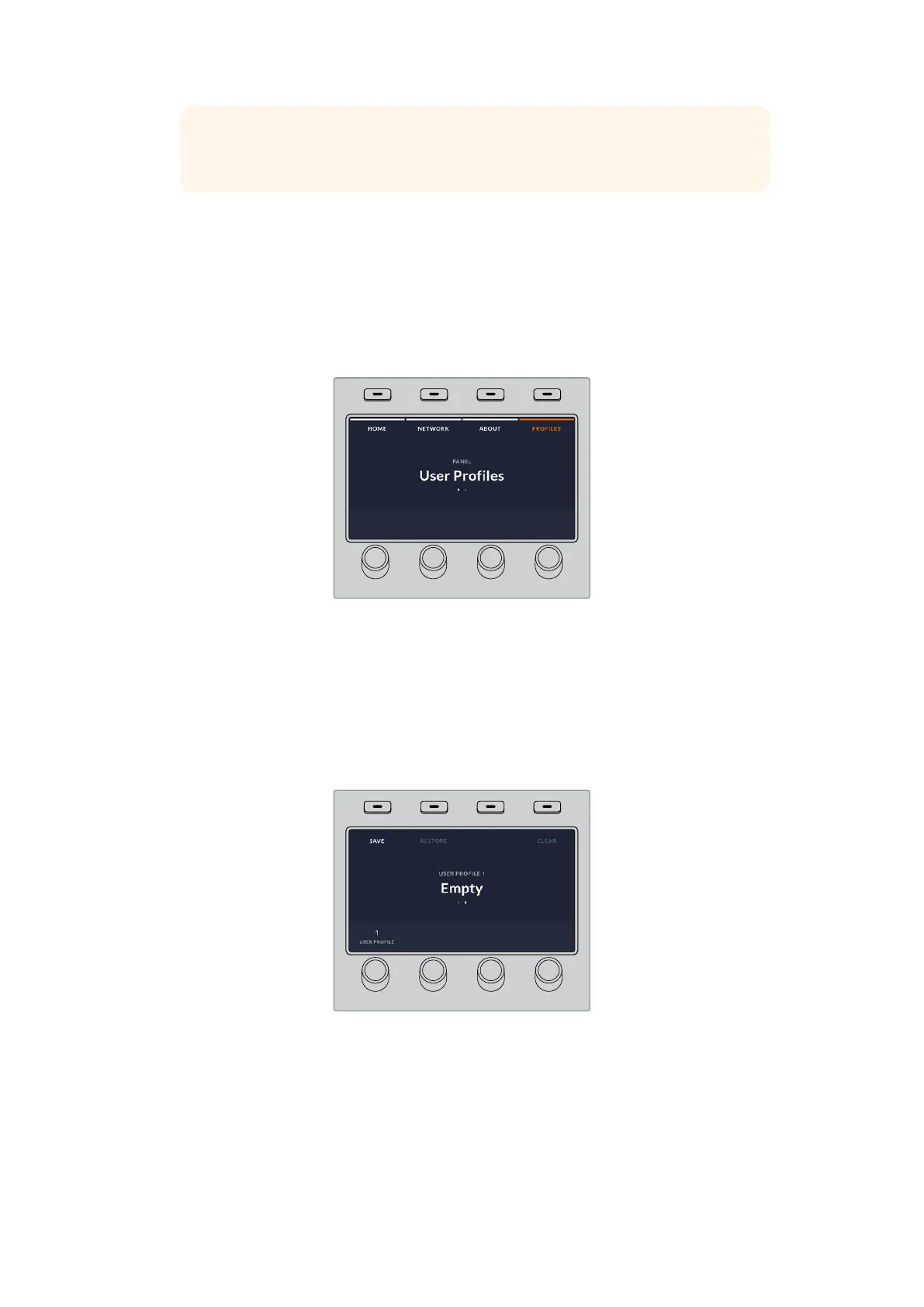
1 Once you have set up the panel with all your preferred settings, press on the soft ‘profiles’
button above the LCD screen to open the user profiles settings.
2 Press the right arrow button in system control to navigate to the profile page.
3 Using the soft control knob, select an empty profile slot.
4 Press the soft ‘save’ button above the LCD to save the profile.
HOME
MIX
FTB
MACRO
SETTINGS
WIPE
MEDIA
PLAYERS
SUPER
SOURCE
KEYS
DVE
BORDER
CAMERA
CONTROL
STINGER
COLOR
AUDIO
DIP
AUX
1
4
7
ENTER
2
5
8
0
3
6
9
RESET
SHIFT MACRO
BKGD
KEY 1
KEY 2
KEY 4
KEY 3
ON
ON
ON
ON M/E 1 M/E 2
M/E 3
M/E 4
SHIFT DIP
DVE
STING
DSK 1
TIE
DSK 2
TIE
DSK 1
CUT
DSK 2
CUT
DSK 1
AUTO
DSK 2
AUTO
FTB
MIX
CUT
AUTO
WIPE
ARM
PREV
TRANS
Now your profile is saved to the panel. The next time you want to use the panel, you simply
need to restore your profile.
To restore a user profile:
1 Press the soft ‘profile’ button above the LCD screen to open user profiles and press the
right arrow control panel button.
84Performing Transitions using ATEM Hardware Panels


 To Next Page
 Loading...
