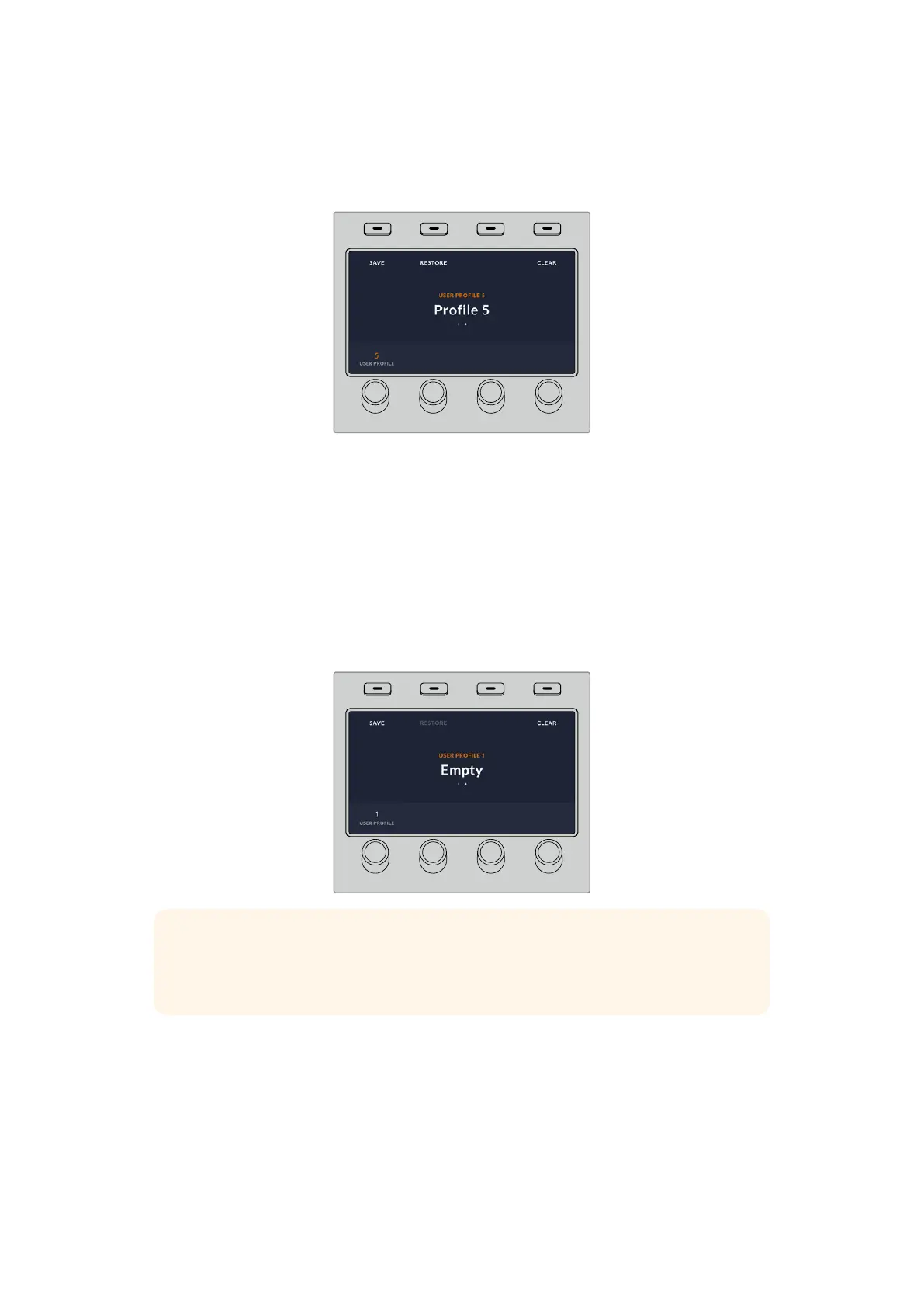
2 Using the soft control knob, navigate to the user profile you want to restore. If the text
above your profile slot is orange, that means that profile is currently in use.
3 Press the soft ‘restore’ button above the LCD to load the profile.
HOME
MIX
FTB
MACRO
SETTINGS
WIPE
MEDIA
PLAYERS
SUPER
SOURCE
KEYS
DVE
BORDER
CAMERA
CONTROL
STINGER
COLOR
AUDIO
DIP
AUX
1
4
7
ENTER
2
5
8
0
3
6
9
RESET
SHIFT MACRO
BKGD
KEY 1
KEY 2
KEY 4
KEY 3
ON
ON
ON
ON M/E 1 M/E 2
M/E 3
M/E 4
SHIFT DIP
DVE
STING
DSK 1
TIE
DSK 2
TIE
DSK 1
CUT
DSK 2
CUT
DSK 1
AUTO
DSK 2
AUTO
FTB
MIX
CUT
AUTO
WIPE
ARM
PREV
TRANS
All the panel settings for that user profile will now load.
If a user profile is no longer needed, you can also clear it via the profiles menu.
To clear a user profile:
1 Press on the soft ‘profiles’ button above the LCD screen and press the right arrow control
panel button to select the second page.
2 Using the soft control knob, navigate to the user profile you want to overwrite. If the user
profile is currently in use, the text above the profile number will be orange.
3 Press the soft ‘clear’ button. The profile number will now become ‘empty’.
HOME
MIX
FTB
MACRO
SETTINGS
WIPE
MEDIA
PLAYERS
SUPER
SOURCE
KEYS
DVE
BORDER
CAMERA
CONTROL
STINGER
COLOR
AUDIO
DIP
AUX
1
4
7
ENTER
2
5
8
0
3
6
9
RESET
SHIFT MACRO
BKGD
KEY 1
KEY 2
KEY 4
KEY 3
ON
ON
ON
ON M/E 1 M/E 2
M/E 3
M/E 4
SHIFT DIP
DVE
STING
DSK 1
TIE
DSK 2
TIE
DSK 1
CUT
DSK 2
CUT
DSK 1
AUTO
DSK 2
AUTO
FTB
MIX
CUT
AUTO
WIPE
ARM
PREV
TRANS
TIP If you try to save over an existing profile with new settings, you will be given
theoption to either overwrite the profile or create a new one when you press the
soft‘save’ button.
85Performing Transitions using ATEM Hardware Panels



 To Next Page