Operating your ATEM Switcher
Internal Video Sources
In addition to the SDI inputs, the switcher also has 8 internal sources that can be used in a
production. The internal source names are represented on the software control panel using
both long and short names. On the advanced panel, a long name is used to represent the
internal sources and the labels represent what the sources are, so they are easy to understand.
Black
Internally generated black is available as a source and can be used as a
black matte in the production.
Color Bars
Internally generated color bars are available as a source. Color bars can
be useful for verifying signals going out of the switcher and can also be
useful when setting up a chroma key with a vectorscope monitor.
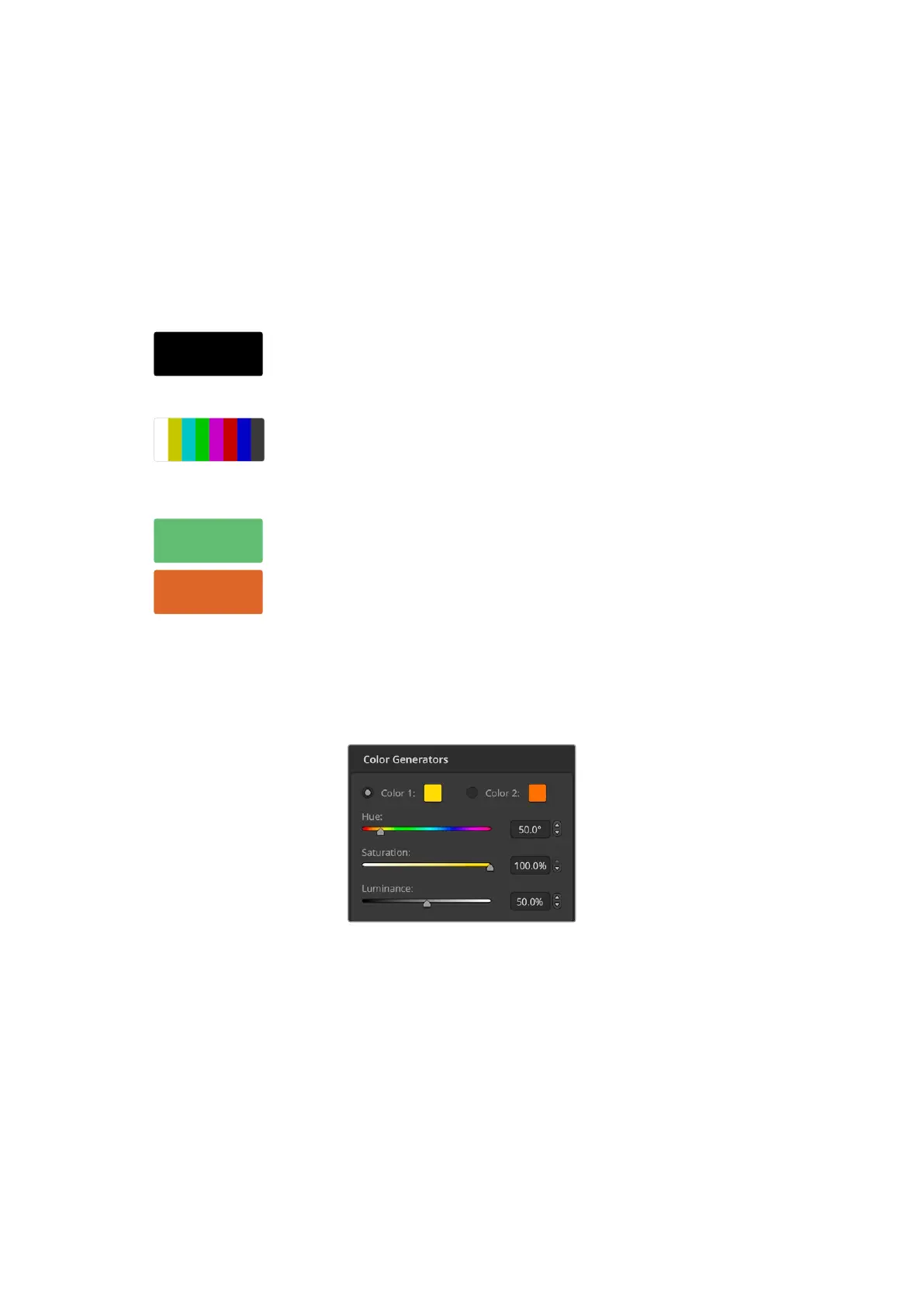
Color Generators
ATEM switchers have two color sources that can be customized to
generate any color matte for use in the production. Color sources can be
used to add color borders for wipe transitions or as dip through colors
for a dip transition such as dip through white.
To adjust a color source on the software control panel, simply go to the color palette and click
the color chip and the color picker will appear and you can select colors. On the advanced
panel, select color on the system control and adjust hue, saturation and luminance.
It’s important to know that the deepest colors are set at 50% luminance.
ATEM switchers have two color sources that can
be customized to generate any color matte for use
in the production
Media Players
ATEM 1 M/E and 2 M/E switchers have 2 media player sources and ATEM 4 M/E Constellation
HD has 4 media players. Each media player source has a fill and key (cut) output. Media player
fill sources are called media player 1, 2, 3 or4. Media player key sources are called media
player 1 key, media player 2 key, etc.
If you are using ATEM 4 M/E Constellation HD media players 3 and 4 canbe accessed in ATEM
Software Control by holding down the shift button on your computerkeyboard.
86Operating your ATEM Switcher


 To Next Page
 Loading...
