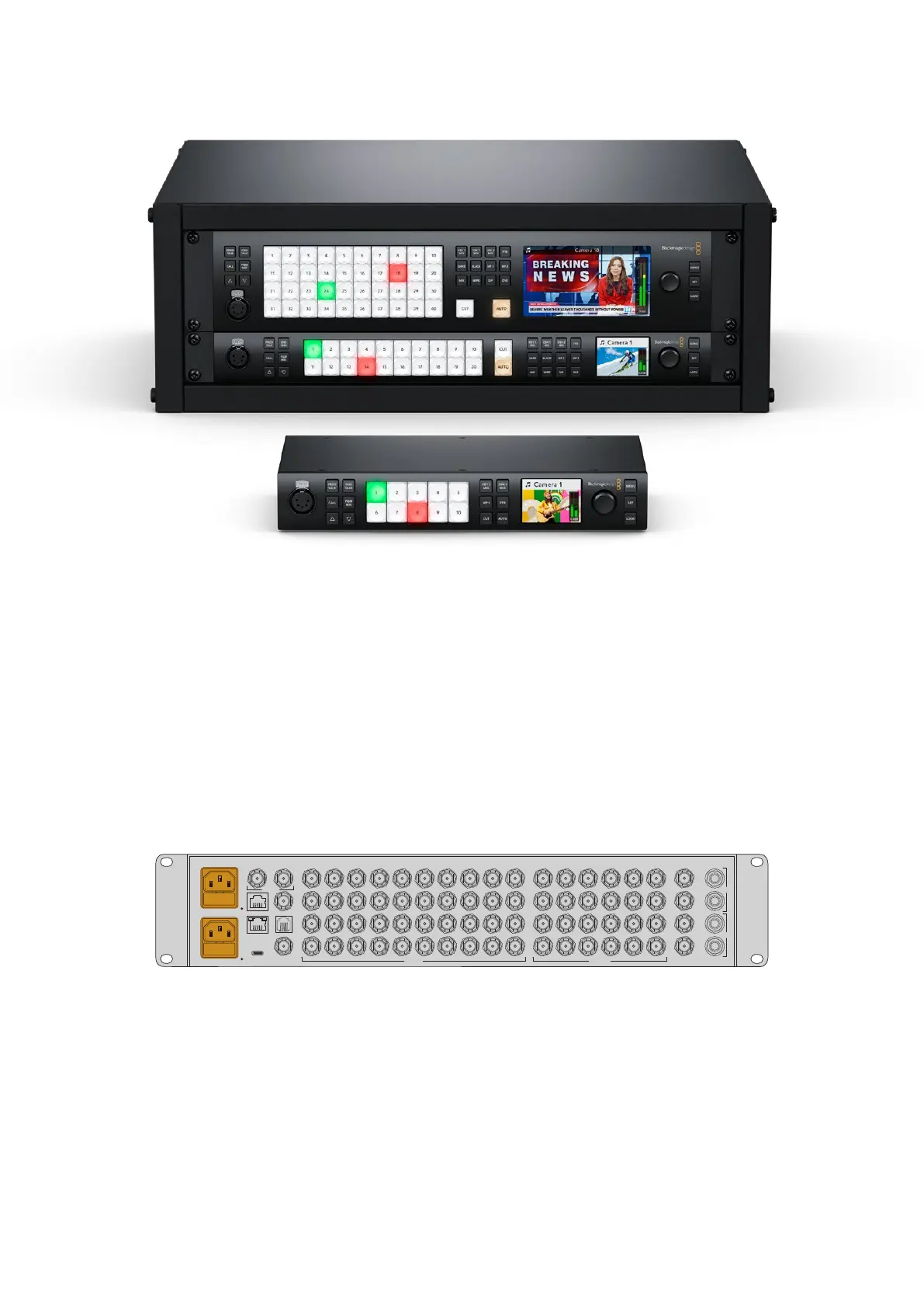
ATEM 4 M/E Constellation HD, ATEM 2 M/E Constellation HD
andATEM1M/EConstellation HD
Getting Started
Getting started with ATEM Constellation HD is as simple as connecting power, adding your SDI
video sources and using the front panel to check your inputs.
Plugging in Power
To power your ATEM Constellation HD, plug a standard IEC cable to your ATEM Constellation
HD’s power input on the rear panel. Once powered the LCD display will turn on and the button
for input one will illuminate.
SDI INPUTS
CONTROL
REMOTE
TALKBACK MADI IN
REF INUSB
1 5 9 13 17
2 6 10 14 18
21
3
22
3 7 11 15 19
4 8 12 16 20
23
24
1 51 2 9 13 17
2 6 10 14 18
21
22
3 7 11 15 19
4 8 12 16 20
23
24
25 29 33
26 30 34
37
38
27 31 35
28 32 36
39
40
4
ANALOG AUDIOMULTIVIEW
CH 2
CH 1
1
2
CH 2
CH 1
SDI OUTPUTS
MADI OUT
OUT
IN
ATEM 4 M/E Constellation HD includes a second IEC power input for redundancy
Plugging in Sources
Plug your SDI cameras and other HD sources into ATEM Constellation HD’s SDI inputs. These
3G-SDI connections feature format conversion and frame synchronizers so all sources will
conform to the video format set on your switcher.
9Getting Started



 To Next Page