HOME
MIX
FTB
MACRO
SETTINGS
WIPE
MEDIA
PLAYERS
SUPER
SOURCE
KEYS
DVE
BORDER
CAMERA
CONTROL
STINGER
COLOR
AUDIO
DIP
AUX
1
4
7
ENTER
2
5
8
0
3
6
9
RESET
SHIFT MACRO
BKGD
KEY 1
KEY 2
KEY 4
KEY 3
ON
ON
ON
ON M/E 1 M/E 2
M/E 3
M/E 4
SHIFT DIP
DVE
STING
DSK 1
TIE
DSK 2
TIE
DSK 1
CUT
DSK 2
CUT
DSK 1
AUTO
DSK 2
AUTO
FTB
MIX
CUT
AUTO
WIPE
ARM
PREV
TRANS
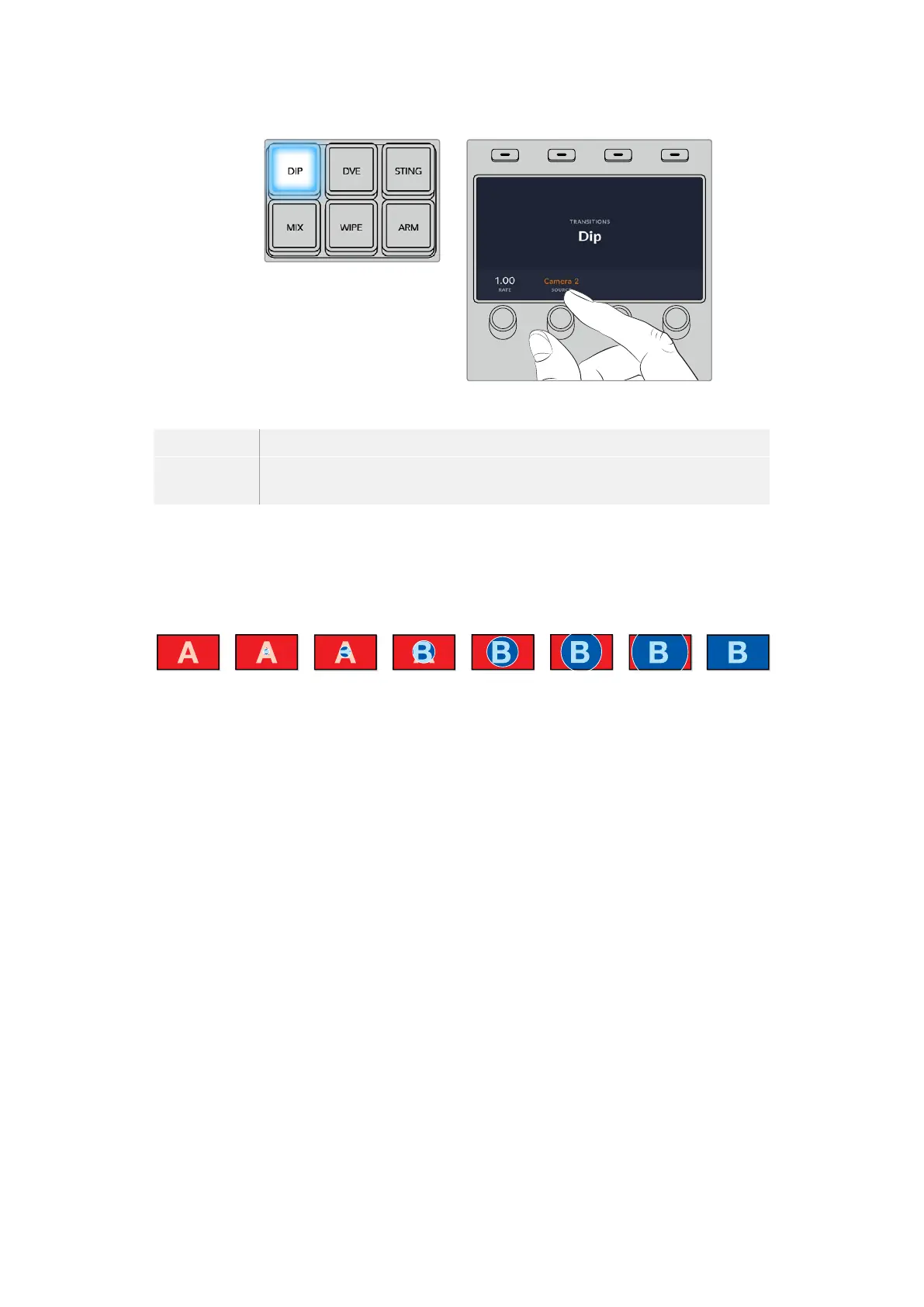
Press the ‘dip’ button in the
transition control block, then set
thedipsource and transition
rate using the LCD menu and
control knobs
Dip Transition Parameters
Rate The dip transition rate in seconds and frames.
Dip Source The dip source is any video signal in the switcher that will be used as the
intermediate picture for the dip transition, usually a color generator or media player.
Wipe Transitions
A wipe is a transition from one source to another and is achieved by replacing the current
source by another source with a pattern that forms a shape. For example an expanding circle
or diamond.
Program output for a wipe transition.
To perform a wipe transition on the software control panel:
1 On the preview bus, select the video source that you want on the program output.
2 Select the WIPE transition style in the transition control block.
3 Expand the transition palette and select wipe from the transition types bar.
4 Use the settings in the wipe palette to customize the wipe transition.
5 Perform the transition as an auto transition or manual transition from the transition
control block.
94Operating your ATEM Switcher



 To Next Page