Dip Transitions
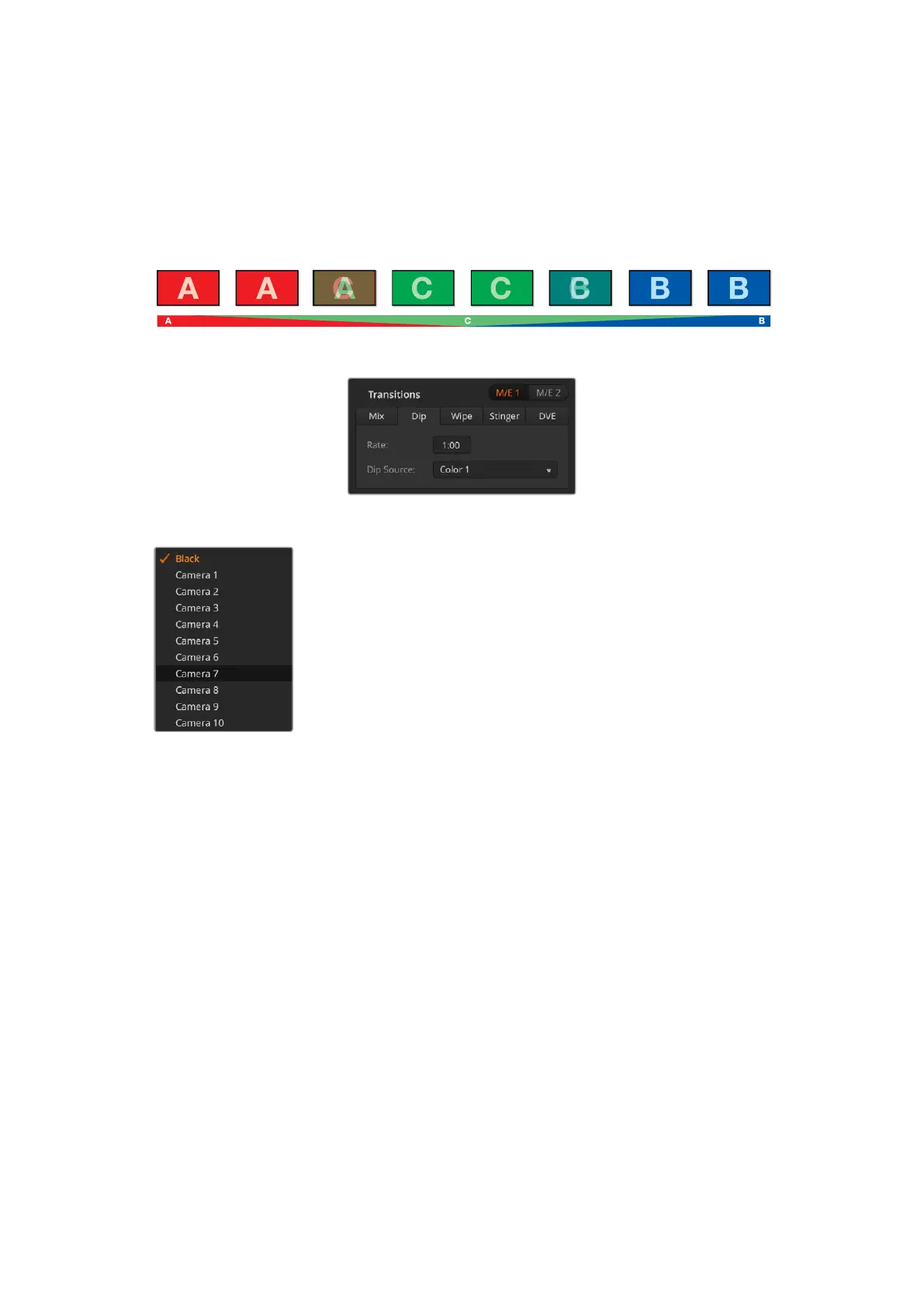
A DIP is similar to a mix in that it is a gradual transition that transitions from one source to
another. However, a dip transition gradually mixes through a third source, the dip source.
Forexample, the dip transition can be used for a transition that calls for a white flash or a
transition that quickly flashes the sponsor logo. The length of the dip transition and the dip
source can both be customized.
Program output for a dip transition.
Dip Transition Settings
Dip Source Menu
6 Perform the transition as an auto transition or manual transition from the transition
control block.
To perform a dip transition on an ATEM advanced panel:
1 On the preview bus, select the video source that you want on the program output.
2 Press the DIP button to select the dip transition type. The LCD menu will automatically
display the transition settings.
3 Under the LCD use the control knob to adjust the dip rate. You can also enter a rate
duration using the number pad.
4 Use the corresponding control knob to select the dip source. You can also use the select
bus to select a dip source.
5 Perform the transition as an auto transition or manual transition from the transition
control block.
To perform a dip transition on the software control panel:
1 On the preview bus, select the video source that you want on the
program output.
2 Select the DIP transition style in the transition control block.
3 Expand the transition palette and select dip from the transition
types bar.
4 Adjust the dip rate by entering a number in the rate window. The
rate display in the transition control block will update.
5 Select the dip source.
93Operating your ATEM Switcher


 To Next Page
 Loading...
