EasyManua.ls Logo

Atlas AC-105 - User Manual

Default Icon
25 pages
Print Icon
To Next Page IconTo Next Page
Loading...
AC - 105
AC-105 RESIDENTIAL & COMMERCIAL
INSTALLATION GUIDE
Please read this installation guide carefully to ensure
correct installation of the AC-105 Vertical Platform Lift.
Rev. 12D142018
p/n: 999355-0084
Question and Answer IconNeed help?

Do you have a question about the Atlas AC-105 and is the answer not in the manual?

Summary

Technical Specifications and Introduction

Technical Specifications Overview

Key technical details of the AC-105 lift, including load capacity, speed, drive type, motor, and standards.

Disclaimer and Important Notices

Essential disclaimers, important notes, and warnings regarding the installation guide and product.

Safety Alert Definitions

Definitions for safety alert levels (DANGER, WARNING, CAUTION, NOTE) used throughout the guide.

Installation Safety Precautions

Critical safety precautions and disclaimers to follow before and during the installation process.

Pre-Installation Requirements

Essential requirements including codes, site preparation, and electrical needs before starting installation.

Rail Installation Procedure

Rail System Terminology

Overview of the rail system components including upper, middle, and lower rails and their layout.

Lower Rail Measurement Guide

Detailed measurement instructions for the lower rail system installation.

Lower Rail Installation Steps

Align and Mount Lower Rail

Steps for aligning and mounting the lower rail to wall studs or posts using lag screws.

Secure Lower Rail Sections

Process for joining subsequent lower rails and ensuring proper clearance from the lower landing floor.

Upper Rail Installation Procedure

Measure and Mount Upper Rail

Instructions for measuring the 18" distance and mounting the upper rail to wall studs/posts.

Join Subsequent Upper Rails

Method for joining multiple upper rail sections using rail joints and hex bolts.

Middle Rail Installation Steps

Measure and Mount Middle Rail

Steps for measuring the 5-1/4" distance and mounting the middle rail to wall studs/posts.

Join Middle Rail Sections

Instructions for joining middle rail sections, noting they do not require rail joints.

Install Upper Tower Column

Mount Tower Column to Rails

Procedure for mounting the tower column to the upper and lower rails using provided brackets and hardware.

Secure Tower to Wall;Post

Steps to screw the tower to the wall or post at the upper and lower screw entry points.

Prepare the Platform

Install Platform Piston

Steps to install the platform piston with ball joint and locking clip before unfolding the platform.

Remove Carriage Covers

Instructions to remove upper and lower carriage covers by unscrewing the specified screws.

Install Upper Rollers to Upper Rail

Mount Upper Rollers

Guide to mounting upper rollers, including orientation and brake placement, onto the upper rail.

Install the Carriage Assembly

Position and Slide Carriage

Steps for positioning the carriage at the bottom landing and sliding it onto the rails, ensuring roller alignment.

Ensure Roller Gap and Fasten

Critical steps for ensuring correct lower roller gap and fastening the carriage to upper rollers.

Install the RR.50 Chain

Route and Tighten RR.50 Chain

Procedure for installing the RR .50 chain, running it along the rail, and tightening to remove slack.

Install Drag Chain Cable Carrier

Route and Secure Cable Carrier

Steps for routing the drive motor power cable through the drag chain cable carrier and securing it to the rails.

Wire Power, Motor, and Batteries

Wire Power Supply and Motor

Instructions for wiring the main power supply to the electrical disconnect and the drive motor to the ECP.

Wire Batteries

Steps for wiring the four batteries to the ECP, including their orientation and placement.

Install Safety Arms and Calibrate Cams

Install and Adjust Safety Arms

Procedure for loosening set screws, sliding security arms onto D-shafts, and fastening them.

Verify Cam Adjustment

Verifying that the safety arms' cams are properly adjusted as per factory settings for correct operation.

Calibrate Floor Cams

Ensure Floor Cam Adjustment

Ensuring that the floor cams have been properly adjusted for correct functionality.

Install Cams and Adjust Limit Switches

Install Cams and Test Functionality

Determining cam position for limit switches and installing them on the lower rail using screws and nuts.

Ensure Cam Inward Orientation

Critical warning to ensure cams are installed facing inward towards the carriage for proper operation.

Mount Upper Tower and Carriage Covers

Mount Tower and Carriage Covers

Instructions for mounting the upper tower cover and the two carriage covers using the specified screws.

Summary

Technical Specifications and Introduction

Technical Specifications Overview

Key technical details of the AC-105 lift, including load capacity, speed, drive type, motor, and standards.

Disclaimer and Important Notices

Essential disclaimers, important notes, and warnings regarding the installation guide and product.

Safety Alert Definitions

Definitions for safety alert levels (DANGER, WARNING, CAUTION, NOTE) used throughout the guide.

Installation Safety Precautions

Critical safety precautions and disclaimers to follow before and during the installation process.

Pre-Installation Requirements

Essential requirements including codes, site preparation, and electrical needs before starting installation.

Rail Installation Procedure

Rail System Terminology

Overview of the rail system components including upper, middle, and lower rails and their layout.

Lower Rail Measurement Guide

Detailed measurement instructions for the lower rail system installation.

Lower Rail Installation Steps

Align and Mount Lower Rail

Steps for aligning and mounting the lower rail to wall studs or posts using lag screws.

Secure Lower Rail Sections

Process for joining subsequent lower rails and ensuring proper clearance from the lower landing floor.

Upper Rail Installation Procedure

Measure and Mount Upper Rail

Instructions for measuring the 18" distance and mounting the upper rail to wall studs/posts.

Join Subsequent Upper Rails

Method for joining multiple upper rail sections using rail joints and hex bolts.

Middle Rail Installation Steps

Measure and Mount Middle Rail

Steps for measuring the 5-1/4" distance and mounting the middle rail to wall studs/posts.

Join Middle Rail Sections

Instructions for joining middle rail sections, noting they do not require rail joints.

Install Upper Tower Column

Mount Tower Column to Rails

Procedure for mounting the tower column to the upper and lower rails using provided brackets and hardware.

Secure Tower to Wall;Post

Steps to screw the tower to the wall or post at the upper and lower screw entry points.

Prepare the Platform

Install Platform Piston

Steps to install the platform piston with ball joint and locking clip before unfolding the platform.

Remove Carriage Covers

Instructions to remove upper and lower carriage covers by unscrewing the specified screws.

Install Upper Rollers to Upper Rail

Mount Upper Rollers

Guide to mounting upper rollers, including orientation and brake placement, onto the upper rail.

Install the Carriage Assembly

Position and Slide Carriage

Steps for positioning the carriage at the bottom landing and sliding it onto the rails, ensuring roller alignment.

Ensure Roller Gap and Fasten

Critical steps for ensuring correct lower roller gap and fastening the carriage to upper rollers.

Install the RR.50 Chain

Route and Tighten RR.50 Chain

Procedure for installing the RR .50 chain, running it along the rail, and tightening to remove slack.

Install Drag Chain Cable Carrier

Route and Secure Cable Carrier

Steps for routing the drive motor power cable through the drag chain cable carrier and securing it to the rails.

Wire Power, Motor, and Batteries

Wire Power Supply and Motor

Instructions for wiring the main power supply to the electrical disconnect and the drive motor to the ECP.

Wire Batteries

Steps for wiring the four batteries to the ECP, including their orientation and placement.

Install Safety Arms and Calibrate Cams

Install and Adjust Safety Arms

Procedure for loosening set screws, sliding security arms onto D-shafts, and fastening them.

Verify Cam Adjustment

Verifying that the safety arms' cams are properly adjusted as per factory settings for correct operation.

Calibrate Floor Cams

Ensure Floor Cam Adjustment

Ensuring that the floor cams have been properly adjusted for correct functionality.

Install Cams and Adjust Limit Switches

Install Cams and Test Functionality

Determining cam position for limit switches and installing them on the lower rail using screws and nuts.

Ensure Cam Inward Orientation

Critical warning to ensure cams are installed facing inward towards the carriage for proper operation.

Mount Upper Tower and Carriage Covers

Mount Tower and Carriage Covers

Instructions for mounting the upper tower cover and the two carriage covers using the specified screws.

Overview

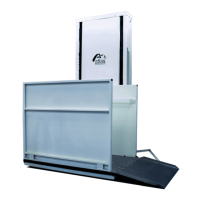
The Atlas AC-105 is an Inclined Platform Lift designed for mobility and accessibility, suitable for both residential and commercial applications. This device provides a smoother and more stable ride due to its unique C-shaped rail system. The platform is designed to fit most staircases and can be folded when not in use, offering a compact and quiet solution. A notable feature is that it does not require a separate mechanical room, as all components are integrated into the sleek and slim upper landing column.

Function Description:

The AC-105 Inclined Platform Lift is designed to transport individuals, particularly those using mobility devices, up and down staircases. It operates along a rail system mounted to a supporting wall, posts, or floor. The platform itself is foldable, allowing it to be stowed away when not in use, thus minimizing its footprint in the living space. The lift is powered by a 24 VDC motor and utilizes a sprocket and chain drive type for movement along the rails. Safety is a primary concern, with features like safety arms and calibrated cams to ensure secure operation. The installation process involves mounting multiple rail sections (lower, middle, and upper), installing the upper tower column, preparing the platform by installing the platform piston, and then mounting the carriage with its rollers. The drive chain and cable carrier are then installed, followed by the electrical wiring for the main power, drive motor, and batteries. Finally, safety arms are installed and calibrated, floor cams are adjusted, rail cams and limit switches are set, and the covers for the upper tower and carriage are mounted.

Important Technical Specifications:

  • Load Capacity: 550 LBS (249 KG)
  • Rated Travel Speed: 15 FPM (0.08 M/S)
  • Drive Type: Sprocket & Chain
  • Motor: 24 VDC
  • Maximum Travel: Custom Travel (length of the run)
  • Electrical Requirements: 110VDC-15 AMP grounded electrical circuit and a GFCI protected circuit. Depending on local codes, this connection may need to be routed in electrical conduit and hard-wired.
  • Codes and Standards: CSA B613-00, B355-15, ASME 17.1 & ASME 18.1. Installers are responsible for verifying local code enforcement requirements.
  • Rail Dimensions: The distance between the upper and lower rails is 18 inches, and the distance between the middle and lower rails is 5-1/4 inches. These distances must remain constant throughout the length of the run.
  • Batteries: The system uses 4 (12V7.5Ah) batteries.

Usage Features:

  • Compact Design: The platform folds when not in use, and all mechanical components are housed within the upper landing column, making it space-efficient.
  • Smooth and Stable Ride: Achieved through its unique C-shaped rail system.
  • Versatile Installation: Designed to fit most staircases.
  • User-Friendly Controls: While not explicitly detailed in the provided sections, the system includes safety features such as limit switches and safety arms, implying intuitive operation to ensure user safety.
  • Emergency Lowering Device: A manual lowering device is available for the RR .50 Chain, which can be used if the Tower Cover is removed.

Maintenance Features:

  • Accessible Components: The Tower Cover and Carriage Covers are removable (using #10-24 screws) to allow access for installation, wiring, and potentially maintenance of internal components like the drive motor, batteries, and electrical control panel.
  • Pre-adjusted Cams: Safety arms and floor cams are pre-adjusted at the factory, simplifying initial setup, though verification during installation is required.
  • Clear Installation Guide: The manual provides detailed, step-by-step instructions with diagrams for installation, which is crucial for proper setup and future maintenance reference.
  • Dealer Support: Users are directed to contact their dealer for any problems or assistance not covered in the installation guide, ensuring professional support.
  • Owner's Manual: An Owner's Manual is available on the manufacturer's website (www.atlasacces.com) for details regarding operation and maintenance, providing a resource for ongoing care.
  • Warning and Safety Precautions: The manual emphasizes safety during installation and operation, including warnings about exceeding load capacity, using the lift for unintended purposes, and the importance of proper safety equipment and adherence to local codes. It also highlights the need to disconnect power before service operations and not to bypass sensor switches.

The Atlas AC-105 is designed for authorized dealers to install and service, ensuring that the device is set up correctly and safely according to manufacturer specifications and local regulations. Failure to comply with installation instructions can void the Atlas Limited Warranty.

Atlas AC-105 Specifications

General IconGeneral
BrandAtlas
ModelAC-105
CategoryLifting Systems
LanguageEnglish

Related product manuals