7
4) Write EDID into a HDMI
™
monitor/projector
Executing “HDMI Monitor Writer” might cause damage to your monitor’s EDID. For instance, the
sudden power surge or the disconnection of the serial port while updating EDID may result in
an incomplete update process. Therefore, it is not recommended to use this function. If users
would like to update the monitor’s EDID content and acknowledge such risk, please make a
backup copy of the original EDID, and make sure there is no damage to your monitor’s EDID.
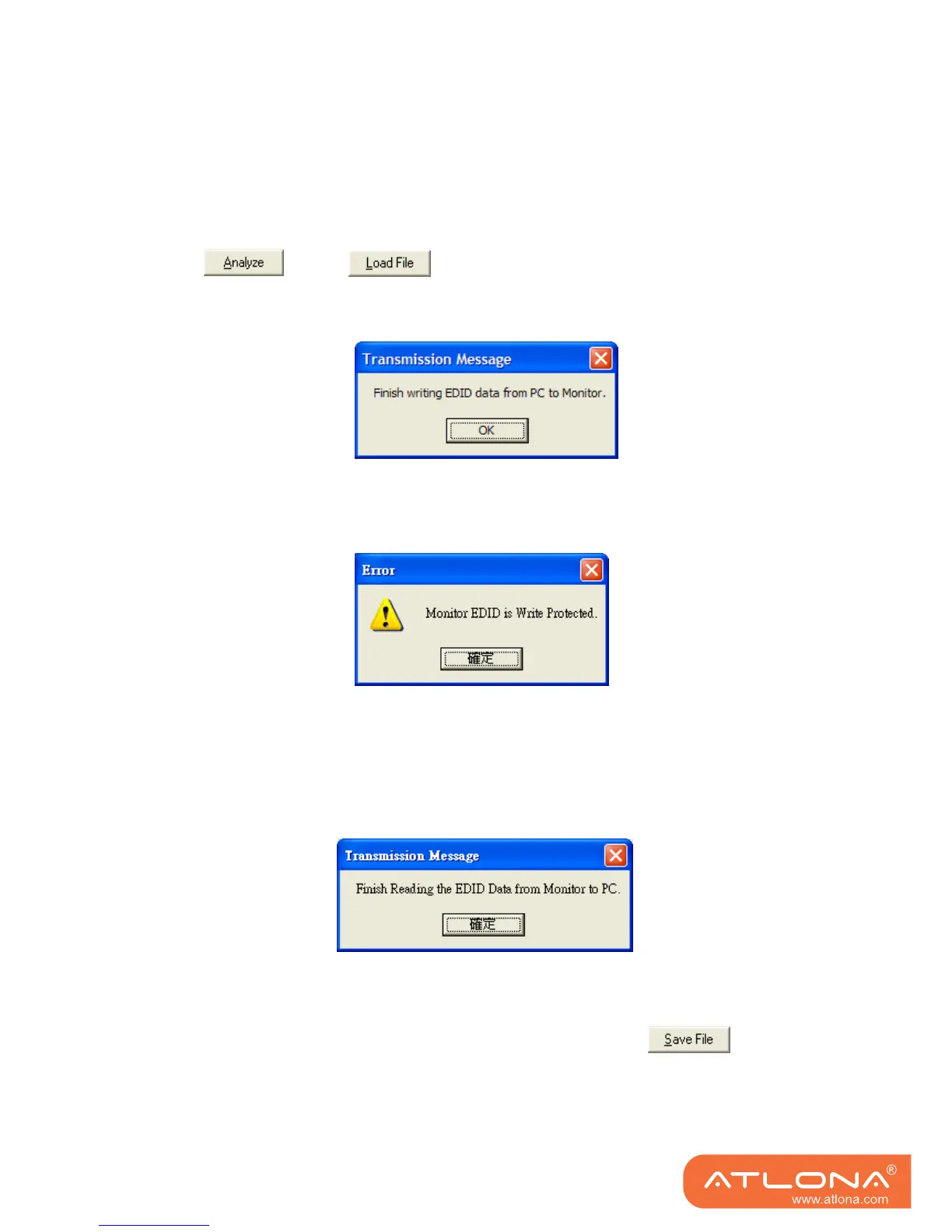
1. Click or click to load the pre-saved EDID profile in the analysis window.
2. Click “HDMI Monitor Writer” Click “HDMI Monitor Writer” and wait for the following message
window showing up.
3. The AT-HDSync may not work on the monitors with EDID write-protection. At this time , you
can see the following error message window showing up .
5) Read EDID from a HDMI
™
monitor/projector
1. Click ”HDMI Monitor Reader” and wait for the following message window showing up.
2. Click “Analyze” and make a quick analysis on the EDID information just read, which users
are capable of monitoring or modifying.
3. To save the EDID information for your future reference, please click .
The pop-up window will guide you to save the EDID information within the PC.
Note: The AT-DVISync may not work on the monitors with EDID write-protection.



 To Next Page