2-9
2.1.8. INSTALLATION OF WEAPON MOUNT
Perform the following procedure to install the weapon mount.
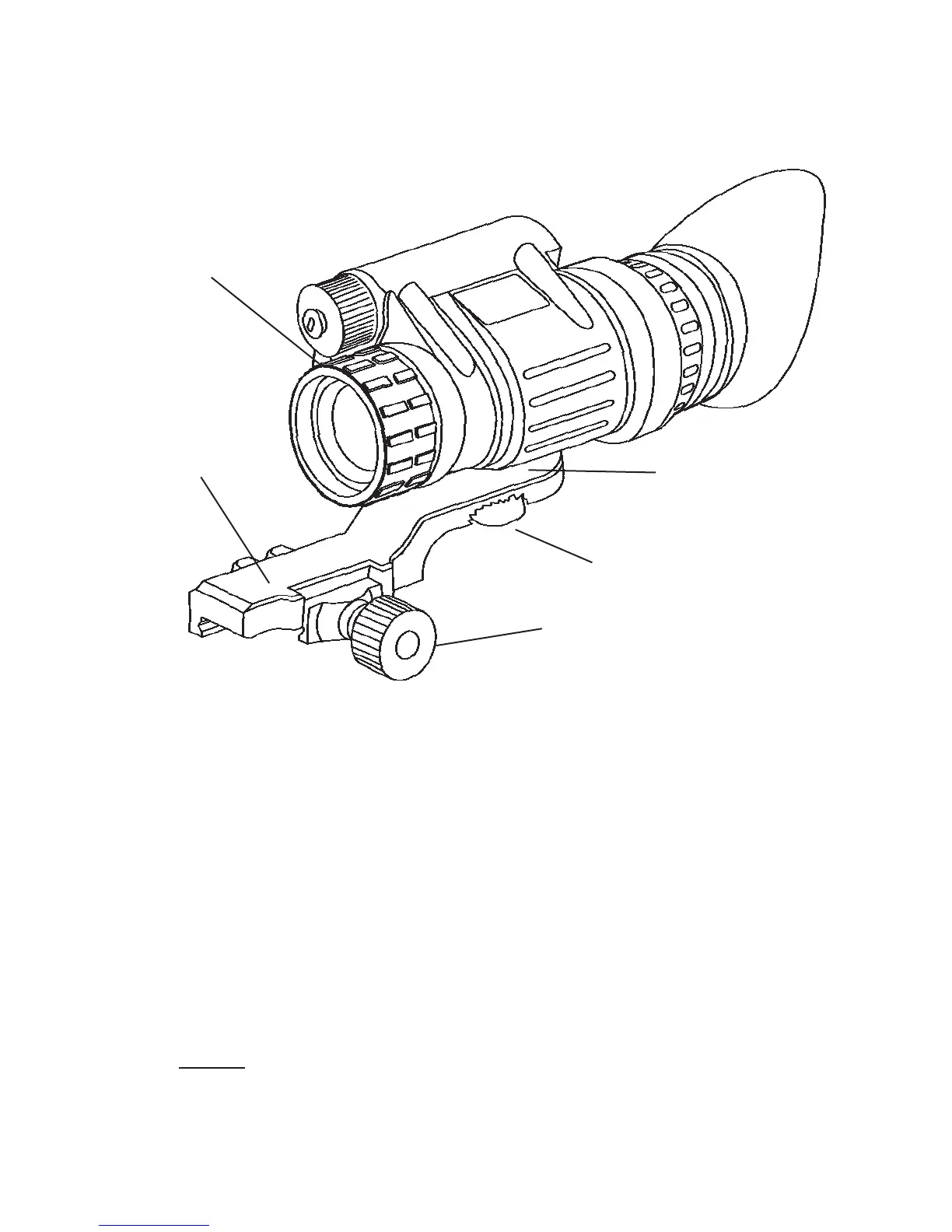
FIGURE 2.7. WEAPON MOUNT USAGE
(1) Orient the monocular and weapon mount as shown in Figure 2.7.
Be sure to align the alignment boss on the weapon mount with the
alignment groove in the monocular.
(2) Screw in the thumbscrew to secure the monocular to the weap-
on mount.
(3) Loosen the clamping knob on the weapon mount. Position the
weapon mount with the monocular onto the weapon’s mounting rail.
Tighten by turning the clamping knob.
NOTE
There is a ratchet in the weapon mount that prevents over-
tightening of the clamp. Turn until the knob clicks.
WEAPON
MOUNT
ALIGNMENT BOSS
(HIDDEN)
THUMBSCREW
CLAMPING KNOB
VARIABLE PIVOT
TECHNOLOGY
ADJUSTMENT



 To Next Page