3) When the LED display show ~ , the first time press “SETUP” button , will be show
“SP.XX”; Now can get through “UP” or “DOWN” button setup program speed ~ (SP100);
Press “SETUP” second time, will be show “FSxx”, now can get through “UP” or
“DOWN” button setup program flash speed ~.
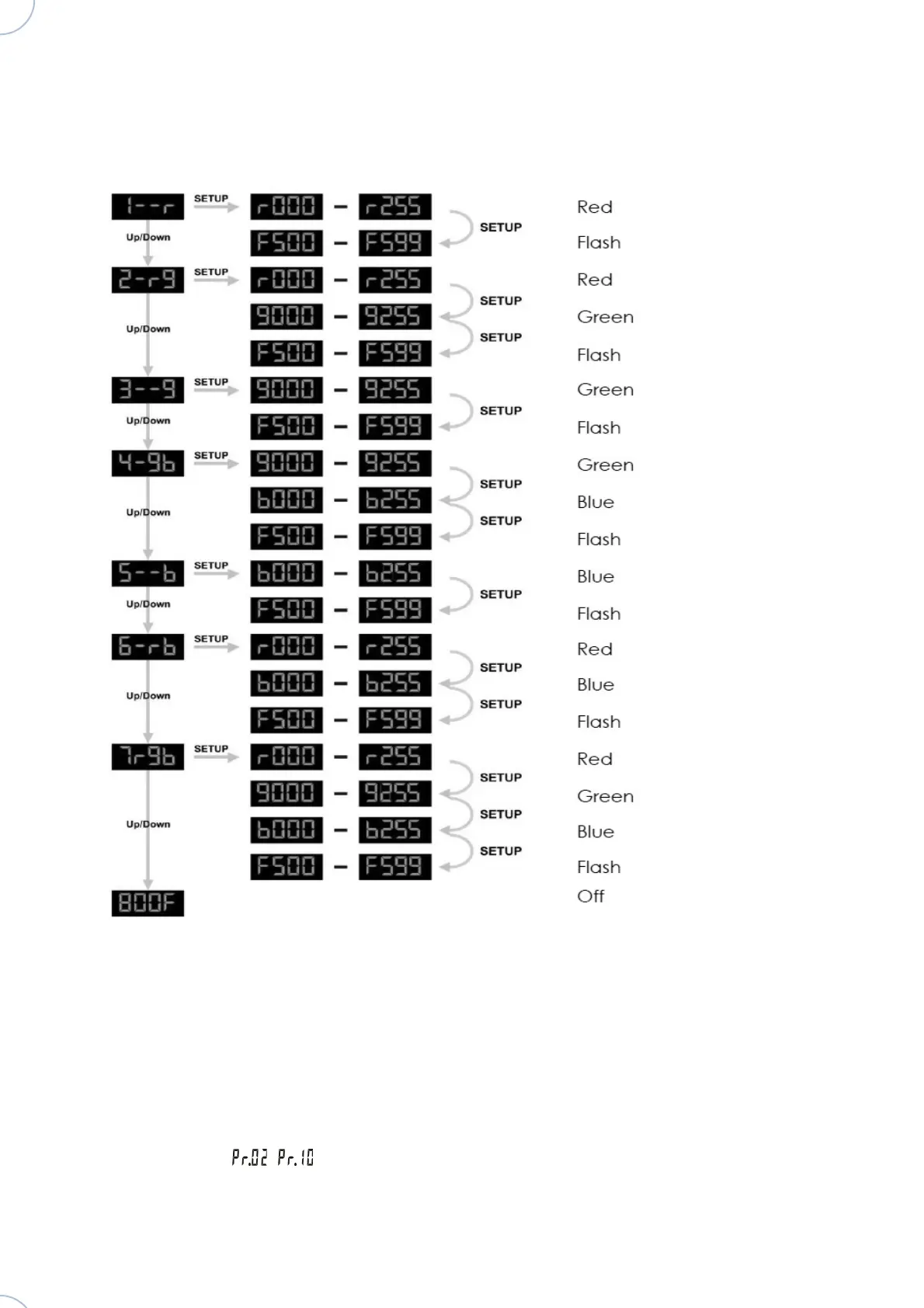
For the manual settings headlight you can consult the diagrams below.
2_Auto Running
Press “MODE” button to enter into auto running mode “AUTO”, the device will get into the
built-in programs ~ automatically. The user could set the running speed and strobe
speed in the built-in mode, the effect will auto running in order.
Atomic4Dj Par64 Led Slim RGB – www.Atomic4Dj.com



 To Next Page