3_DMX Mode
1) Press “MODE” button, enter DMX control program menu
2) Press “UP” or “DOWN” button, setup DMX address value
3) Press “SETUP” button, enter setup DMX mode menu X-ch.
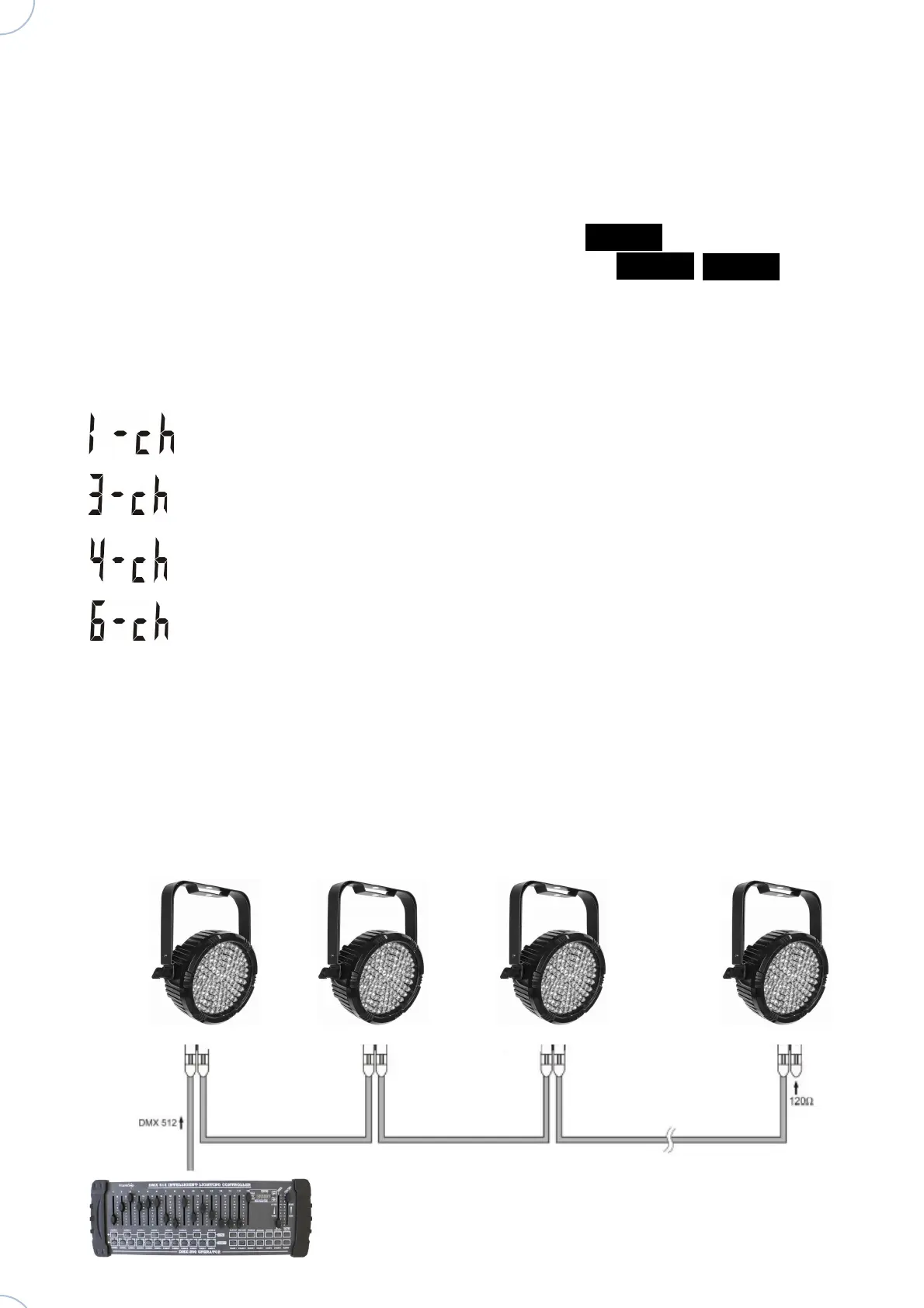
4) Press “UP” or “DOWN” button, setup DMX mode: , , .
1) 1 Control channel
2)
3 Control channel
3) 4 Control channel
. 6 Control channel
Example of connecting DMX:
Atomic4Dj Par64 Led Slim RGB – www.Atomic4Dj.com



 To Next Page