Changing the TPG Video Mode
When the Connect-AC is in TPG video
mode, the video output mode can be
changed by pressing the MODE button
a second time.
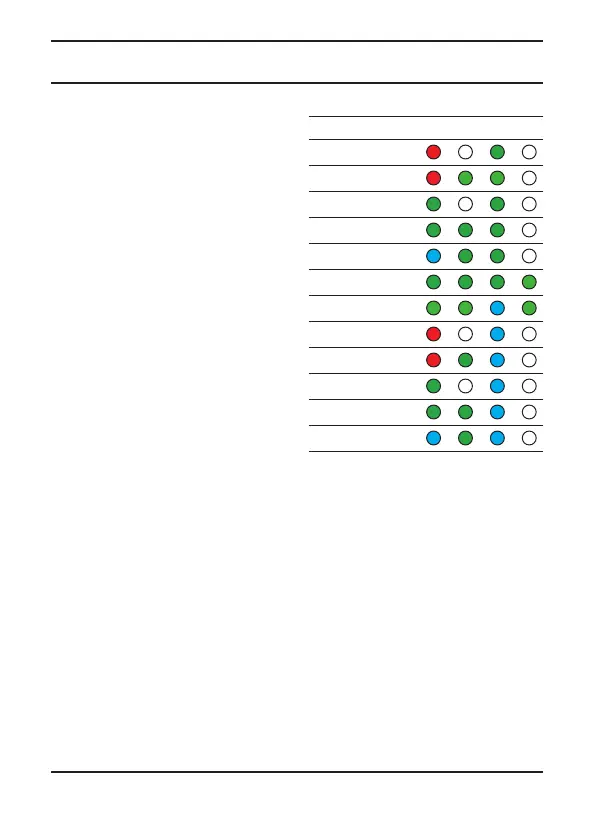
Each subsequent press of the MODE
button while in this state will cause
the Connect-AC to scroll through video
modes in the following shown to the
right (This TPG guide is included with
your converter as a quick reference
card and sticker).
NOTE: You must first enter the TPG
Video Indication mode in order to
change the current TPG video output
format.
TPG MODE P/I RATE SCAN
NTSC
720 59
1080i 59
p29
p59
p23
p24
PAL
720 50
1080i 50
p25
p50
Operation
Atomos Connect-AC User Manual V1.0 8



 To Next Page