8 9
10 11
Front
Back
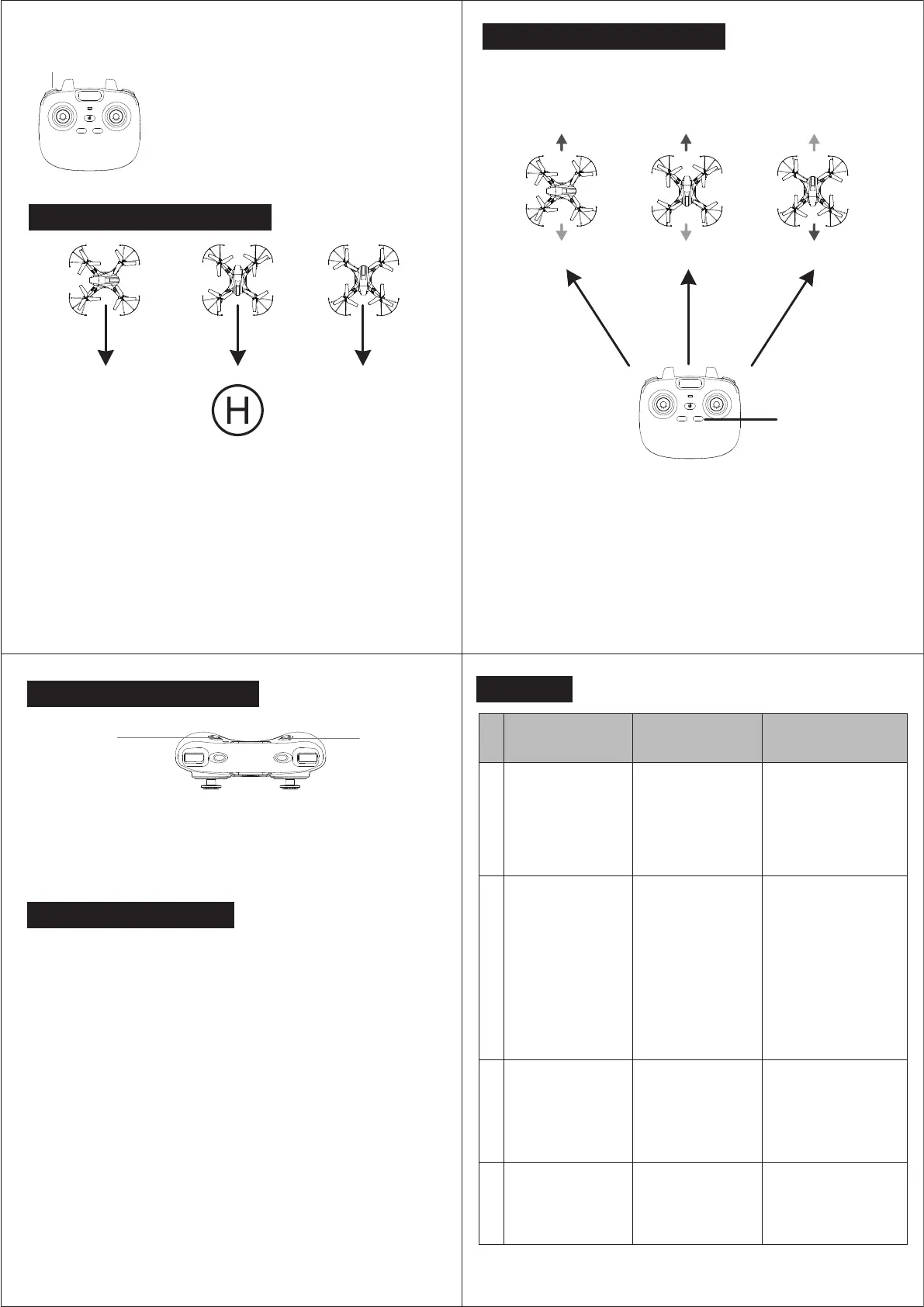
Origin Headless Mode
Headless Mode
Headless Mode
Front
Back
Front
Back
Speed Adjustment
Users are recommended to stay same orientation as the drone head is facing when
the drone takes off.
Headless Mode, the forward direction is same as the direction when the drone took off,
where the head of drone was facing.
In order to make sure the users can clearly identify drone’s direction, we suggest that
users better stay in the same orientation as the drone facing when it takes off.
Then no matter which direction the head is facing, the drone will lock the controlled
direction as the remote controller, easy to control back the drone.
Press the "Right function switch". When the indicator lights are slowly flashing, the drone is in
Headless Mode.
Press the "Right function switch" again. When the indicator lights stop flashing, the Headless Mode
is diactivated.
Speed ±
Press the speed switch to change the speed gear while
flying. There are 3 gears, press the Speed switch, you will
hear “beep, beep”, means it is on the second gear speed.
Press again, you will hear “beep, beep, beep” means it is on
the third gear speed. Press again, you will hear “beep”
means it is back to the first gear.
Remark: Beginners would be suggested to use the first
gear speed firstly to play until skillful.
8. Return-to-home function
Propeller dia.: 100mm
Aircraft: 301X301X70mm
Total weight: 90g±2g
Battery: 3.7V950mAh
Charging time: About 120 mins
Flight time: 10 mins
Gyroscope: Built-in
Working temperature: -10°C to 40°C
Remoter controller: 2.4G
Motor: 8*26 4pcs
Effective Control Range: 50 meters
Wifi Transmission Range : 30-40 meters
(in a wide open area with no electromagnetic interference)
Working frequency: 2.4G
Battery: 3xAAA
Remote Controller Parameters
11.Aircraft Parameters
10.Photograph and Video
12. FAQ
ISSUES CAUSE SUGGESTIONS
1
2
3
4
After the battery is
insertedin the drone,
indicator lights on
drone keep flashing,
no response to
operations
No response after
battery is inserted in
the drone
Motor does not run
when operating the
throttle stick and the
indicator lights on
drone keep flashing
Main motor blades
spin but the drone
won’t fly
1. Some of the blades
have been deformed
2. Battery power is
not enough
1. Replace the main
blade
2. Charge the battery or
replace it with a fully
charged battery
Power for the Li-Poly
battery is not enough
Charge the battery or
replace it with a
full-charged battery
1.Check if the power
for remote and drone
is full charged.
2.Connection of the
poles are not good
1.Open the remote
battery case and make
sure if the battery is
inserted in right position
2. Use a fully charged
battery
3. Reinstall the battery
and confirm whether it is
good connecting with the
poles well.
Frequency matching
between remote and
receiver not successful
Reoperate the frequency
matching for remote
and drone (please refer
to P.4 for details)
9.Headless Mode Function
Take Photos Video
Take Photos
:
Press the button of "take photo". Please make sure to open the app on your
smart phone before using it, then you can review the photos taken in the media
file of app.
Video
:
Press the button of "take video", press to start and press again to finish and save
the video. Please make sure to open the app on your smart phone before using it,
then you can review the videos taken in the media file of app.
In regular mode, when the drone fly forward, stand and make sure the remote toward the tail of
drone then press the “Right function switch” to activate headless mode, no matter which direction
that the drone heading to, keep pressing the “Right function switch” about 3 seconds, the drone
would fly straight back to remote location.
Note : 1. The drone will not land itself when operate this function, just fly straight toward the remote
direction, negative direction operate the right stick to stop flying.
2. If you change your position while playing, Return-to-home function will be inaccurate.
Now turn the drone's tail toward the remote, then press the “Right function switch” to
activate headless mode, and keep pressing the “Right function switch” about 3 seconds,
then It will come back successfully. Or you can also face to the dorne's tail and calibrate
the gyroscope after it lands. Such operation is to update the drone's return direction.



 To Next Page
 Loading...