44
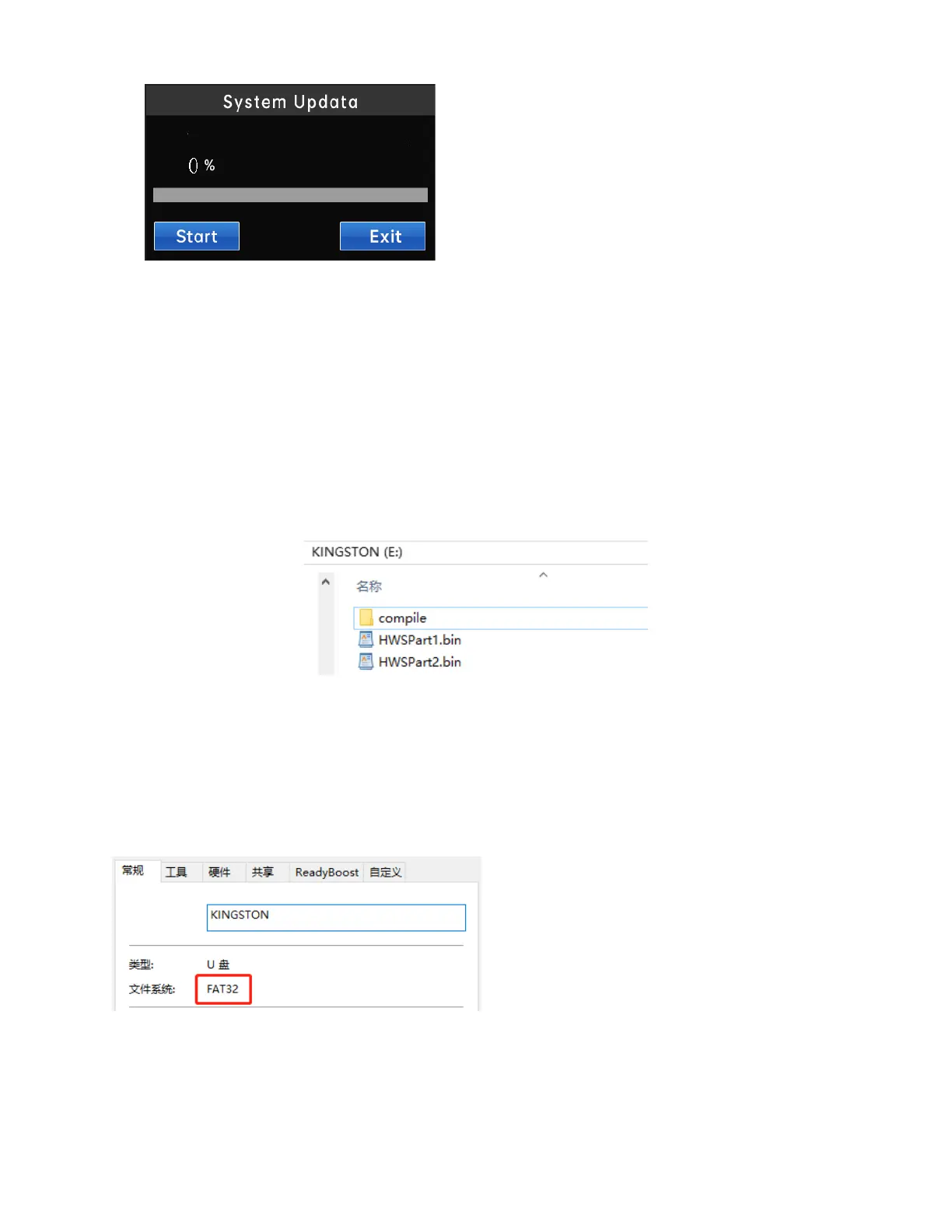
Please follow the steps below to update the controller program:
1. After inserting the U disk with the updateable file into the USB port of the controller, click the
"Start Update" button. If an updateable file is detected, the automatic update program will
start. If there is no updateable file in the U disk, it will prompt "No updateable file detected";
2. The progress bar indicates the current update progress. After the program update is completed
(100%), follow the prompts to remove the U disk and restart the system;
3. If the update fails, you can click the "Start Update Button" again.
Notice:
1) The update files of the touch screen and the controller should be placed in the root directory of the U disk, as
shown in Figure 5-3. Among them, "compile" is the update file of the touch screen, and "HWSPart1.bin" and
"HWSPart2.bin" are the update files of the controller. The user must not change these two file names, otherwise the
program cannot be updated!
2) It is recommended to use a FAT32 format USB flash drive for updating the program. (After entering the U disk
catalog, right-click "Properties" to view the format of the U disk, as shown in the figure below.)



 To Previous Page