EasyManua.ls Logo

Audi A4 2023 - Page 142

Audi A4 2023
310 pages
Print Icon
To Next Page IconTo Next Page
To Previous Page IconTo Previous Page
Loading...
Driver
assistance
Safe
start
monitor
Applies
to:
vehicles
with
safe
start
monitor
The
vehicle
can
still
start
to
drive
even
if
certain
obstacles
are
detected
when
starting
to
drive
>
(\.
If
the
surrounding
area
detection
detects
an
obstacle,
you
will be
alerted
to
the
danger
by
the
[il
indicator
light.
If
you
are
in
the
Driver
assistance
display,
the
display
@
>
fig.
113 and
the
message
Warning!
will
also
appear.
An
audio
signal
will
also
sound.
Your
vehicle
will
drive
more
slowly
when
starting.
This
may
also
occur
in
some
situations
when
there
is
no
apparent
obstacle.
»
Press
the
brake
pedal
to
slow
your
vehicle
if
necessary.
_
WARNING
Observe
the
safety
precautions
and
note
the
limits
of
the
assist
systems,
sensors,
and
cameras
>
page
120.
If
the
message
[if
ready
to
drive!)
appears,
your
vehicle
will
start
driving
even
if
there
is
an
obstacle
between
your
vehicle
and
the
ve-
hicle
ahead.
To
reduce
the
risk
of
an
acci-
dent,
always
make
sure
there
are
no
obsta-
cles
between
your
vehicle
and
the
vehicle
driving
ahead.
Driver
intervention
request
Applies
to:
vehicles
with
Audi
adaptive
cruise
control
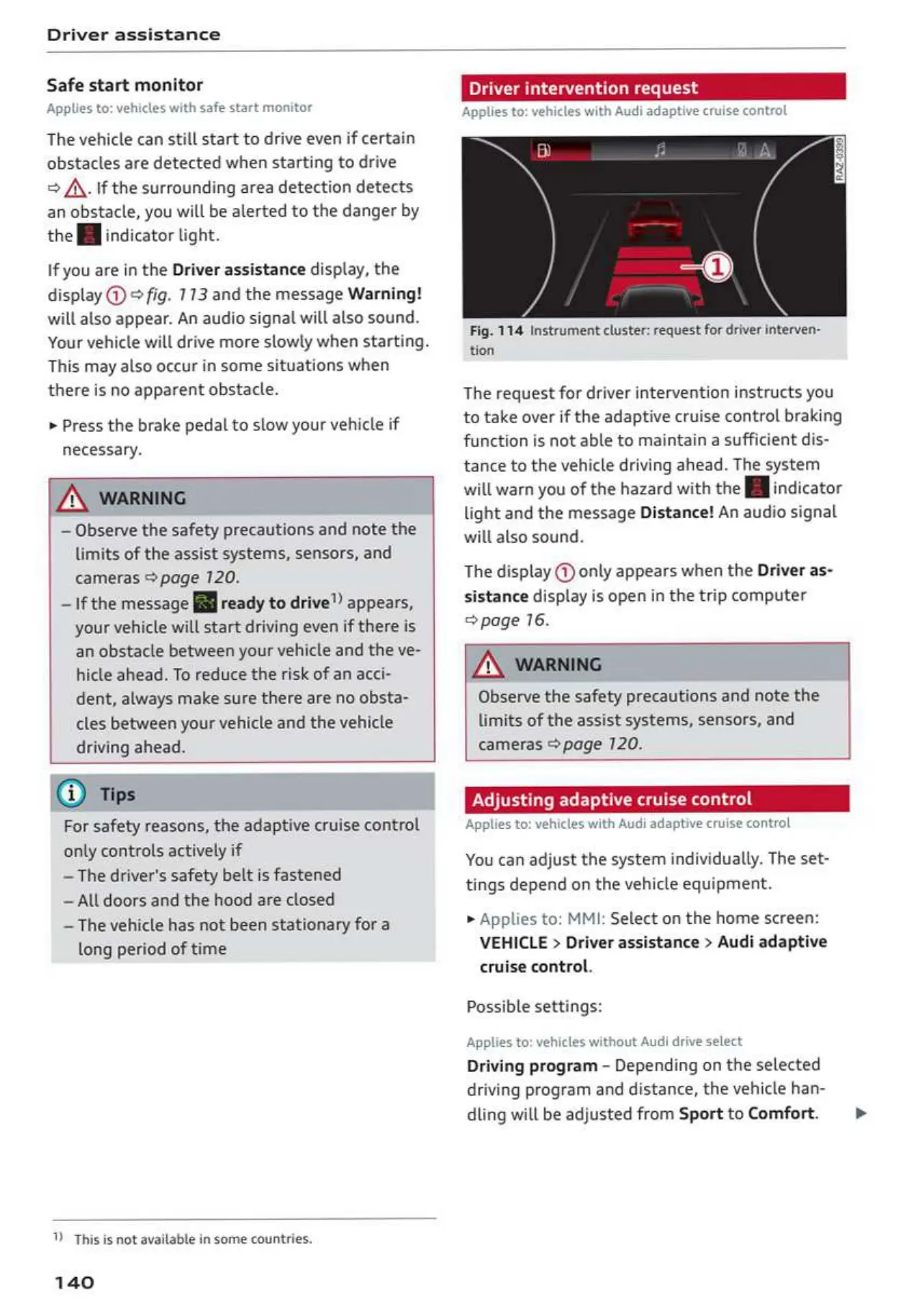
Fig.
114
Instrument
cluster:
request
for
driver
interven-
tion
The
request
for
driver
intervention
instructs
you
to
take over
if
the
adaptive
cruise
control
braking
function
is
not
able
to
maintain
a
sufficient
dis-
tance
to
the
vehicle
driving
ahead.
The
system
will
warn
you
of
the
hazard
with
the
[fifindicator
light
and
the
message
Distance!
An
audio
signal
will
also
sound
The
display
@
only
appears
when
the
Driver
as-
sistance
display
is
open
in
the
trip
computer
page
16.
ZX
WARNING
Observe
the
safety
precautions
and
note
the
limits
of
the
assist
systems,
sensors,
and
cameras
>
page
120.
For
safety
reasons,
the
adaptive
cruise
control
only
controls
actively
if
~The
driver's
safety
belt
is
fastened
~All
doors
and
the
hood
are
closed
The
vehicle
has
not
been
stationary
for
a
long
period
of
time
This
is
not
available
in
some
countries.
140
ol
ruise
control
Adjusting
adaptive
cruise
co!
Applies
to:
vehicles
with Audi
adapt
You
can
adjust
the
system
individually.
The
set-
tings
depend
on
the
vehicle
equipment.
»
Applies
to:
MMI:
Select
on
the
home
screen:
VEHICLE
>
Driver
assistance
>
Audi
adaptive
cruise
control.
Possible
settings:
Applies
to:
vehicles
without
Audi
drive
select
Driving
program
-
Depending
on
the
selected
driving
program
and
distance,
the
vehicle
han-
dling
will
be
adjusted
from
Sport
to
Comfort.
>

Table of Contents

Related product manuals