16
ENGLISH
FUNCTIONAL INSTRUCTIONS
8
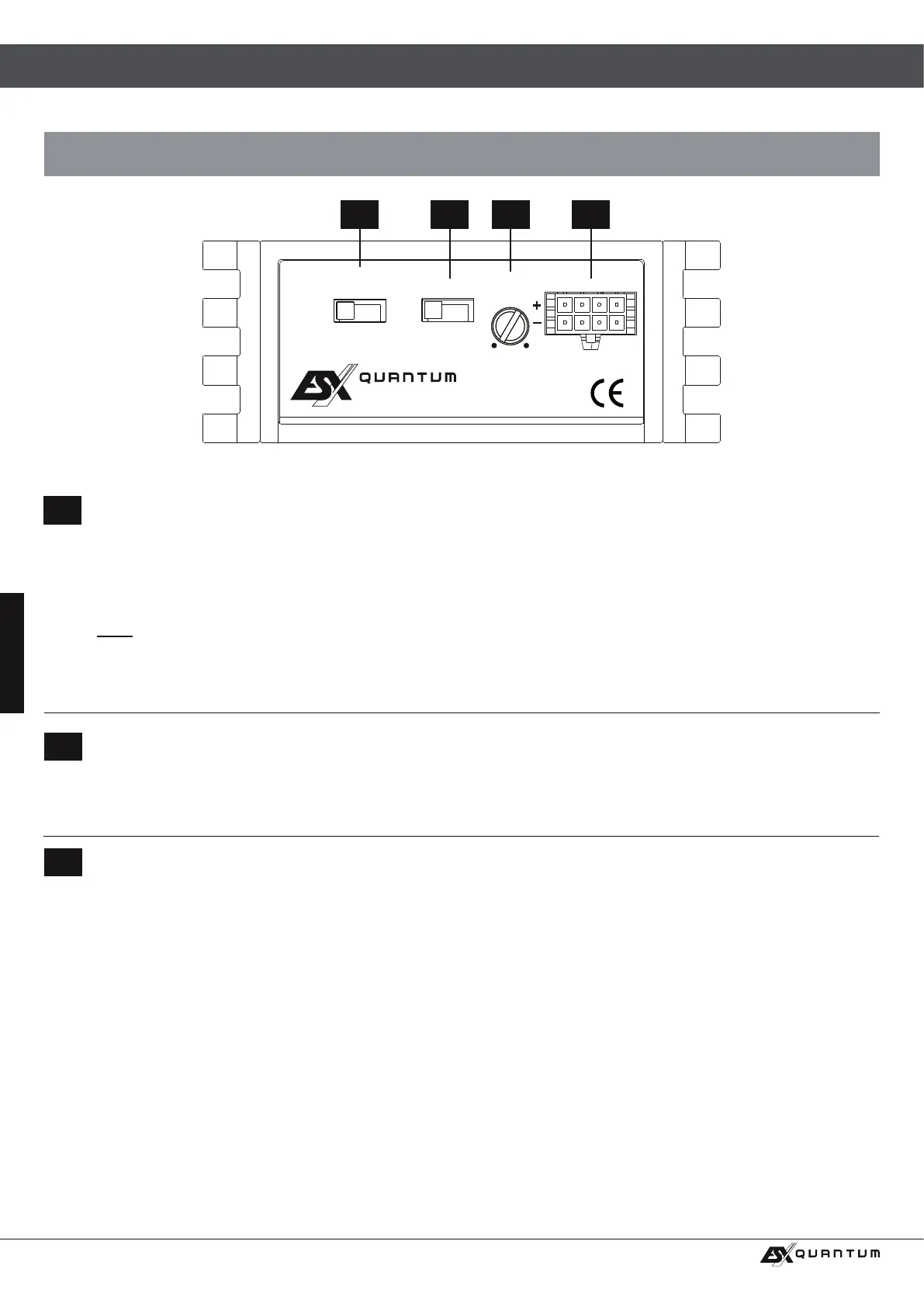
The LEVEL INPUT controller determines the input sensitivity (adaptation to the output signal of the head unit). The controller
range is between 5 volts (MIN) and 0.2 volts (MAX).
6 7 8 9
8
If your head unit does not have a turn-on signal (REM), you can use the automatic turn-on function of the amplier. This works
in two ways, which can be set at the AUTO TURN-ON switch:
VOX: The amplier then detects a voltage increase in the incoming audio signal when switching on the head unit via the attached
RCA cable and then switches on the amplier. Recommended for the use with the pre-amplier RCA outputs of the head unit.
DC: The amplier then detects a voltage rise to 6 volts when the head unit is turned on by a so-called “DC offset” and then turns
on the amplier. Recommended for the use with the speaker outputs of the head unit.
Note: As soon as the head unit is switched off again, the amplier switches itself off.
The terminal for the amplier turn-on (page 15, section 2, REM IN/OUT) can now be used to supply additional ampliers with a
turn-on signal. Simply connect the REM terminals of the two ampliers and make sure that the other amplier is in “normal” turn-
on mode, which means that the AUTO TURN ON function is disabled.
7
The X-OVER switch selects the desired operating mode:
LP: Low-Pass mode (xed at 80 Hz, frequency is limited upwards).
HP: High-Pass mode (xed at 80 Hz, frequency is limited downwards).
FULL: Full-Range mode (the entire frequency range is amplied).
X-OVER
LP HP FULL
OFF VOX DC
LEVEL
INPUT
MIN
L R L R
MAX
AUTO
TURN-ON
INPUT OUTPUT
Q S –TWO
OPERATING ELEMENTS



 To Next Page