Need help?
Do you have a question about the AudioEngine HD4 and is the answer not in the manual?
Essential safety instructions and warnings for using the Audioengine HD4.
Steps for unpacking the speakers and completing the initial setup process.
Instructions for establishing a wireless Bluetooth connection.
Procedure for pairing multiple Bluetooth devices with the HD4.
Connecting devices via wired audio cables and USB computer input.
The Audioengine HD4 is a premium wireless speaker system designed to deliver a high-quality listening experience with attention to detail and operational simplicity. This system is ideal for home music enthusiasts seeking versatile connectivity and robust audio performance.
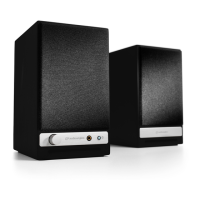
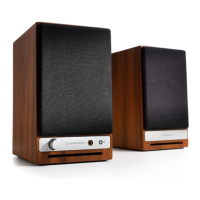
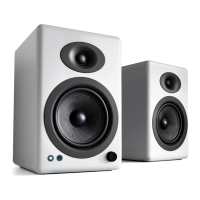
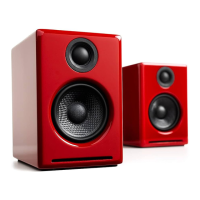
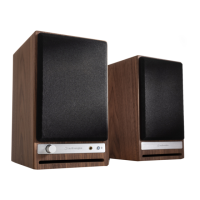
The Audioengine HD4 system consists of a powered (left) speaker and a passive (right) speaker, working together to produce stereo sound. The powered speaker houses built-in analog power amplifiers, eliminating the need for external amplification. It features high-fidelity Bluetooth® aptX HD® for extended wireless range, allowing users to stream music wirelessly from various devices. For wired connections, the HD4 includes a USB computer audio input, enabling direct digital audio playback from a computer, and dual analog audio inputs (RCA and 3.5mm mini-jack) for connecting a wide range of audio sources such as phones, tablets, TVs, or other music systems. A high-performance headphone amplifier is integrated into the powered speaker, providing a dedicated output for private listening. Additionally, the HD4 offers a variable preamp/subwoofer audio output, allowing users to connect an external subwoofer or another music system, with the volume level controllable from the HD4 itself or the connected device. The speakers are equipped with custom aramid fiber woofers and silk tweeters, housed in hand-built cabinets with detachable magnetic grills, designed to optimize sound reproduction.
The HD4 offers flexible setup and connectivity options. For quick setup, users connect the powered and passive speakers using the included speaker wire, ensuring proper wire polarity. The Bluetooth antenna is attached to the rear panel of the powered speaker. After verifying the power switch is in the OFF position, the AC power cable is connected to the powered speaker and plugged into a functioning power outlet.
For wireless connection, turning on the power switch automatically puts the HD4 into Bluetooth "pair mode," indicated by a flashing Pair button on the rear panel. Users then enable Bluetooth on their device (phone, tablet, or computer), go to Bluetooth preferences, and select "Audioengine HD4" to pair and connect. Once connected, the Pair indicator light will be solid. The HD4 can wirelessly connect to one Bluetooth device at a time but can remember up to six different devices. To pair additional devices, users can disconnect the current device or press and hold the Pair button on the rear panel for about 3 seconds until the indicator light flashes, then repeat the pairing process.
Wired connections are straightforward. Users can connect one of the included audio cables (RCA or 3.5mm mini-jack) between their device and an input on the HD4 rear panel. For USB computer audio, the included USB cable connects the computer to the USB input on the HD4's powered speaker. Windows systems should automatically recognize the HD4, while MacOS users need to select "Audioengine HD4" under System Preferences/Sound/Output.
The HD4 allows multiple devices to be connected simultaneously via wireless and analog inputs, all of which remain open and active, making it easy to switch between sources like a phone, tablet, computer, or TV. Volume adjustment is flexible; it's recommended to set a base level on the HD4 and then use the volume control on the connected device for overall level adjustments. The variable audio output allows for connecting a subwoofer or another music system, with its volume controllable via the HD4's volume control or the connected device. It's important not to connect the HD4 speaker terminals directly to a stereo receiver or power amplifier's speaker outputs, but rather to use the preamp output of a stereo receiver connected to one of the HD4's audio inputs.
Speaker placement is crucial for optimal sound. While Audioengine speakers are forgiving, experimenting with placement is encouraged. Generally, tweeters should be at eye-level in the primary listening position, and both speakers should be equidistant from this position. Placing speakers 4-6 feet apart typically provides the best imaging and soundstage. If speakers must be placed on their sides, the tweeters should face outward. For desktop use, a solid surface enhances sound quality.
The HD4 is designed for durability and ease of use. For cleaning, it is recommended to use only a soft, dry cloth to wipe down the cabinets. Solvents or cleaners are not advised.
The speakers undergo a "break-in period" during which their sound quality will improve over time. While no specific actions are required, Audioengine recommends allowing at least 40 to 50 hours of break-in time before engaging in critical listening.
The product comes with a 3-year Limited Warranty on parts and labor from the date of purchase for products bought in the United States. This warranty is automatic and does not require registration. For warranty coverage outside the US, customers should contact their local Audioengine reseller or distributor. The warranty covers defective parts or faulty workmanship but does not cover damage from accidents, misuse, neglect, excessive moisture, lightning, power surges, unauthorized modifications, or failure to follow instructions. Audioengine will repair or replace defective parts free of charge during the warranty period and will cover shipping costs back to the customer within the contiguous United States after service. Customers are responsible for shipping charges to Audioengine or an authorized dealer and are advised to keep original shipping materials to prevent damage during transit.
For setup or troubleshooting questions, users can visit the Audioengine help center at support.audioengineusa.com or open a support ticket for assistance.
 General
| Amplifier Type | Class AB |
|---|---|
| Drivers | 2.75" Aramid fiber woofers, 0.75" silk dome tweeters |
| Bluetooth Version | 5.0 |
| USB Input | Yes |
| SNR | >95dB (typical A-weighted) |
| THD+N | <0.05% at all power settings |
| Input Impedance | 10K ohms unbalanced |
| Protection | Output current limiting, thermal over-temperature, power on/off transient protection |
| Type | Bookshelf Speakers |
| Inputs | 3.5mm, RCA, USB, Bluetooth |
| Bluetooth Codec | aptX, AAC, SBC |
| Power Requirements | 100-240V, 50/60Hz |
| Finish | Walnut |
| Outputs | Variable line-out |

 To Next Page