Page 8
4: Connections
Unbalanced Output
Balanced Output
If you cannot use the balanced outputs, connect a high quality
stereo screened RCA cable from the unbalanced outputs of the
9000N to a suitable input of the amplifier.
Note: The digital outputs will not be active when the 9000N is operating in 'Full
Decode (PCM Upsampling ON)' mode. This is due to the operational sample rate
being a minimum of 352.8kHz Only the analogue outputs are active in this mode.
The digital outputs will also be deactivated in 'Full Decode (PCM Upsampling OFF)'
mode if the signal exceeds 192kHz (ie. when MQA Decoding is taking place).
However, they will continue to transmit if the PCM signal is equal to or below
192kHz.
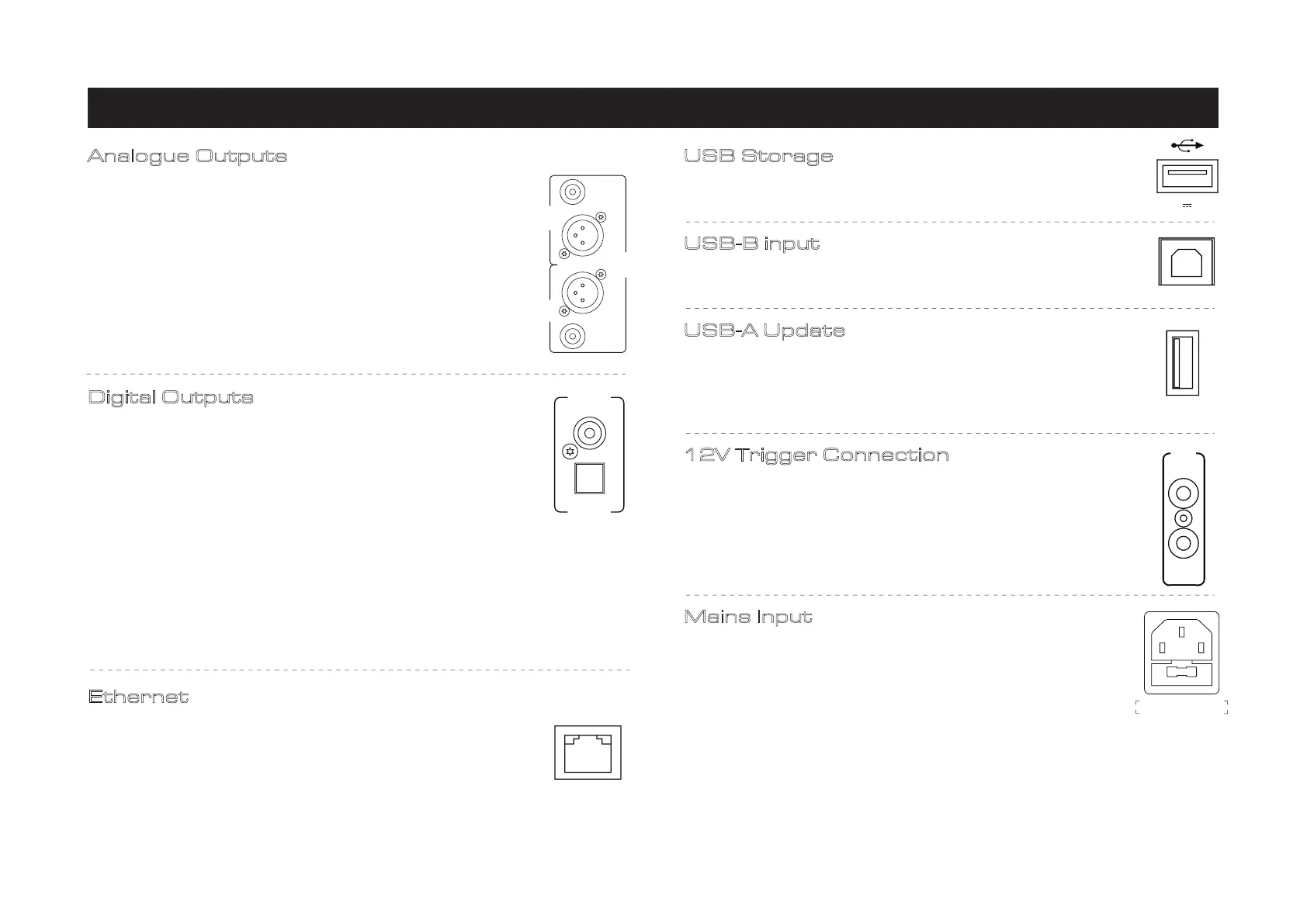
Digital Outputs
The 9000N offers one Coaxial and one Optical SPDIF digital output.
Connect a suitable Digital Coaxial (fully screened) interconnect or
Optical cable from the appropriate SPDIF output of the 9000N to
the input of a DAC or digital input on your chosen amplifier or
preamplifier.
Ethernet
For optimum performance, especially with limited bandwidth and
hi-res file formats, the Ethernet connection is recommended.
Connect the 9000N to your router by Ethernet cable directly. A
wired Ethernet connection of at least 100BASE-T is required for the
9000N.
Analogue Outputs
Balanced connections provide greater dynamic range and lower
noise. If your amplifier has balanced inputs, it is recommended that
you use the balanced output of the 9000N. You will need one XLR
balanced cable per channel (ie. a stereo pair)
USB Storage
The 9000N includes an internal USB Music Server to allow the
playback of music directly from USB storage devices.
USB-B input
Connect your 9000N to PC or MAC to play music directly from
PC/MAC via USB.
USB-A Update
Updates can be downloaded from the Audiolab website and
installed via USB HDD device. Please check audiolab.co.uk for the
latest firmware and software updates. All instructions and details
will be provided with the update files.
12V Trigger Connection
The 9000A features two 12V Trigger connections, one link output
and one input. Use the link output to control other products (ie.
Audiolab amplifiers or third-party compatible equipment). Use the
input when the 9000N is to be controlled (ie. by Audiolab 9000A, or
third-party compatible equipment). Note that the link output will
only work if a trigger input is connected,
Mains Input
Before connecting the AC power cord to the 9000N, please make
sure the Power Switch is in the OFF position. Switch it to the ON
position after connecting the unit to the AC mains.
RIGHT
LEFT
OUTPUT
DIGITAL
OUTPUT
COAX
OPT
ETHERNET
(5V 1A)
USB
UPDATE
12V
TRIG
IN
LINK
AC 220-240V~50/60Hz 40W
FUSE T1.0AL 250V
USE ONLY WITH A 250V FUSE



 To Next Page
 Loading...