DSP-2600
P.
14
ENGLISH VERSION
9.LimiterSetting:
ParameterLimiter, Out1-Out8 Each channel has
unattached limiter control.
Threshold value: -30dBu-20dBu. Attack: 0.3ms-
100ms Release: 2x, 4x, 6x, 16x, 32x.
Example
1. Press OUT1 channel for 3 seconds till the yel-
low light display, into EditStatus of OUT1.
2. Press <”BACK”or“NEXT”>,switch to Limit or
Compressor, Press ENTER to conrm.
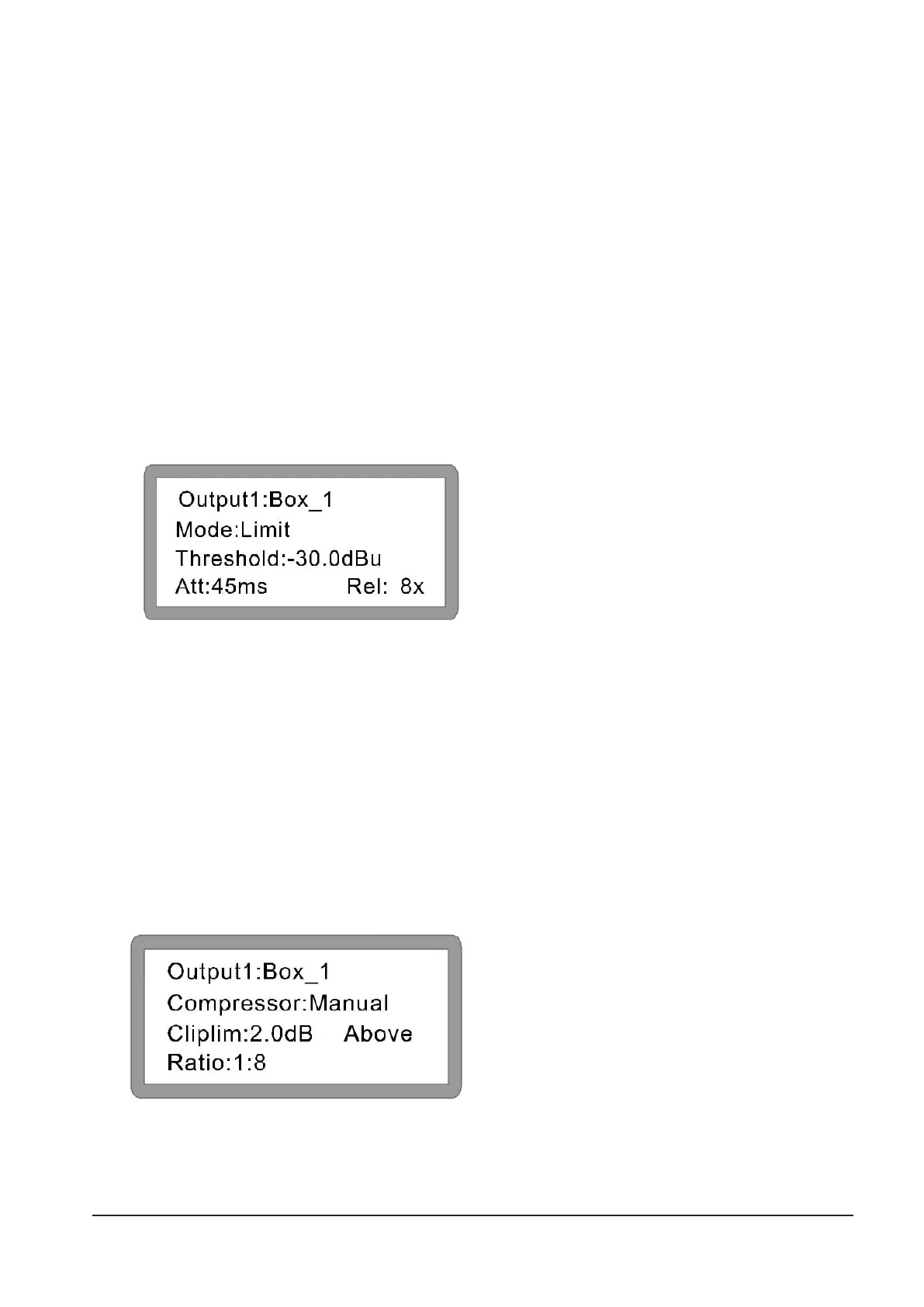
A: If select Limit, Display as below:
3. Turn the rst knob “PARA” to change the
threshold value, turn the second knob to set the
attack time; Turn the third knob to set the re-
lease time (it can be set to 2, 4, 6, 8, 16, 32 times
as Attack time.) The compressor setting method
is the same.
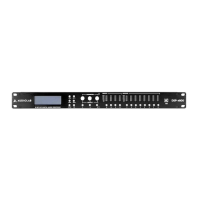
B: If you select Compressor, please press
<”NEXT”>, The setting should be as below.
Compressor,ManualorAutocan be selectable.
Cliplim Adjust range: 2.0dB-12dB Ratio: have
1:1, 1:2, 1:4, 1:16, 1:32, 1:64, 1:Maximum to be se-
lectable. (Use the rst, second and third knob to adjust)
Displayasbelow:



 To Next Page