Need help?
Do you have a question about the Audiolab DSP-2600 and is the answer not in the manual?
Details on system performance, equalizer, filter, and limiter capabilities.
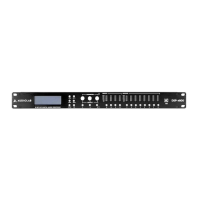
Overview of the front panel's LCD, controls, and connectors.
Overview of the rear panel's power, LAN, and I/O connectors.
Setting input parameters: Name, Delay, Polarity.
Instructions for adjusting input gain levels.
Configuration of parametric EQ for input channels.
How to set up the noisegate for input channels.
Setting output parameters: Name, Source, Gain, Polarity.
Instructions for adjusting output gain levels.
Instructions for setting the polarity for output channels.
Instructions for configuring output channel delay.
Configuration of High-Pass Filter (HPF) crossover settings.
Configuration of Low-Pass Filter (LPF) crossover settings.
Configuration of parametric EQ for output channels.
Instructions for setting the limiter parameters for output channels.
Saving, loading, and copying user programs and settings.
Procedures for copying channel settings and renaming channels.
Settings for backlight, system info, temperature, and Wi-Fi reset.
Instructions for connecting the DSP-2600 to a PC via USB or LAN.
Overview of controlling the processor using connection software.
Description of the graphical interface elements and data views.
Settings for communication port selection and network addresses.
How to load, delete, and recall programs from PC and device.
How to store programs to the computer.
Procedures for renaming channels and copying parameters.
Adjusting LCD backlight and temperature settings.
Explanation of input signal editing states and controls.
Explanation of output signal editing states and controls.
Visualizing and adjusting EQ curves using interactive icons.
Visualizing and adjusting crossover curves using interactive icons.
 General
| Audio Channels | 2 |
|---|---|
| Frequency Response | 20Hz - 20kHz |
| Bit Depth | 24-bit |
| Weight | 5.5kg |
| Type | Sound processor |
| Input Types | Optical, Coaxial |
| Output Types | Optical, Coaxial |


 To Next Page