EasyManua.ls Logo

AudioSource AMP Three - User Manual

AudioSource AMP Three
4 pages
Print Icon
To Next Page IconTo Next Page
Loading...
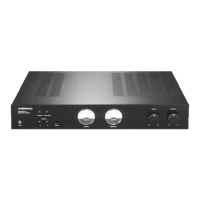
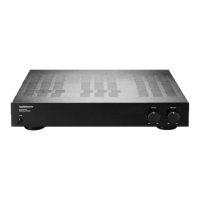
Stereo Power Amplifier with Internal Bridging
AMP Three
Congratulations on your new purchase and welcome to the AudioSource family of satisfied customers.
We trust you will continue to enjoy the value and quality of your AudioSource AMP Three for many years to
come. To ensure the best performance from your unit, please take a few moments to read this manual. Also,
be sure to retain this document for future reference.
Note: If any part of this product is damaged or missing, do not contact your AudioSource dealer. Please call us directly at 800-435-7115.
Owner’s Manual
© 1999 AudioSource, Inc.
Using the Controls
Power
This front panel button will manually switch the AMP Three on or off. A multicolored LED indicates its
power status. To use the Auto On feature, leave this front panel switch in the on position.
Speaker Selector
The AMP Three has two pairs of speaker outputs. Press button A to activate the A outputs. Press button
B to activate the B outputs. Both A and B outputs may be used simultaneously, provided the combined
impedance does not fall below 2 ohms.
Note: Before pressing either of the speaker selector buttons, be sure that the level controls are set at the minimum position.
Input Level Controls
These knobs adjust the incoming signal level and thereby act as volume controls. We recommend that these
be set to max and your signal source (receiver, CD player, preamplifier, etc.) be used to adjust the volume.

Other manuals for AudioSource AMP Three

Question and Answer IconNeed help?

Do you have a question about the AudioSource AMP Three and is the answer not in the manual?

Summary

Using the Controls

Power

Front panel button to switch the amplifier on/off. LED indicates status.

Speaker Selector

Two pairs of speaker outputs (A and B) can be used simultaneously if impedance is not below 2 ohms.

Input Level Controls

Adjusts incoming signal level, acting as volume controls. Recommend setting to max.

Hooking up the Wires

Manual;Auto Power Switch (Rear Panel)

Rear panel switch for manual or auto power activation based on input signal.

Line In

Connect the line out jacks from your signal source to the line in jacks on the AMP Three.

Bridging Switch

Toggles between stereo and mono bridging for higher power output.

Line Out;Thru

Connect the line out jacks from your signal source to the line in jacks on the AMP Three.

Speaker Terminals

Connect speakers to color-coded terminals, observing polarity for correct connection.

Stereo Setup

Mono Setup

AMP Three Specifications

Safety Instructions

General Warnings

Alerts user to risks of electric shock and fire, advising against exposure to moisture.

Operating Precautions

Guidelines for safe placement, ventilation, heat avoidance, and power source connection.

Maintenance and Servicing

Instructions on cleaning, cord protection, non-use periods, and when to seek professional service.

AudioSource AMP Three Specifications

General IconGeneral
BrandAudioSource
ModelAMP Three
CategoryAmplifier
LanguageEnglish

Related product manuals