8
C. Desktop Base Installation
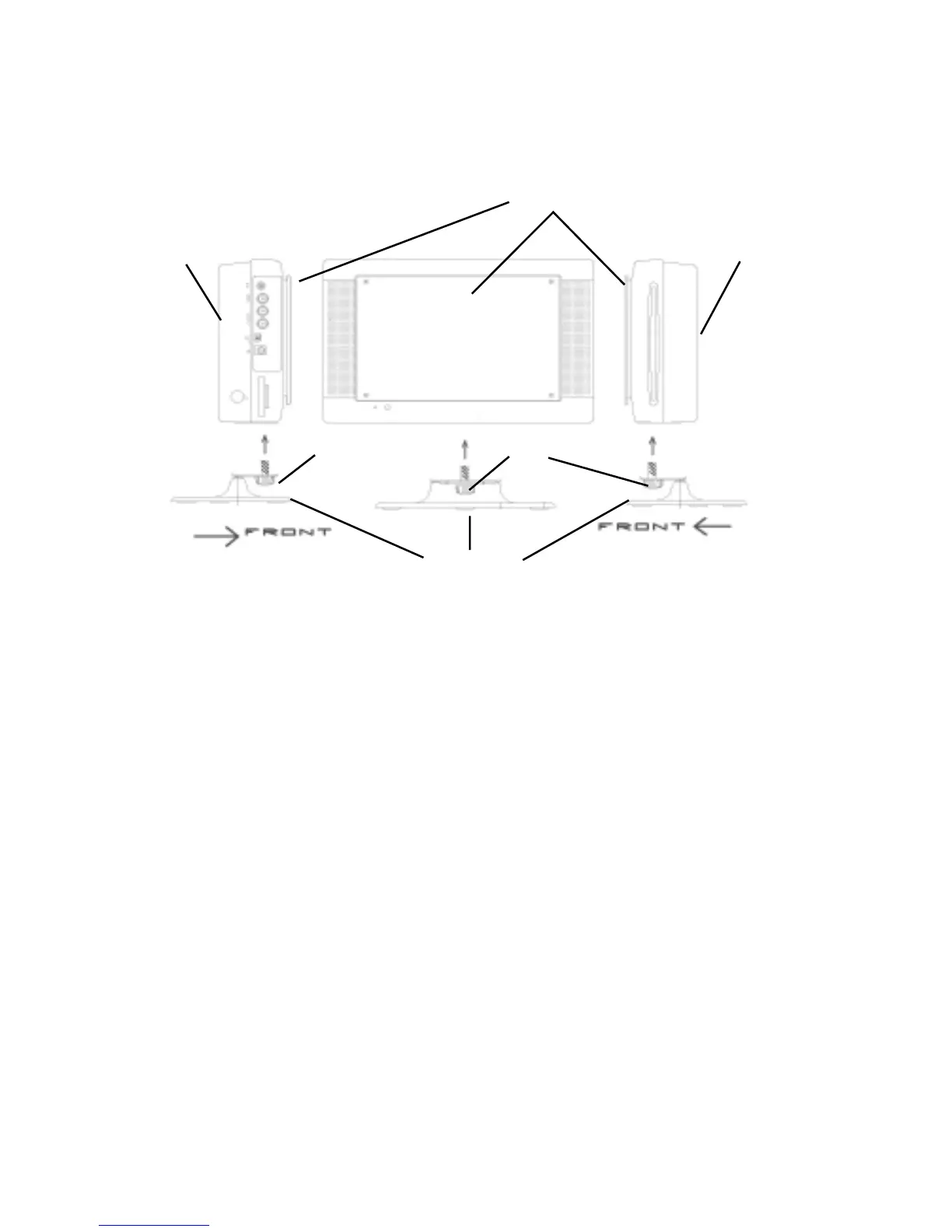
1. Place the tablet DVD player base on flat surface.
2. Align the thumb screw with the hole beneath the LCD Screen.
3. Thread the thumb screw into the hole beneath the LCD screen and turn the thumb
screw counter-clockwise to tighten the base to the DVD player.
Note:
Referring to the illustration above, the thumb screw must be positioned facing the
front of the DVD player or the unit will not be stable.
4. While holding the DVD player and the base, adjust the unit’s swivel angle for a
comfortable viewing position.
LCD Screen
Unit Rear
Thumb Screw
Unit Rear
ThumbScrew
Unit Base



 To Next Page