5
Disconnecting the Battery
To prevent a short circuit, be sure to turn off the ignition and remove the negative (-) battery cable prior to installation.
Micro-SD card for the navigation system
An 8 GB MicroSD card is packed together with the owner’s manual inside a transparent polybag. Take the MicroSD card out of the
polybag, avoid touching the pin’s of the MicroSD card.
Make sure the pin’s are on the right side, then insert the MicroSD card to the MicroSD card slot located under the cover on the
bottom left side of the device. The MicroSD card must snap into the slot with a click noise.
Replacing the Fuse
The fuse is located below the receptacle for the Power / Speaker Harness. When replacing the fuse, use a new 15A replacement
fuse. Using a fuse with an improper rating could damage the unit and cause a re.
ISO-DIN Installation
This unit is designed to t into a 2.0 DIN dashboard opening,
found in many imported cars. The unit has threaded holes in
the chassis side panels which may be used with the original
factory mounting brackets of some Toyota, Nissan, Mitsubishi,
Isuzu, Hyundai and Honda vehicles to mount the radio to the
dashboard. Please consult with your local car stereo specialty
shop for assistance on this type of installation.
1. Remove the existing factory radio from the dashboard
or center console mounting. Save all hardware and
brackets as they will be used to mount the new radio.
2. Remove the factory mounting brackets and hardware
from the existing radio and attach them to the new radio.
CAUTION! Do not exceed M5 X 6MM screw size.
Longer screws may damage components inside the
chassis.
What’s in the Box
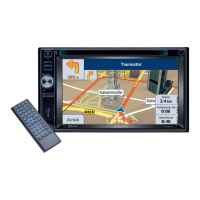
• VXE 7020 NAV Head Unit
• Left and Right Double DIN Mounting Brackets
• Double DIN Half Sleeve Install Bracket
• Custom Cosmetic Trim Ring
• Hardware Bag
• Power / Speaker Harness with ISO connectors
• A/V Input/Output Harness
• TMC tuner
• GPS antenna
• 8 GB MicroSD card with navigation data
• External Microphone
• Remote Control
• Owner’s Manual
• Installation Guide
Tools and Supplies
You will need these tools and supplies for installation:
• Torx type, at-head and Philips screwdrivers
• Wire cutters and strippers
• Tools to remove existing radio (screw driver, socket wrench set
or other tools)
• Electrical tape
• Crimping tool
• Volt meter/test light
• Crimp connections
• 18 gauge wire for power connections
• 16 – 18 gauge speaker wire
WARNING! Never install this unit where operation and viewing could interfere with safe driving conditions.

 To Next Page
 Loading...