Home
August
Set-top boxes
DVB400
Setup Guide
Page 12 (Troubleshooting Guide)
August DVB400 - Troubleshooting Guide; Warranty Information
14 pages
Manual
Save Page as PDF
To Next Page
To Next Page
To Previous Page
To Previous Page
Loading...
S
e
t
U
p
R
ec
o
r
d
in
g
wi
t
h
a
U
SB
Na
vig
at
e back to the Media
Pla
yer
and PVR Set
tings
menu
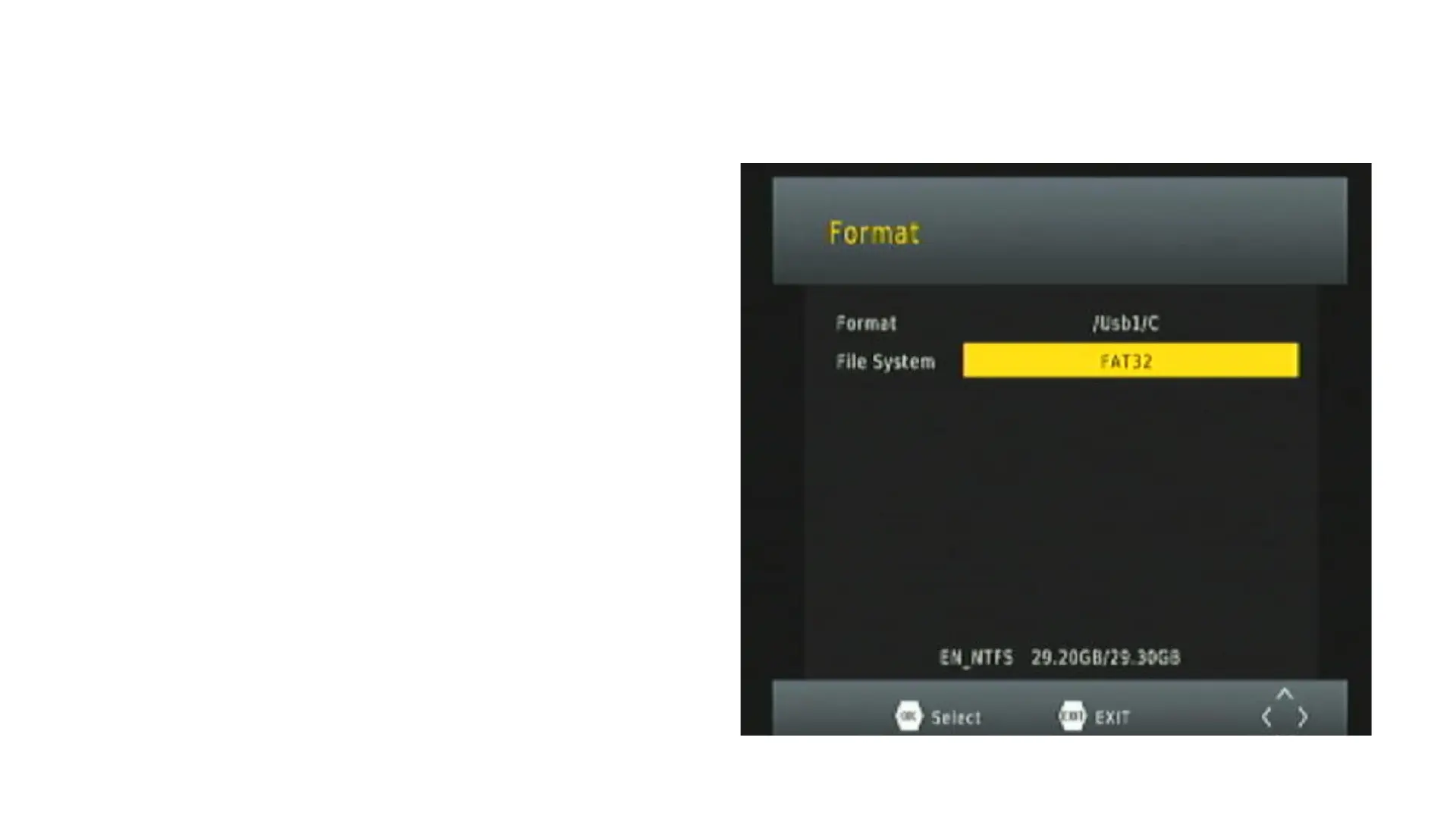
then select
"F
ormat"
This is where y
ou
c
an scroll
betw
een NTFS and F
A
T32. If
rec
o
rding f
or longer periods or a
rec
o
rding f
ails, re
forma
t the
drive t
o
NTF
S
11
13
Table of Contents
Main Page
Slide 1: Set-Up Guide
1
Slide 2: Check You Have All the Components
2
Slide 3: Connecting your Device
3
Slide 4: Connecting your Device
4
Slide 5: Connecting your Device
5
Slide 6: Insert the batteries into the remote and Power On the Set Top Box
6
Slide 7
7
Slide 8
8
Slide 9
9
Slide 10
10
Slide 11
11
Slide 12
12
Slide 13
13
Slide 14: For a full explanation of all features, please refer to the manual
14
Other manuals for August DVB400
User Manual
12 pages
Related product manuals
August DVB482
15 pages
August DVB500
11 pages


 To Next Page