EasyManua.ls Logo

August DVB500 - User Manual

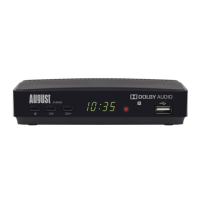
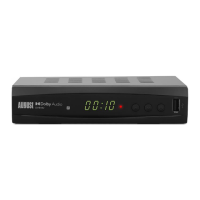
August DVB500
11 pages
Print Icon
To Next Page IconTo Next Page
Loading...
August International Ltd
United Kingdom
Telephone:+44 (0) 845 250 0586
www.augustint.com
DVB500
EN
FR
DE
IT
ES
Android and DVB-T2 Box
Empfängt DVB-T und DVB-T2 (H.265)
Decoder DVB-T2 Android
Sintonizador DVB-T2 y Android
Décodeur DVB-T2 Android
Question and Answer IconNeed help?

Do you have a question about the August DVB500 and is the answer not in the manual?

Summary

Part Names and Functions

Remote Control

Connection

HDMI Connection

Step-by-step guide for connecting the DVB500 to a TV using an HDMI cable.

AV Connection

Step-by-step guide for connecting the DVB500 to a TV using an AV cable.

Ethernet Connection

Instructions for connecting the DVB500 to a router using an Ethernet cable for internet access.

Wi-Fi Connection

Guide on connecting the DVB500 wirelessly to a router via Wi-Fi.

Unit Operation

HDMI Settings

Details how to adjust the HDMI resolution for optimal display on your TV.

Digital TV

TV Setup

Guide for initial setup of digital TV, including channel scanning procedures.

Automatic Scan

Steps for performing an automatic scan to find available TV channels.

Manual Scan

Instructions for manual channel scanning by channel or frequency.

Program Menu

System Menu

Factory Reset

How to perform a factory reset to restore the device to its default settings.

Live Recording

Apps Center

Settings

Summary

Part Names and Functions

Remote Control

Connection

HDMI Connection

Step-by-step guide for connecting the DVB500 to a TV using an HDMI cable.

AV Connection

Step-by-step guide for connecting the DVB500 to a TV using an AV cable.

Ethernet Connection

Instructions for connecting the DVB500 to a router using an Ethernet cable for internet access.

Wi-Fi Connection

Guide on connecting the DVB500 wirelessly to a router via Wi-Fi.

Unit Operation

HDMI Settings

Details how to adjust the HDMI resolution for optimal display on your TV.

Digital TV

TV Setup

Guide for initial setup of digital TV, including channel scanning procedures.

Automatic Scan

Steps for performing an automatic scan to find available TV channels.

Manual Scan

Instructions for manual channel scanning by channel or frequency.

Program Menu

System Menu

Factory Reset

How to perform a factory reset to restore the device to its default settings.

Live Recording

Apps Center

Settings

August DVB500 Specifications

General IconGeneral
Tuner TypeDVB-T2
Video OutputHDMI
Audio OutputHDMI
USB Ports1
Video FormatMPEG-2, MPEG-4, H.264
Audio FormatAAC
ConnectivityHDMI
FeaturesEPG
Power Consumption5W

Related product manuals