EasyManua.ls Logo

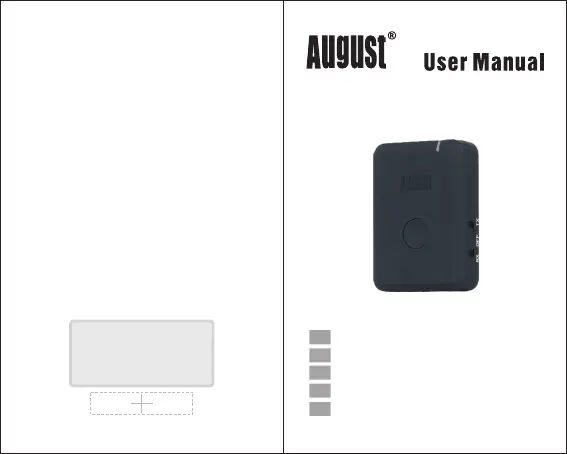
August MR260 - User Manual

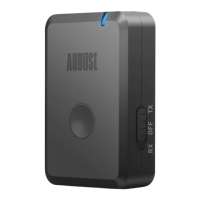
August MR260
6 pages
Print Icon
To Next Page IconTo Next Page
Loading...
August International Ltd
United Kingdom
Tel: +44 (0)845 250 0586
www.augustint.com
Tra
n
s
met
t
e
u
r & R
écept
e
ur Blu
e
t
o
o
t
h
D
o
ubl
e
M
ode
Tr
a
s
met
t
i
t
or
e
&
R
i
cevi
t
o
r
e B
l
ue
t
o
ot
h
2-i
n
-
1 Blue
t
o
oth T
r
a
nsmi
t
t
er und
R
ec
e
i
ver
Tra
n
s
mis
o
r
& Re
c
e
p
t
or
Bl
u
et
oo
t
h 2
e
n
1
D
ual M
od
e Bl
ue
t
oo
t
h
T
rans
m
i
tter & R
e
c
e
i
v
e
r
M
R2
60
EN
FR
DE
IT
ES

Other manuals for August MR260

Questions and Answers

  • C
    Carolyn WileyJul 27, 2025
    What to do if there is no sound from my Bluetooth audio device connected to the August MR260?
    • C
      Caleb ThompsonJul 27, 2025
      If you're not getting any sound from your Bluetooth audio device, ensure it's properly connected to the MR260 Receiver via Bluetooth. Also, verify the cable connection between your source device and the MR260. Finally, check the volume levels on both your source device and your Bluetooth audio device to make sure they are appropriately adjusted.
  • B
    Benjamin MillerAug 6, 2025
    How to fix August Receiver when unable to pair Bluetooth source device or Bluetooth audio device?
    • M
      Melinda BlackburnAug 6, 2025
      If you're having trouble pairing a Bluetooth source device or audio device with your August MR260 Receiver, first confirm that the MR260 is in pairing mode. Ensure that the MR260 is within 10 meters of the source device or audio device. If the issue persists, delete any existing connections to the MR260 from the source device and then attempt to pair them again.
  • D
    Dr. Jasmine Rodgers DVMAug 15, 2025
    How to switch on August Receiver?
    • L
      Linda FlemingAug 15, 2025
      To switch on the August MR260 Receiver, fully charge it, then turn the switch on either the TX or RX side.

Summary

August MR260 User Manual

Safety Information

Instructions to ensure safety, avoid water, clean with dry cloth, keep away from heat, use supplied accessories, do not open.

Product Disposal Guidelines

Dispose according to WEEE Directive and local regulations. Check with authorities.

Customer Support Contact

Contact by phone or email for technical support or customer service.

Safety Instructions

Main Features

Part Names and Functions

Operations

Transmit Audio (TX Mode)

Instructions for TX mode, pairing, and LED behavior. Connect to receiving device.

Receive Audio (RX Mode)

Instructions for RX mode, pairing, and LED behavior. Connect to source device.

Multi-Function Button

Charging the Device

Product Specifications

Troubleshooting Guide

Product Warranty Information

August MR260 Specifications

General IconGeneral
Bluetooth Version5.0
Frequency Range20Hz - 20kHz
Bluetooth ProfilesA2DP, AVRCP
Power Supply5V
Bluetooth RangeUp to 100ft (30.5m)*Line of sight

Related product manuals