9
Radio
• Turn the unit on and press SOURCE (2) to select radio play mode, Turn SET to tune to a desired station. You can
also use / alternatively.
• Hold or to autmatically search the next station up/down the band.
Save and recall stations
• Press
/Memory to save the current playing station. „P01“ will blink on the display, indicating preset 01 (of 10).
• Switch presets with
/ and press again to conrm.
• For recalling stations press Memory and choose with / .
BT
• Ensure that BT on your mobile phone is switched on. You might need to refer to the phone user manual for details.
• Place the radio and the phone in a radius of max. 3 ft.
• Power on the unit by pressing the Power button.
• Press the Source button to switch to BT mode. Bluetooth mode is indicated by “BT” on the display. The pair indica-
tor ashes quickly.
• Using the native controls on your BT device, select CAPRICE in your BT settings. If your device requests a pass-
word, enter the default password “0 0 0 0”. Refer to the user’s manual for your specic device for instructions on
pairing and connecting BT devices.
• Select and conrm the pairing on your phone, the connection will be completed in a few seconds and the radio will
produce a conrmation tone, When successfully paired and connected, the pair indicator will ash slowly. After
initial pairing, the unit will stay paired unless unpaired manually by the user or erased due to a reset of the device.
and you can now start your BT music streaming operation.
• To play or pause the selected track, use the native controls on the connected Bluetooth Device or press the Play/
Pause button.
• To change the connection to another phone/tablet you need to disconnect the established connection rst. Dis-
connect by holding
for at least 3 seconds.
Line-In
Requires a 3.5mm audio cable (no included)
• Connect the 3.5mm audio cable to the Line In on the unit and an audio output on an MP3 player or other audio
source.
• Press the Source button to switch to Line In mode.
• Use the native controls on the connected MP3 player or other audio source to play and control audio played
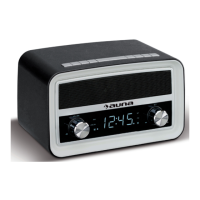
through the retro radio.
USB Charging Socket
USB devices: DC 5V. The product functions as a charger for your mobile phone and USB device. The connector or
the USB charging cable (not supplied).


 To Next Page