35
EN
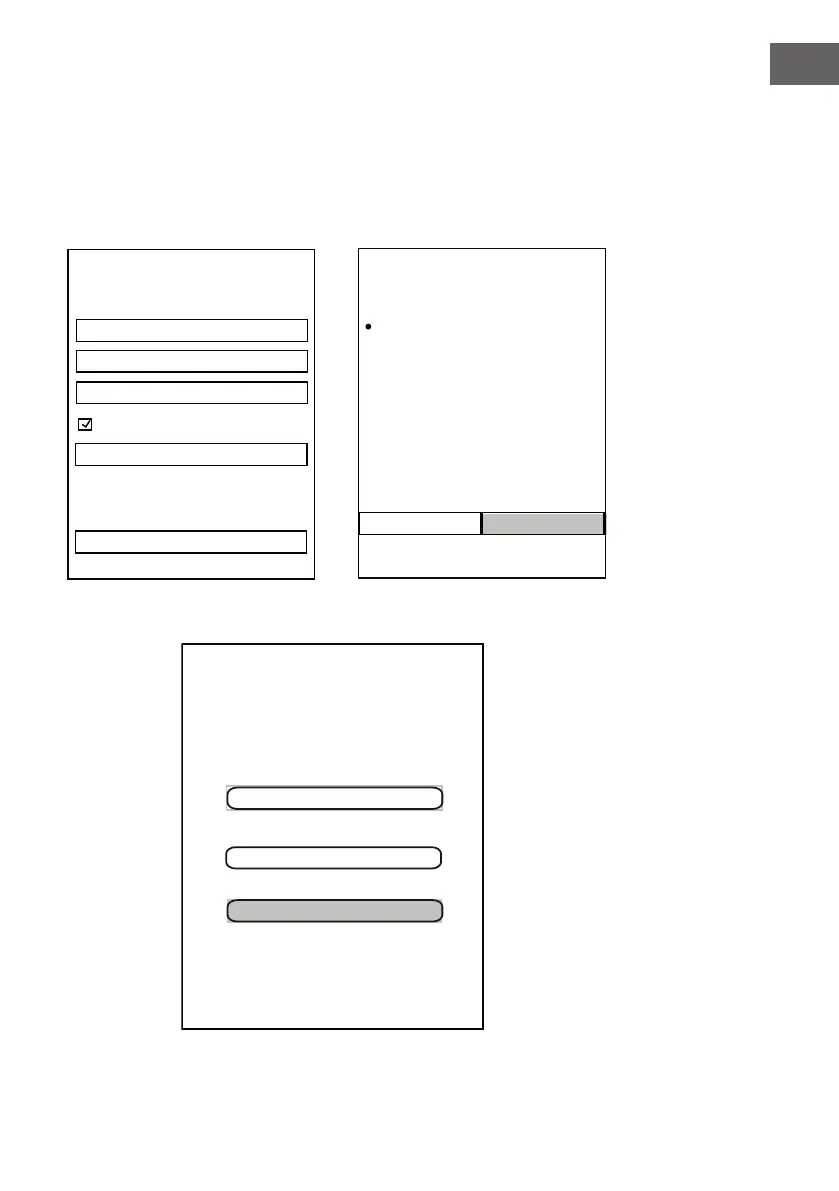
12. If you do not have an Amazon
on screen instructions. account,
then tap "Create a new Amazon
account" to start registration
and create a new Amazon
account as the on screen
instructions.
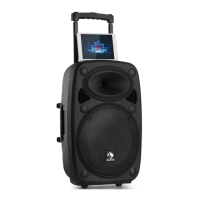
14. After log in, the following page will appear, tap the language to set the
desired language.
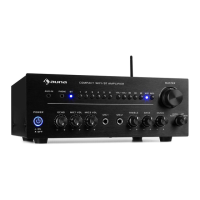
13. When the following page
appears, tap "I agree" to log
in Amazon.
<
AMAZON LOGIN
Create Account
Name
Your email address
Create a password
Show password
Create your Amazon account
Already have an account?
By create an account, you agree to Amazon's
Conditions of Use and Privacy Notice.
Sign in now
We will provide Auna Intelligence:
Connectivity to Alexa so that you can
interact with it using your voice.
Cancel
I agree
AMAZON LOGIN
Auna Intelligence
You also accept All Amazon terms found here
Alexa processes and retains audio and other
information in the cloud to provide and improve
our services, and may exchange information
with third party services to fulfill your requests.
Learn more. Alexa also allows purchasing by
voice using your default payment and shipping
settings. You can require a speakable
confirmation code, turn purchaing off, and see
product and order details in your Alexa App.
Learn more. Your music will be saved to the
cloud to protect your purchases.
Please choose your prefered
Deutsch
language for Alexa.
English(United States)
English(United Kingdom)
You can change the language later in "Alexa
Settings".
Auna Intelligence_XXXX


 To Next Page