14
Tapedeck
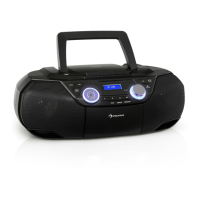
• Select the tape mode by repeatedly pressing FUNCTION and insert a tape.
• Use the tape deck buttons (4) on the top side of the device to control the playback.
Timer
• You can set the Timer to make the unit switch on and play music automatically at a chosen time (and,
as well, switch to standby at another adjustable time).
• Switch to standby.
• Press and hold TIMER to activate the timer function.
• Adjust the desired time for ON TIMER (procedure analogue to setting the clock (
/ ); ex-
cept: conrm pressing TIMER).
• Conrm and save changes by pressing TIMER.
• Repeat the procedure for OFF TIMER (time the device is meant to switch to standby).
• Choose the music source (USB/Radio/CD) and the wake up volume with
/ and hit TIMER
after each step.
• After the changes, the unit switches back to standby
• Press TIMER to activate / deactivate the timer function.
Please note:
• If there is no music source being detected (such as USB or CD) when the preset time is reached,
system will default to tuner for wake up mode automatically. The system will tune in the latest
radio frequency being listened to before being switched o
• For tuner wake up, the system will tune in the latest radio frequency being listened before being
switched o.
• The system will return to standby mode automatically if no keys being pressed for 4 seconds.
AUX-IN
Connect another audio device, e.g. (portable) CD player, MP3 player, (portable) cassette player, etc. to this
system via a cord with 3.5mm dia jack plugs (not supplied). Connect one end of this cord to the 3.5mm dia.
Headphone jack on the external device and the other end to the aux-in jack (19) on the front of the unit.
When connected in this way it is possible to play back the music already on the connected device.
Choose AUX mode pressing FUNCTION repeatedly.
Headphones
Connect headphones to the headphones jack. The internal speakers will be deactivated automatically.
Sleep
With the device powered on, press SLEEP repeatedly to set the sleep timer to 15 | 30 | 45 | 60 | 90 minutes.


 To Next Page