16
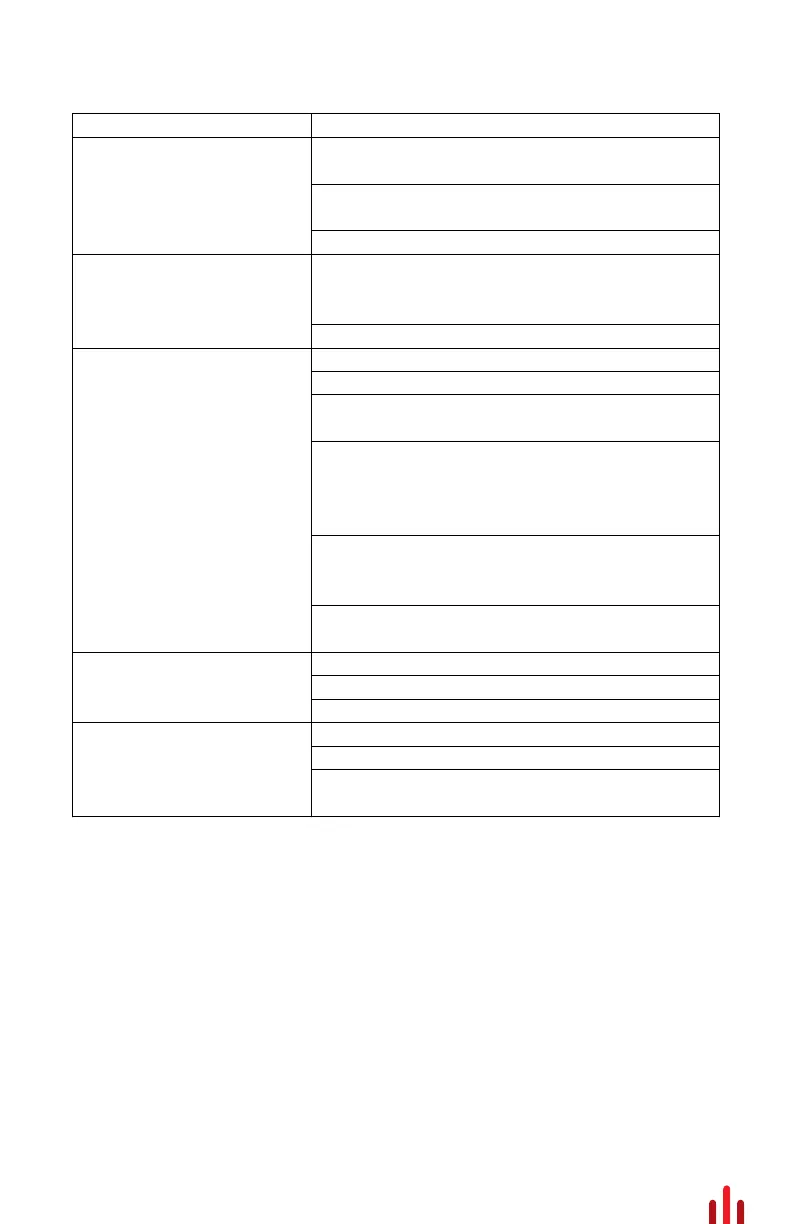
Troubleshooting
1. Check to see if Power, Remote and Ground is
connected to the Amplifier.
2. Check Power and Remote Turn-on lead for proper
+12 Voltage. (12 - 16 Volts DC acceptable range.)
3. Check the inline fuse, replace if necessary.
1. Check your RCA connectors to see if there is signal
with a DMM (Digital Multi-Meter) to measure AC
voltage.
2. Check your speakers to see if there is short.
1. Readjust your amplifiers gains to lower setting.
2. Readjust your source unit volume.
3. Make sure your RCA's and Speaker wires are routed
away from your Power and Ground connections.
4. Remove existing ground wires for all electrical
components. Reground wires to a different location.
Verify the grounding location is clean, paint from ground
point has been removed and is rust free.
5. Add a secondary ground cable from the negative
battery terminal to the chassis metal or engine block of
vehicle.
6. Check your RCA cables or speaker input for any
damage.
1. Readjust your amplifiers gains to a lower setting.
2. Readjust your source unit volume.
3. Readjust the Boost Eq.
1. Amplifier may be in thermal protection due to heat.
2. Check the inline fuse, replace if necessary.
3. Check the voltage at the amplifier power input
terminals.
Logo Status LED is Red /
Protection Circuit Active
Amplifier does not work; no
LED's on
Amplifier powers up; no sound
Distorted sound from speakers
Hissing / Enginer noise from
speakers



 To Next Page