1
2
9
11
10
3
4
5
6
7
8
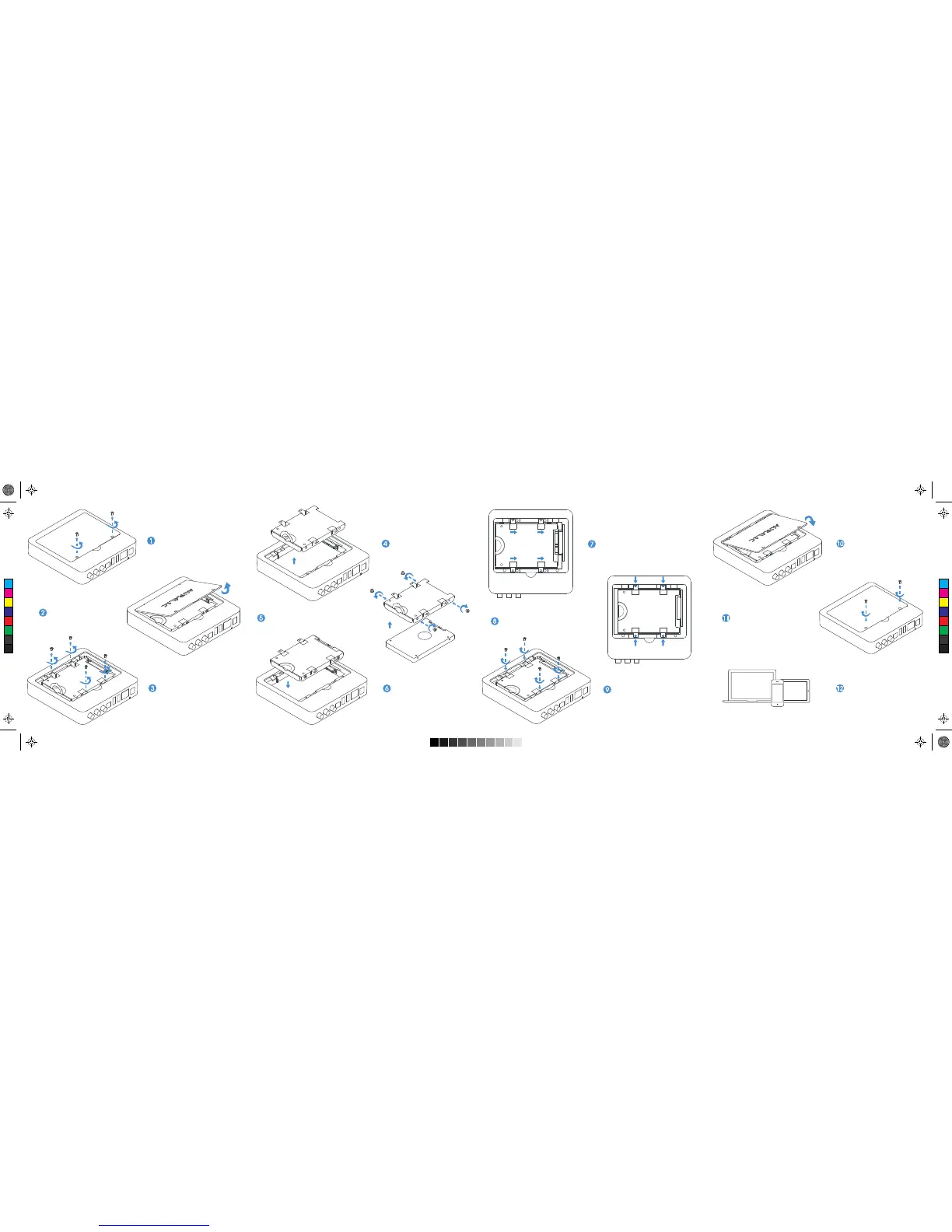
Remove drive cover screws
Remove drive tray Slide the drive tray as indicated Install drive cover
Make sure the tray is in position
Install drive cover screws
Install drive tray screws
Install drive with the screws in Drive Toolkit
Put drive tray back
Remove drive cover
Remove drive tray screws
12
Use Lightning DS Guide
to finish drive installation
C
M
Y
CM
MY
CY
CMY
K


 To Previous Page