Need help?
Do you have a question about the Auralic ARIES MINI and is the answer not in the manual?
Access the Auralic knowledge base and support website for technical assistance.
Important precautions: data erasure, music backup, and power disconnection before installation.
Guidelines on drive height, current, type, brands, and capacity for ARIES MINI compatibility.
Steps to remove drive cover screws, cover, tray screws, and the drive tray.
Instructions for installing the hard disk or solid state drive into the tray.
Steps for sliding the tray back into position and re-installing the drive cover.
Installing drive cover screws and using the Lightning DS Guide for final setup.
 General
| DAC Chip | ESS Sabre ES9018K2M |
|---|---|
| Networking | Ethernet, Wi-Fi |
| Type | Wireless Streaming Node |
| Wired | Gigabit Ethernet |
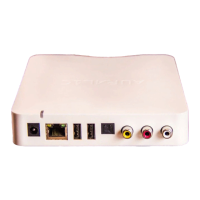
| Audio Outputs | RCA |
| Supported Formats | AAC, AIFF, ALAC, APE, DSD, FLAC, MP3, OGG, WAV |
| Control | Lightning DS app |
| Storage | Internal 2.5" HDD/SSD bay |
| Power Supply | External |
| Streaming Services | TIDAL, Qobuz, Spotify, Internet Radio |
| Digital Outputs | Coaxial, Optical |
| Wireless | 802.11b/g/n/ac |
| Control Software | Lightning DS |
| Sampling Rates | Up to 384kHz PCM, DSD256 |
| DSD Support | DSD64, DSD128 |
| PCM Support | Up to 32-bit/384kHz |
| Connectivity | USB, Ethernet, Wi-Fi |
| Outputs | Coaxial, Optical |
| Dimensions | 13.5cm x 13.5cm x 2.8cm |

 To Next Page