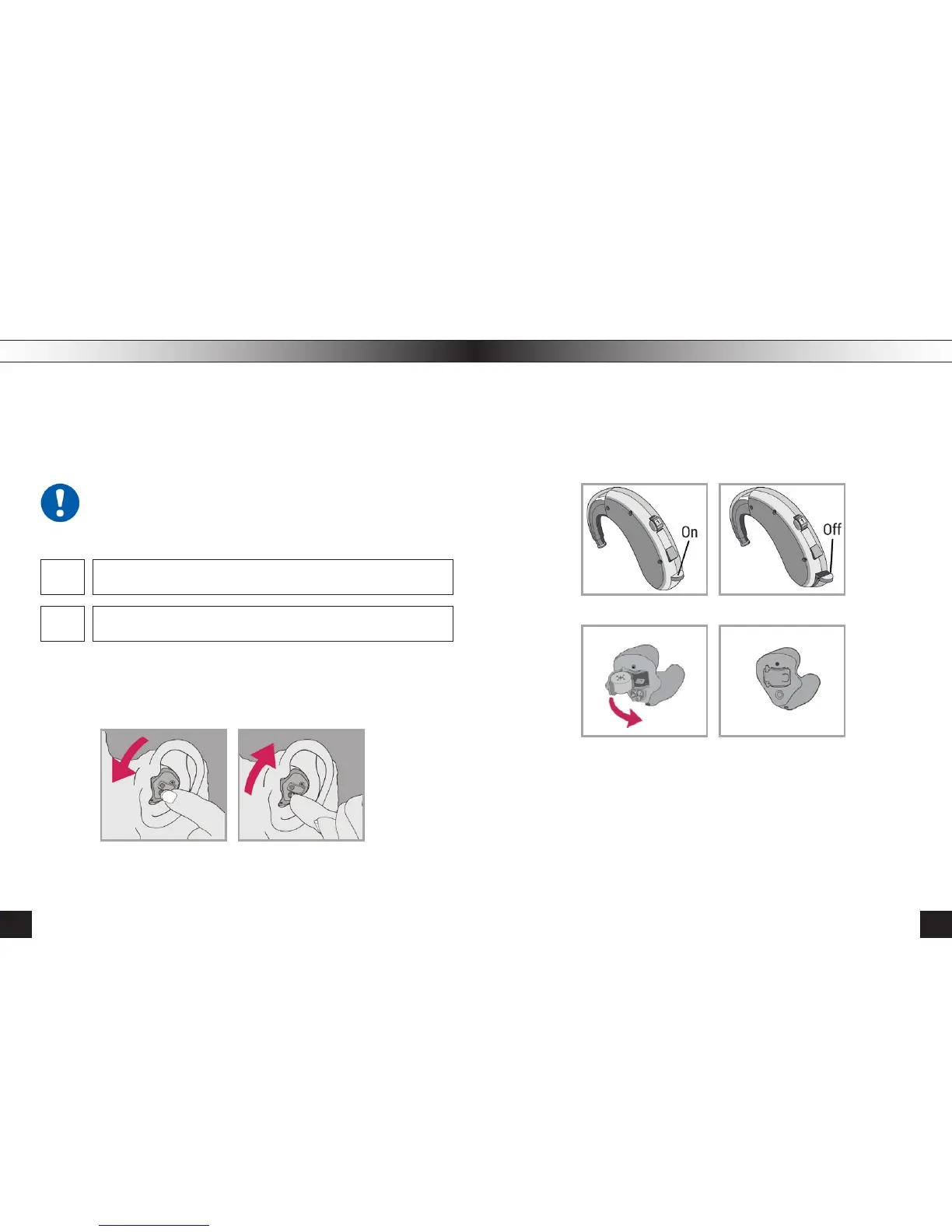
Using Every Switching ON/OFF
Мy Hearing Aid has a volume control (read below)
Мy Hearing Aid has a button to switch programs Рiс.(6, 8)
Besides, you can change the listening conditions with the program selec-
tion button (Pic. 6, 8). Switching the programs, you can choose the listen-
ing mode appropriate for different situations: microphone mode, telephone
mode (telecoil), mic+telecoil and tinnitus masker mode.
The listening parameters are set by an expert when tting and ad-
justing your hearing aid.
1. To increase the volume, rotate forward (Piс. 7,9).
2. To decrease the volume, rotate back (Piс. 10).
pic. 9 pic. 10
Your Hearing Aid has a three-position battery door that acts as an OFF/ON
switch and that allows access to the battery compartment. To turn the Hear-
ing Aid on, close the battery door fully (Pic. 11b, 12b).
To turn OFF: open the battery door until it clicks, so the battery is no longer
touching the contacts (Pic. 11a, 12a).
pic. 11a pic. 11b
pic. 12a pic. 12b
13
12



 To Next Page