28 GB/IE/NI
10 minute period the snooze symbol will flash next to
the alarm symbol
11
.
To actually shut the alarm off, press the ALARM
1
button.
The snooze symbol will now turn off.
Lighting the LC display
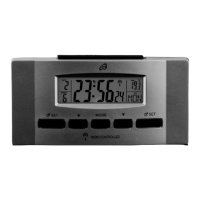
Press the SNOOZE / LIGHT
5
button to light the LC
display for approx. 5 seconds.
Switching the temperature
display unit
In clock mode press the - / °C / °F button
4
to switch
the temperature unit between Celsius (display: °C) and
Fahrenheit (display: °F).
Replacing batteries
Note: If the LC display shows
13
, the batteries need to be
changed.
Always replace all the batteries at the same time.
Only use battery type LR03.


 To Next Page