9ENGLISH
OPERATION
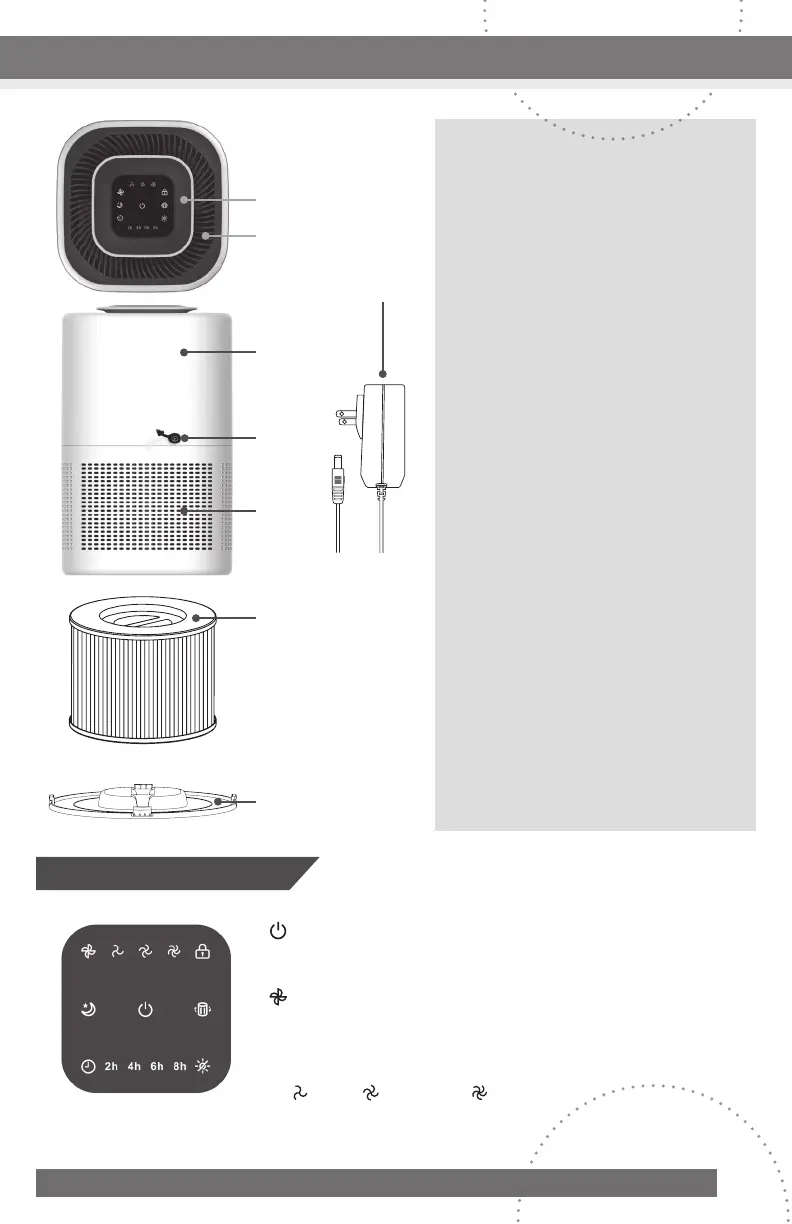
1. Control Panel
2. Air outlet
3. Housing
4. Power Port
5. Air Inlet
6. True HEPA Filter
7. Bottom Cover
8. Power Adapter
Control Panel
1
8
2
3
4
5
6
7
Power On/Off button:Tapthefanicontoturnon/offall
featuresoftheairpurifier.
Fan Speed Adjustment Button:Tapthefaniconto
manuallyselectfanspeed.
Fan Speed Indicator: Displaycurrentfanspeedsetting
(Low),(Medium),(High)
CONTINUED NEXT PAGE



 To Next Page