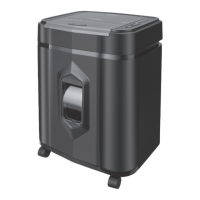
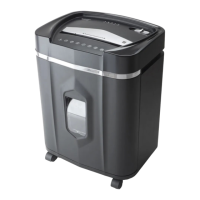
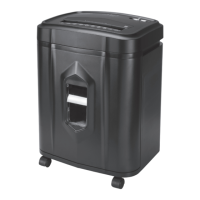
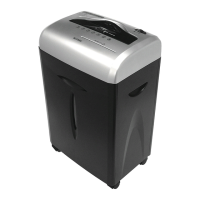
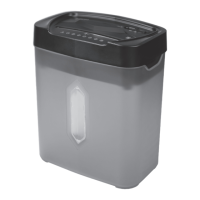
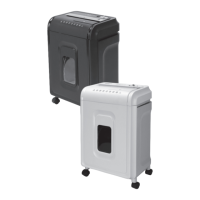
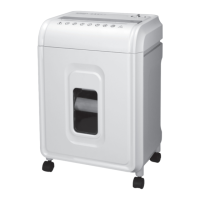
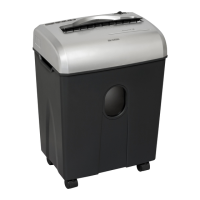
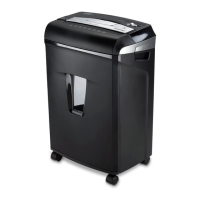
The Aurora AU120MA is a microcut shredder designed for personal and office use, capable of shredding paper, credit cards, small paper clips, and staples. It features both an auto-feed tray and a manual-feed slot, offering versatility for different shredding needs.
Function Description:
The primary function of the Aurora AU120MA shredder is to destroy sensitive documents and other materials by cutting them into small, unreadable pieces. It operates with an auto-on feature, starting automatically when paper is loaded into either the auto-feed tray or the manual-feed slot, and stopping once the paper has passed through. The shredder includes an auto-reverse technology that stops the motor and rejects paper if over-capacity shredding is detected, preventing jams. For safety, the shredder will not operate if the wastebasket door is open or the bin is removed. In case of a paper jam, the shredder offers a reverse function to help clear the cutters. It also has a forward setting to manually activate the shredder into cutting mode for clearing jams.
Important Technical Specifications:
- Model No.: AU120MA
- Shred Type: Microcut
- Shred Size: 5/32 in. x 15/32 in. pieces (4.0 mm x 12 mm pieces) for both auto-feed and manual-feed.
- Auto Feed Tray Capacity: 120 sheets of 20 lb. letter size bond paper.
- Manual Feed Slot Capacity: 10 sheets of 20 lb. bond paper (one credit card per pass).
- Paper Tray Size: Letter size - 8.5" x 11".
- Paper Entry Width: 8.7 in / 220 mm for both auto-feed and manual-feed.
- Duty Cycle:
- Auto Feed: 30 minutes on / 45 minutes off.
- Manual Feed: 10 minutes on / 45 minutes off.
- Voltage: 120-V~60Hz / 3.0 A.
- Shreds: Credit cards, small paper clips, staples.
- Safety Features: Safety power cut-off when wastebasket door is open or bin is removed; auto-reverse technology for over-capacity detection.
Usage Features:
- Control Button Panel: Located on the top of the shredder, it includes buttons for Reverse (REV), Forward (FWD), and Auto, along with LED indicators for various statuses.
- Main Power Switch: Located at the back of the machine, it must be "ON" for the shredder to operate. In an emergency, switching it to "OFF" completely disconnects power.
- Auto-On (Green) Setting: Automatically starts the shredder when paper is loaded and stops when shredding is complete.
- LED Status Indicators:
- Overheat (Red): Indicates continuous shredding beyond maximum running time. The shredder will automatically shut off for 45 minutes or longer to cool down.
- Overload (Red): Indicates too much paper is inserted. Users should use "Reverse" mode to back up and reduce the number of sheets.
- Door Open (Red): Indicates the shredder basket or top lid is not closed properly. The shredder will not operate until properly closed.
- Bin Full (Red): Indicates the wastebasket is full and needs to be emptied. The shredder will not operate until cleared.
- Feed Error (Red): Indicates paper in the auto-feed tray cannot be grabbed by the feeders. Users should open the lid to ensure papers are unfolded and positioned properly.
- Auto-Feed Shredding:
- Load up to 120 sheets of letter-size paper (20 lb. bond), up to 10 sheets of stapled paper stacks, or up to 10 sheets of clipped paper stacks into the auto-feed tray.
- Ensure paper is flat and aligned with the paper tray.
- Close the lid to start shredding automatically.
- Manual-Feed Shredding:
- Insert up to 10 sheets of paper (20 lb. bond) into the manual-feed slot.
- For credit cards, insert one at a time vertically into the middle of the feed slot.
- Jam Clearing:
- For auto-feed jams, open the lid, remove the remaining paper stack, and carefully pull jammed paper out of the cutters. Remove folded papers, staples, clips, or adhesive labels. Ensure papers are positioned properly with staples in the top left or top right of the paper tray.
- For manual-feed jams, press the reverse button for 5 seconds. If this doesn't work, turn off the shredder, pull jammed paper side to side, reduce the number of sheets, apply shredder oil to the feed slot, wait 30 minutes, then set the power button to Auto/On and press the forward button or use thick paper/greeting card to push the jam through.
Maintenance Features:
- Oiling Shredder Blades:
- Recommended monthly with basic vegetable, cooking oil, or shredder oil (not included).
- Procedure: Open the lid, carefully apply shredder oil across the feed slot, close the lid, and turn the shredder in reverse mode for 3-5 seconds.
- Using Shredder Sheets:
- Insert a shredder sheet (not included) into the manual-feed slot like a piece of paper.
- Turn the shredder in reverse mode for 3-5 seconds.
- Cleaning:
- Always unplug the shredder before cleaning.
- Wipe the unit with a dry, soft cloth or towel.
- Do not clean or immerse the shredder in water, as this can damage electrical components. If it gets wet, dry it completely immediately.
- Never use flammable materials to clean the shredder.
Safety Instructions and Warnings:
- Read all instructions before use.
- Do not touch the document feed opening with hands.
- Not intended for use by children.
- Do not insert foreign objects into the paper entry slot.
- Sharp blade edges – do not touch.
- Do not spray or keep aerosol products in or around the shredder.
- Keep loose clothing or jewelry away from the paper entry slot.
- Avoid getting hair near the paper entry slot.
- Keep away from moving parts.
- Always turn off and unplug the shredder when not in use, before cleaning, moving, or emptying the waste basket.
- RISK OF FIRE: Never use petroleum-based or flammable oils or lubricants in or around the machine.
- NEVER dispose of flammable chemicals or materials that have come into contact with flammable chemicals in the shredder basket.
- Do not shred metal credit cards, large paper clips, window or insulated envelopes, continuous forms, newsprint, bound pages (notepads, checkbooks, magazines, etc.), transparencies, laminated documents, cardboard, any items with adhesives, hard materials, or plastic (except credit cards).
- A socket-outlet should be near the equipment and easily accessible.
- Never let the wastebasket become full to prevent jams.
- Never place the shredder near water or any heat source.
- Do not use the shredder if the power cord is damaged.
- Do not attempt to service the product yourself, as it voids the warranty and exposes you to sharp blades and/or electricity.
- Never try to clean or clear the shredder blade.
- Never shred beyond specified sheet capacity to avoid damage.
- Do not open the lid once the shred cycle has started.
- Microcut shredders have very sharp exposed blades on the underside; unplug before clearing paper jams.
- Use care when mounting the shredder on the wastebasket.
- Failure to properly maintain the shredder will void the warranty.

 Need help?
 General

 To Next Page