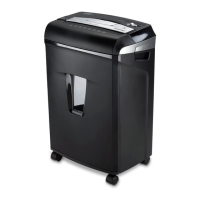
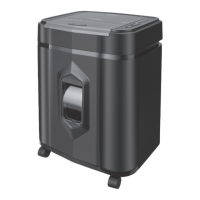
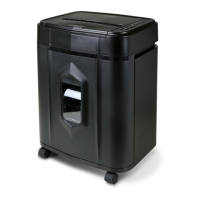
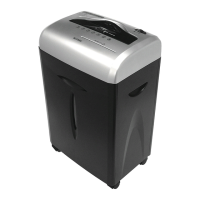
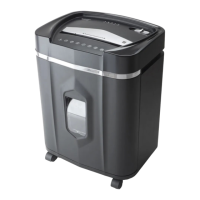
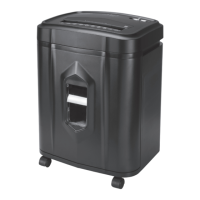
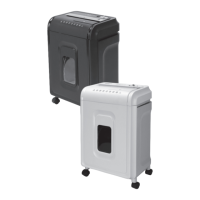
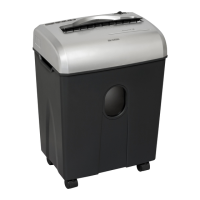
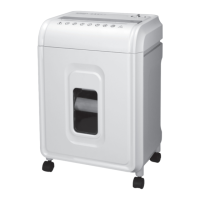
This document is a user manual for the Aurora AU1232XA and AU1232XB shredders. It provides essential information for installation, operation, maintenance, and troubleshooting, along with safety instructions and warranty details.
Function Description
The Aurora AU1232XA and AU1232XB are personal paper shredders designed to destroy sensitive documents and credit cards, enhancing security and privacy. They operate by cutting paper into small cross-cut pieces, making it difficult to reconstruct the original document. The shredders feature an "Auto Reverse Technology" to prevent jams by automatically stopping and rejecting paper when over-capacity shredding is detected.
Important Technical Specifications
- Sheet Capacity: 12 sheets of 20 lb. bond paper. (Note: One folded sheet of paper equates to 2 sheets of paper. Heavier paper, humidity, or other than rated voltage may reduce shredding capacity.)
- Paper Shred Size: 3/16 in. x 1 9/16 in. pieces (0.5 cm x 4.0 cm pieces). This indicates a cross-cut shredder, offering a higher level of security compared to strip-cut shredders.
- Paper Entry Width: 8.7 in / 220 mm. This accommodates standard letter and A4 size documents.
- Credit Card Capacity: 1 at a time.
- Duty Cycle: 5 minutes on / 45 minutes off. This specifies the maximum continuous operating time before the shredder needs to cool down to prevent overheating. Exceeding this can lead to automatic shut-off.
- Voltage: 120V~60Hz / 3.0 A. This indicates the power requirements for the shredder, suitable for standard North American electrical outlets.
- Safety Interlock Mechanism: The shredder head must be correctly mounted on the included wastebasket to operate. This prevents accidental operation when the cutting blades are exposed.
Usage Features
- Control Switch: The shredder features a control switch with multiple settings:
- Auto / On: Automatically starts shredding when paper is inserted into the feed slot and stops when the paper has passed through.
- Off: Turns off all shredder functions. Recommended for safety when unattended or not in use.
- Reverse (REV): Helps clear paper jams by backing up and loosening jammed paper. It should be used after emptying the wastebasket.
- Forward (Jam Remover): Manually activates the shredder into cutting mode, which can also help clear paper jams.
- LED Status Indicators:
- READY (Green): Indicates the shredder is powered on and ready for operation.
- OVERHEAT (Red): Lights up when the shredder has operated continuously beyond its maximum running time and overheated. The unit will automatically shut off, requiring a 45-minute cool-down period.
- Shredding Capabilities: The shredder can handle staples and small paper clips, though removing paper clips is recommended to extend the shredder's lifespan. It can also shred credit cards, one at a time, by feeding them vertically into the middle of the entry slot.
- Jam Prevention (Auto Reverse Technology): The shredder detects over-capacity shredding and automatically stops and rejects paper before a jam occurs, minimizing user intervention.
Maintenance Features
- Oiling Procedure: Regular oiling of the shredder blades is recommended monthly using basic vegetable, cooking, or shredder oil. The procedure involves turning off the shredder, applying oil across the paper entry, and then running the shredder in reverse mode for 3-5 seconds. (Note: Lubricating oil is not included). This helps maintain blade performance and longevity.
- Cleaning:
- Always unplug the shredder before cleaning.
- Clean the unit by wiping it with a dry, soft cloth or towel.
- Do not immerse the shredder in water or use flammable cleaning agents. If it gets wet, ensure it is completely dry before use.
- Do not spray or keep aerosol products in or around the shredder.
- Do not use canned air on the shredder, as this can push dust and debris into the activation sensor, potentially causing issues.
- Wastebasket Management: It is important to prevent the wastebasket from becoming full, as this can cause shredded material to be pulled back into the shredder, leading to jams. Lining the wastebasket with a plastic bag may interfere with the shredder's proper functioning due to the activation switch.
Safety Instructions
The manual emphasizes several critical safety warnings:
- Read instructions before use.
- Avoid touching the document feed opening with hands.
- Keep loose clothing, jewelry, and hair away from the paper entry slot.
- Do not spray or keep aerosol products in or around the shredder.
- Product is not intended for use by children.
- Do not insert foreign objects into the paper entry slot.
- Keep away from moving parts.
- Sharp blade edges – do not touch.
- Always turn off and unplug the shredder when not in use, before cleaning, moving, or emptying the wastebasket.
- RISK OF FIRE: Never use petroleum-based or flammable oils/lubricants.
- NEVER dispose of flammable chemicals or materials that have come into contact with flammable chemicals (e.g., nail polish, acetone, gasoline) in the shredder basket.
- Do not shred metal credit cards (except plastic credit cards), large paper clips, window/insulated envelopes, continuous forms, newsprint, bound pages (notepads, checkbooks, magazines), transparencies, laminated documents, cardboard, or any items with adhesives or hard materials/plastic (except credit cards).
- Ensure the socket-outlet is near the equipment and easily accessible.
- Never place the shredder near water or heat sources.
- Do not use the shredder if the power cord is damaged.
- Do not attempt to service the product yourself, as this voids the warranty and exposes you to sharp blades/electricity.
- Never try to clean or clear the shredder blade directly.
- Never shred beyond the specified sheet capacity to prevent extensive damage.
Troubleshooting
The manual provides solutions for common issues:
- Shredder not working: Check if it's plugged in, if the outlet is working, if it's overheated (requiring a 45-minute cool-down), if the shredder head is correctly seated on the wastebasket, if a plastic bag is interfering, or if the activation sensor is being triggered by feeding paper directly into the center.
- Shredder runs in "Reverse" but not "Auto (On)": Ensure paper is inserted directly into the center of the feed slot to activate the optical sensor. A blocked feed slot can be cleared by inserting an index card or rigid cardstock.
- Clearing a paper jam: Use the Reverse (REV) mode to loosen paper. For stubborn jams, drizzle shredder oil into the feed slot, let it soak for 30 minutes, then use an index card or rigid cardstock in Auto-On mode to push the jam through.
- Shredder constantly running in "Auto (On)": This could be due to a blocked activation sensor (clear with an index card) or dust/debris/oil on the sensor (clean with a cotton swab, DO NOT use canned air).
The product comes with a limited warranty:
- Cutting cylinders: 5 years from the original purchase date against defects in workmanship and material.
- All other parts: 1 year from the original purchase date against defects in workmanship and material.
- A copy of the proof of purchase showing the original purchase date is required for warranty claims.
- The warranty is void if the product has been subject to damage, unreasonable use, improper service, or if the factory seal is broken or removed.
- The warranty does not cover adjustments, parts, or repairs due to circumstances beyond the manufacturer's control.
- Implied warranties are limited to the stated warranty period. The manufacturer is not liable for incidental or consequential costs/damages resulting from product failure.
Service Center
For questions, spare parts, or service, customers can contact Aurora Corp. of America:
- Telephone: 1-800-327-8508 (U.S.A. only) or 1-310-793-5650 (International)
- Business hours: Monday to Friday 8:00 am - 5:00 pm PST
- Email: info@auroracorp.com
- Website: http://www.auroracorp.com
Customers are advised to call the Service Center for specific return instructions before returning any product.

 Need help?
 General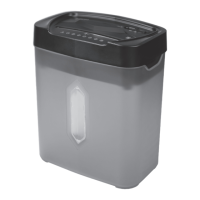

 To Next Page