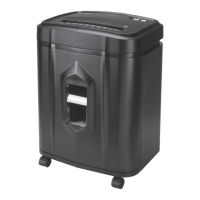
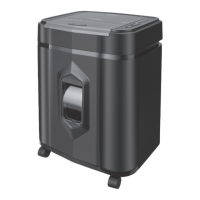
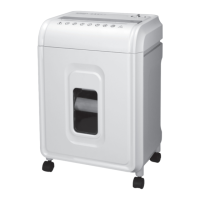
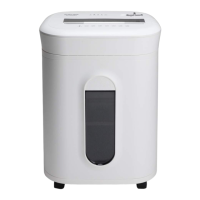
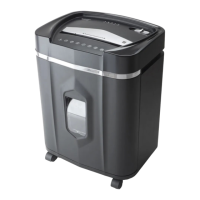
Need help?
Do you have a question about the Aurora AU1640XA and is the answer not in the manual?
User must read instructions before operating the shredder.
Do not touch the feed opening with hands to avoid injury.
The product is not a toy and should not be used by children.
Avoid inserting foreign objects into the paper entry slot to prevent damage.
Do not use aerosol products near the shredder to prevent fire risk.
Keep clothing and jewelry away from the paper entry slot to prevent entanglement.
Keep hair away from the paper entry slot to prevent entanglement.
Ensure basket door is closed, attach casters, and connect power.
Handle the shredder carefully due to sharp blades on the underside.
Explains the Auto, Off, and Reverse/Forward modes of the control switch.
How to insert paper, credit cards, and CDs/DVDs into the shredder.
Explains the meaning of the Bin Full, Door Open, Overload, Overheat, and Power On LED lights.
Procedure for oiling shredder blades monthly to ensure optimal performance.
Instructions for cleaning the unit with a dry cloth and avoiding water or flammable cleaners.
Steps to resolve issues when the shredder does not operate at all.
How to fix the issue where the shredder only runs in reverse mode, not auto.
Methods for clearing paper jams using reverse, forward, or index cards.
Diagnosing and fixing when the shredder is constantly running in Auto mode.
Information on how to contact Aurora for support and spare parts.
Details of the warranty period and terms for the shredder.
 General
| Cut Type | Cross-Cut |
|---|---|
| Sheet Capacity | 16 sheets |
| Security Level | P-4 |
| Run Time | 60 minutes |
| Shred Size | 5/32 x 1-3/8 inches |
| Auto Start/Stop | Yes |
| Overload Protection | Yes |
| Jam Protection | Yes |
| Power | 120V, 60Hz |
| Throat Width | 9 inches |
| Shreds | Credit Cards, Staples, Paper Clips |

 To Next Page