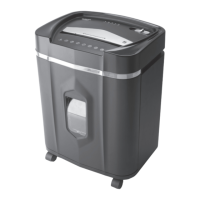
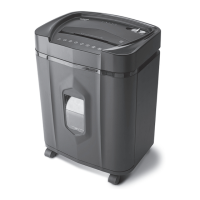
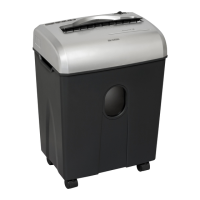
This document is a user manual for the Aurora AU1645XA shredder, providing instructions for installation, operation, maintenance, and troubleshooting, along with important safety warnings and warranty information.
Function Description:
The Aurora AU1645XA is a crosscut shredder designed for personal and office use to destroy sensitive documents, credit cards, and CDs/DVDs, enhancing security by rendering information unreadable. It features an automatic start/stop function, a reverse mode for clearing paper jams, and a forward (Jam Remover) setting for manual activation of the cutting mode. The shredder is equipped with safety features such as a power cut-off when the wastebasket door is open or removed, and LED indicators to alert the user to various operational statuses like "Bin Full," "Door Open," "Overload," and "Overheat."
Important Technical Specifications:
- Sheet Capacity: 16 sheets of 20 lb. bond paper per pass. (Note: One folded sheet of paper equates to 2 sheets of paper. Heavier paper, humidity, or other than rated voltage may reduce shredding capacity.)
- Paper Shred Size: 5/32 in. x 1 7/32 in. pieces (0.4 cm x 3.1 cm pieces), indicating a crosscut shred type.
- Paper Entry Width: 8.7 in / 220 mm.
- CD/Credit Card Capacity: 1 at a time.
- Duty Cycle: 30 minutes on / 45 minutes off. This specifies the maximum continuous operation time before the unit needs to cool down to prevent overheating.
- Voltage: 120V~60Hz / 4.0 A.
- Model No.: AU1645XA.
Usage Features:
- Installation: The shredder requires the attachment of 4 caster wheels to the bottom of the wastebasket. It must be connected to a standard 120-volt AC outlet, which should be easily accessible. A safety power cut-off ensures the shredder will not operate if the wastebasket door is not securely closed or if the pull-out wastebasket is removed.
- Control Switch: The unit features a control switch with three main settings:
- Auto / On: Automatically starts shredding when paper is inserted into the feed slot and stops when the paper has passed through.
- Off: Turns off all shredder functions. Recommended for safety when the shredder is unattended or not in use.
- Reverse (REV): Used to help clear paper jams by backing up the cutters.
- Forward (Jam Remover): Manually activates the shredder into cutting mode to help clear stubborn paper jams.
- Paper/Credit Card/CDs Entry:
- For paper, ensure the sheet count does not exceed 16 sheets and insert paper as straight as possible into the feed slot.
- For credit cards and CDs/DVDs, insert one at a time into the middle of the feed slot. Users are warned not to hold a CD/DVD with a finger through the center ring to avoid serious injury.
- LED Status Indicators:
- Power On (Green LED): Indicates the shredder is "On" and ready to operate.
- Overheat (Red LED): Illuminates when the shredder has operated continuously beyond its maximum running time and overheated. The unit will automatically shut off, requiring a 45-minute cool-down period.
- Overload (Red LED): Indicates that too much paper has been inserted. Users should use "Reverse" mode to back up and reduce the number of sheets.
- Door Open (Red LED): Indicates the shredder basket is not properly pushed in. The shredder will not operate until the basket is correctly seated.
- Bin Full (Red LED): Indicates the wastebasket is full and needs to be emptied. The shredder will be inoperable until the wastebasket is cleared.
- Jam Clearing: In case of a paper jam, the "Reverse" mode can be used. For stubborn jams, shredder oil (vegetable or cooking oil is acceptable, but no aerosol) can be drizzled into the feed slot and allowed to soak for 30 minutes before attempting to shred again, possibly with an index card or rigid cardstock.
- Activation Sensor: The shredder's activation sensor is located near the center of the feed slot. If the shredder is constantly running in "Auto (On)" mode, the sensor might be blocked by paper, dust, debris, or oil. An index card can clear paper blockages, and a cotton swab can clean the sensor (without canned air).
Maintenance Features:
- Oiling: The shredder blades should be oiled monthly with basic vegetable, cooking, or shredder oil (lubricating oil is not included). The procedure involves turning off the shredder, applying oil across the paper entry, and running the shredder in reverse mode for 3-5 seconds.
- Cleaning:
- Always unplug the shredder before cleaning.
- Clean the unit by wiping it with a dry, soft cloth or towel.
- Do not clean or immerse the shredder in water, as this can damage electrical components. If it gets wet, dry it completely.
- Never use flammable materials or aerosol products (including canned air) to clean the shredder, as this poses a risk of serious injury or damage.
- Wastebasket Management: Never let the wastebasket become full, as this can cause shredded material to be pulled back into the shredder and lead to jams.
- General Care: Remove paper clips whenever possible to extend the shredder's lifespan. Avoid shredding metal credit cards, large paper clips, window or insulated envelopes, continuous forms, newsprint, bound pages, transparencies, laminated documents, cardboard, any items with adhesives, hard materials, or plastic (except plastic credit cards and CDs).
Safety Instructions:
The manual emphasizes several critical safety warnings:
- Read instructions before use.
- Do not touch the document feed opening with hands.
- Keep loose clothing or jewelry away from the paper entry slot.
- Product is not intended for use by children.
- Do not insert foreign objects into the paper entry slot.
- Avoid getting hair near the paper entry slot.
- Keep away from moving parts.
- Sharp blade edges – do not touch.
- Always turn off and unplug the shredder when not in use, before cleaning, moving, or emptying the wastebasket.
- Risk of fire: Never use petroleum-based or flammable oils/lubricants.
- Never dispose of flammable chemicals or materials in the shredder basket.
- Never shred certain materials (listed above) that can damage the machine.
- Do not hold CD/DVD with a finger through the center ring while feeding.
- Ensure the socket-outlet is near and accessible.
- Do not use if the power cord is damaged.
- Do not attempt to service the product yourself, as this voids the warranty and exposes you to sharp blades/electricity.
- Never try to clean or clear the shredder blade directly.
- Never shred beyond specified sheet capacity to prevent damage.

 Need help?
 General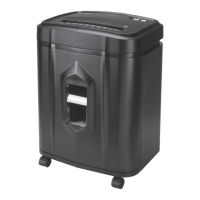

 To Next Page