EasyManua.ls Logo

Aurora AU1830XA - User Manual

Aurora AU1830XA
12 pages
Print Icon
To Next Page IconTo Next Page
Loading...
AU1830XA
Model No.
Please read these operating instructions before using the unit.
1-800-327-8508
USA Only
1-310-793-5650
International
Email: info@auroracorp.com
For more information, please visit us at:
www.auroracorp.com
Shredder User Manual
Question and Answer IconNeed help?

Do you have a question about the Aurora AU1830XA and is the answer not in the manual?

Summary

Safety Instructions and Warnings

General Handling Precautions

Safe operating practices, avoiding contact with moving parts, foreign objects, and children.

Fire and Chemical Safety

Avoid using flammable oils and shredding chemicals to prevent fire hazards.

Prohibited Shredding Materials

List of materials not to shred, including specific paper types, plastics, and adhesives.

Operational and Maintenance Safety

Ensuring safe operation, maintenance, and preventing damage from misuse or neglect.

INSTALLATION

Specifications and Capacity

Details sheet capacity, shred size, entry width, duty cycle, and voltage requirements.

Installation Steps

Step-by-step guide for setting up the shredder, including attaching casters and connecting power.

Mounting and Blade Safety

Cautionary advice regarding sharp blades during setup and mounting the shredder head.

OPERATION

Control Switch Modes

Explanation of the control switch settings: Auto/On, Off, Reverse, and Forward (Jam Remover).

Feeding Materials

Guidance on feeding paper, credit cards, and CDs into the shredder correctly.

Auto Reverse Technology

How the shredder automatically stops and rejects paper to prevent over-capacity jams.

LED Status Indicators

Understanding the meaning of the LED lights for Power On, Overheat, Overload, Door Open, and Bin Full.

Overload, Door Open, and Bin Full Alerts

Details on what the Overload, Door Open, and Bin Full indicator lights signify.

Operational Best Practices

Tips for optimal shredder use, including handling staples, paper clips, and preventing overfeeding/overheating.

MAINTENANCE

Blade Oiling Procedure

Instructions on how to properly oil the shredder blades monthly to ensure longevity.

Cleaning Instructions

Guidelines for cleaning the shredder unit using a dry cloth, avoiding water and flammables.

Maintenance Precautions

Important cautions to avoid using aerosol products or canned air during maintenance.

TROUBLESHOOTING

Shredder Not Working

Steps to diagnose and resolve issues when the shredder fails to power on or operate.

Reverse Mode Operation

Troubleshooting why the shredder operates in Reverse but not in Auto (On) mode.

Clearing Paper Jams

Methods to clear paper jams using the Reverse function or shredder oil.

Shredder Stuck in Auto Mode

Resolving issues where the shredder continuously runs in Auto (On) mode due to sensor blockage.

SERVICE CENTER CONTACT

LIMITED PRODUCT WARRANTY

Overview

This document is a user manual for the Aurora AU1830XA shredder, providing detailed instructions on its operation, maintenance, and troubleshooting.

Function Description

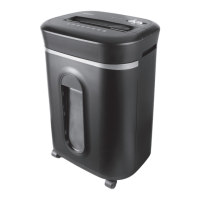
The Aurora AU1830XA is a crosscut shredder designed for destroying paper, credit cards, and CDs/DVDs. It features an "Auto/On" mode for automatic shredding upon insertion of materials, an "Off" mode for safety when not in use, and "Reverse" and "Forward" (Jam Remover) modes to clear paper jams. The shredder incorporates "Auto Reverse Technology" to prevent over-capacity shredding by automatically stopping and rejecting paper before actual shredding begins. It also includes safety features such as a power cut-off when the wastebasket door is open or removed, and LED indicators for various operational statuses.

Important Technical Specifications

  • Sheet Capacity: 18 sheets of 20 lb. bond paper (one folded sheet of paper equates to 2 sheets of paper). Heavier paper, humidity, or other than rated voltage may reduce shredding capacity.
  • Paper Shred Size: 5/32 in. x 1 7/32 in. pieces (0.4 cm x 3.1 cm pieces).
  • Paper Entry Width: 8.7 in / 220 mm.
  • CD/Credit Card Capacity: 1 at a time.
  • Duty Cycle: 30 minutes on / 45 minutes off.
  • Voltage: 120V~60Hz / 4.0 A.
  • Warranty: 5 years for cutting cylinders, 1 year for all other parts against defects in workmanship and material.

Usage Features

  • Control Switch: A slide switch allows users to select "Auto/On," "Off," "Reverse," or "Forward" (Jam Remover) modes.
    • Auto/On: Automatically starts shredding when paper is inserted and stops when the paper has passed through.
    • Off: Turns off all shredder features for safety when unattended or not in use.
    • Reverse: Helps clear paper jams by backing up paper that did not pass through. Should only be used after emptying the wastebasket.
    • Forward (Jam Remover): Manually activates the shredder into cutting mode to help clear jams.
  • Paper Entry: Designed for inserting paper as straight as possible. Maximum capacity is 18 sheets.
  • Credit Card/CD/DVD Entry: A dedicated slot for shredding credit cards and CDs/DVDs, one at a time. Users are cautioned not to hold CDs/DVDs by the center ring to avoid injury.
  • LED Status Indicators:
    • Power On (Green LED): Indicates the shredder is "On" and ready to operate.
    • Overheat (Red LED): Illuminates when the shredder has operated continuously beyond its maximum running time and overheated. The unit will automatically shut off, requiring a 45-minute cool-down period.
    • Overload (Red LED): Indicates too much paper has been inserted. Users should use "Reverse" mode to back up and reduce the number of sheets.
    • Door Open (Red LED): Indicates the shredder basket is not properly pushed in. The shredder will not function until the wastebasket is correctly in place.
    • Bin Full (Red LED): Indicates the wastebasket is full and needs to be emptied. The shredder will be inoperable until cleared.
  • Safety Power Cut-off: The shredder will not operate if the wastebasket door is open or if the pull-out wastebasket is removed.
  • Jam Prevention: "Auto Reverse Technology" stops and rejects paper if over-capacity shredding is detected.

Maintenance Features

  • Oiling Procedure:
    1. Turn off the shredder.
    2. Apply shredder oil (basic vegetable, cooking, or shredder oil – not included) across the paper entry.
    3. Turn the shredder to "Reverse" mode for 3-5 seconds. This should be done monthly to maintain blade performance.
  • Cleaning:
    • Always unplug the shredder before cleaning.
    • Wipe the unit with a dry, soft cloth or towel.
    • Do not clean or immerse the shredder in water. If it gets wet, dry it immediately.
    • Never use flammable materials or canned air to clean the shredder.
  • Wastebasket Management: Never let the wastebasket become full, as this can lead to jams.
  • Staples and Small Paper Clips: The shredder can shred staples and small paper clips, but it is recommended to remove them to extend the shredder's lifespan.
  • Avoid Overfeeding: Shredding beyond the specified sheet capacity can cause extensive damage to the machine, strain the motor, and wear out cutting blades and internal components.
  • Overheating Prevention: If the shredder overheats due to extended use, it will automatically shut off. Allow 45 minutes or longer for it to cool down before resuming operation.
  • Clearing Paper Jams:
    1. Switch to "Reverse" mode to back up and loosen jammed paper. Tug and remove sheets if necessary.
    2. For stubborn jams, drizzle shredder oil (cooking oil is acceptable) into the feed slot and let it soak for about 30 minutes. Then, switch back to "Auto-On" mode.
    3. An index card or rigid sheet of cardstock can be fed into the center of the feed slot with force to help push through jammed paper or clear blockages in the activation sensor.
  • Sensor Cleaning: If the shredder runs constantly in "Auto (On)" mode, the activation sensor might be blocked by paper, dust, debris, or oil. Use an index card to clear paper or a cotton swab to clean the sensor. Do not use canned air.

Aurora AU1830XA Specifications

General IconGeneral
BrandAurora
ModelAU1830XA
CategoryPaper Shredder
LanguageEnglish

Related product manuals