Also, pay attention to the following:
The battery should be stored out of reach of
children and pets.
Do not store the battery in direct sunlight or
near sharp objects, water, metals or reactive
chemicals.
Storing the battery in extreme temperatures
will shorten its life. If the battery is not used
for more than 1 day, it should be stored at a
temperature of -10°C (14°F) to 30°C (86°F).
Otherwise, this may result in damage or
battery failure. If left unused for a long time,
the battery life will be shortened.
Do not transport damaged batteries. If the
battery needs to be transported, be sure to
discharge the battery to about 20%-30%.
Battery heating
In a low temperature environment (less than 10°C),
short press and then long press the battery button
for 5 seconds to activate the intelligent flight battery
heating function, and the final battery temperature
will be maintained at 15°C-20°C. The battery will
hold this temperature for 20 minutes. During the
heating process, short press and then long press
the battery button for 5 seconds to exit the battery
heating function.
Battery maintenance
1. Do not overcharge the battery, otherwise this
may cause damage.
2. If the battery is left unused for a long period of
time, its performance will be affected. Recharge
and discharge the battery every 3 months or so
to maintain battery activity.
3. It is recommended that the two batteries be
charged/discharged at the same time to obtain
the best power supply performance. It is recom-
mended to use the Autel Voyager pairing
function and mark the paired batteries.
Battery disposal
Before disposing of the battery, be sure to fully
discharge it before placing it in the designated
battery recycling bin. Batteries are hazardous
chemicals and are strictly prohibited to be placed
in ordinary trash bins. For details, please follow
local laws and regulations on battery recycling
and disposal.
Aircraft battery
The Dragonfish rechargeable lithium polymer
battery has high energy density and a large
capacity. The battery needs to be charged with
the dedicated charger provided by Autel Robotics.
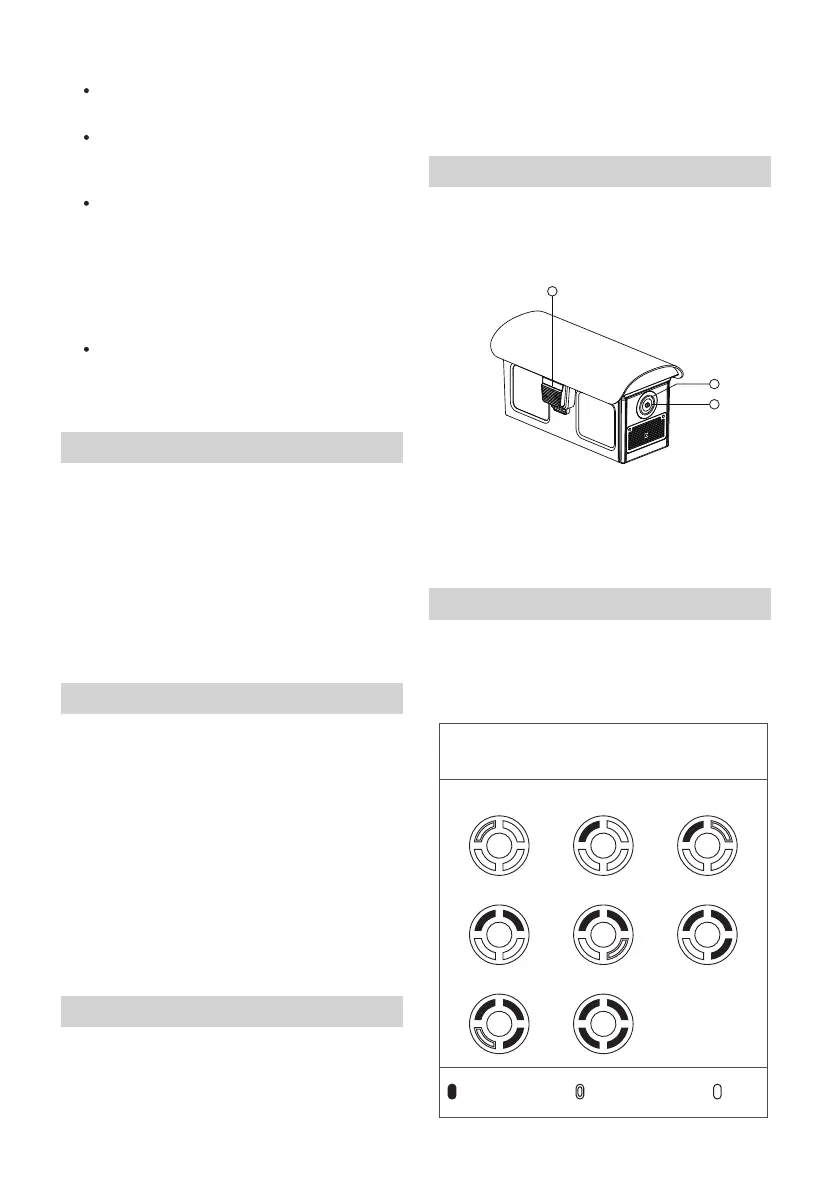
Checking the battery level
With the battery off, press the power button for 1
second, and then quickly release it to check the
battery level. The LED indicator will display the
current battery level as shown below.
Aircraft battery
1 . Eject button 2. Battery level indicator
3. Power button/battery check
1
3
2
88%~100%
76%~87%
63%~75%
51%~62%38%~50%
26%~37%
13%~25%
0%~12%
Battery level indicator
status (not charging)
- Steady green - Blinking green - Off



 To Next Page