28
6.2 Details
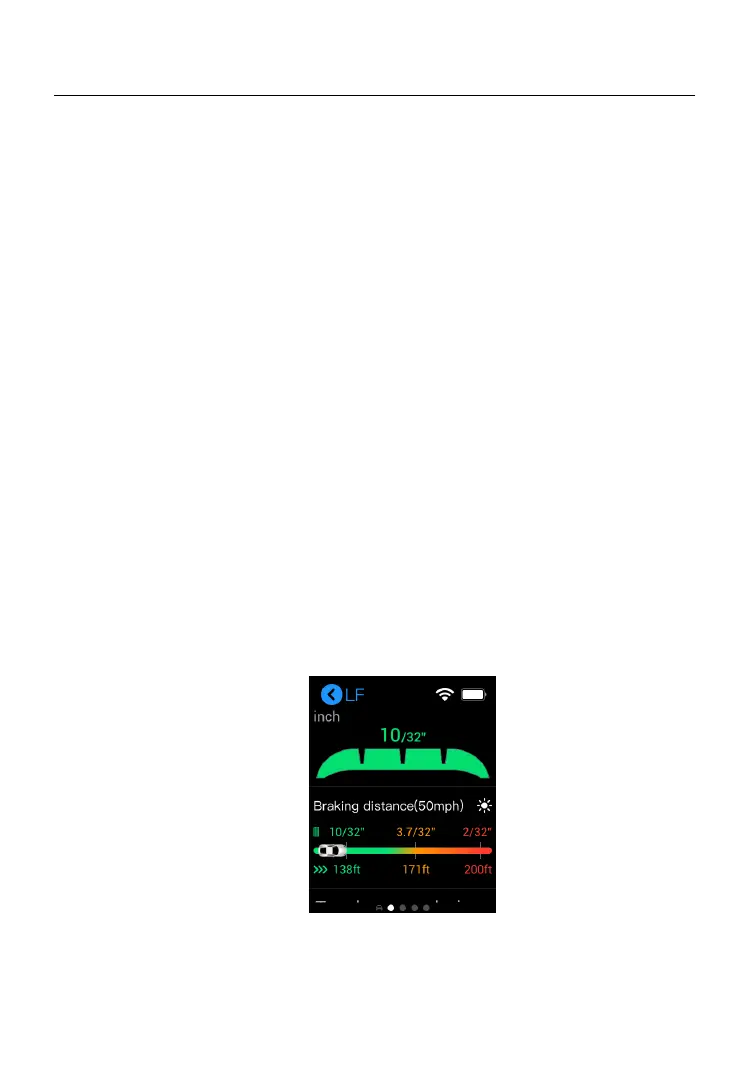
The Details screen displays additional information related to tire and brake
disc wear measurements. After measurements display on the screen,
select a wheel or disc location, and swipe left to view details of the chosen
tire or disc. Below are the main tire-related sections featured in the Details
section:
1) Graphic Measurements — displays the measurement data
graphically with various colors indicating different wear conditions.
The graphic measurements of Quick Check displays wear
measurements of tires and brake discs.
2) Braking Distance — displays the stopping distance for the vehicle
graphically based on the tire tread depth and tire type. This section is
also followed by tire wear analysis and maintenance suggestions.
3) Tire Condition — displays the tire status, including normal, worn, and
bulge presence.
4) Tire DOT — scan or manually enter the Tire Identification Number
(TIN) sometimes referred to as the Tire serial number (located on the
sidewall) to acquire basic tire characteristics such as tire age.
5) Tire Specifications — displays multiple data points; manually enter
information, including brand, tire width, and manufacturer code.
6) Wear Analysis — displays replacement recommendations for tires
and brake discs.
Figure 6-2 Details Screen



 To Next Page