62
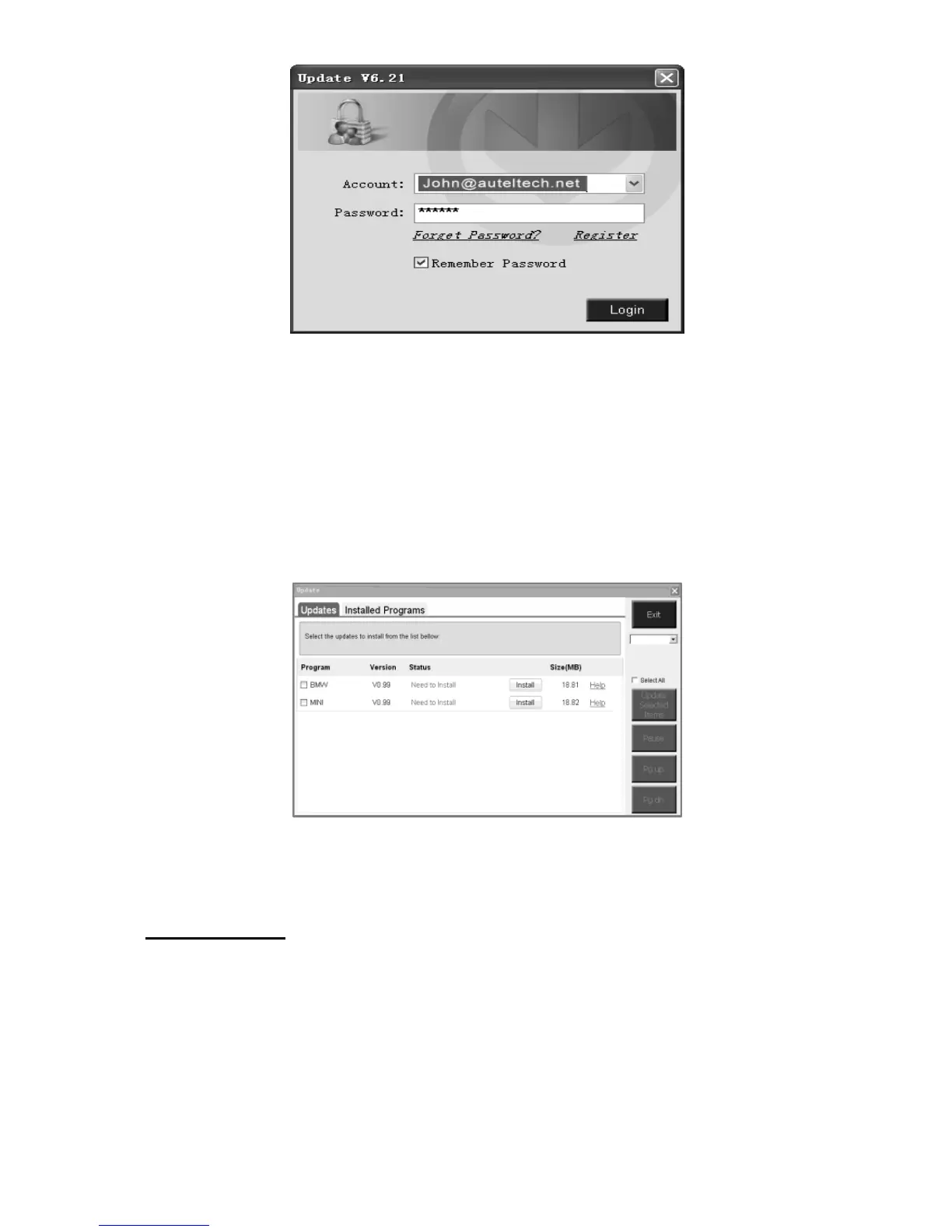
Figure 7.2
2) Enter your Autel ID and password and wait for the Update
window to display. If you forget your password unintentionally,
you may always click the [Forget Password?] to link to our
website and get your password back.
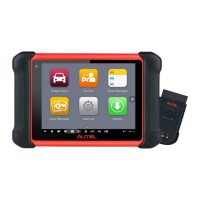
3) In the Update window, select the items you want to install.
Usually, you should install all available updates.
Figure 7.3
Generally there are two ways to update the programs:
Batch Update
1) Select the programs that you would update by clicking on the
check boxes next to those items. Then click the Update Selected
Items button on the right side of screen. Or
2) Click on the Select All checkbox on the right side of screen and all


 To Next Page