7. Charge the Battery
7.1 Check the Battery Level
Press the power button to check the battery level.
7.3 Charge
Connect one end of the USB-C cable to the USB-C interface at the
top of the controller, and the other end to power adapter. Plug the
power adapter into AC power outlet (100-240V).
7.2 Power On / Off
Press and hold the power button for 2 secs to turn on and off the controller.
6
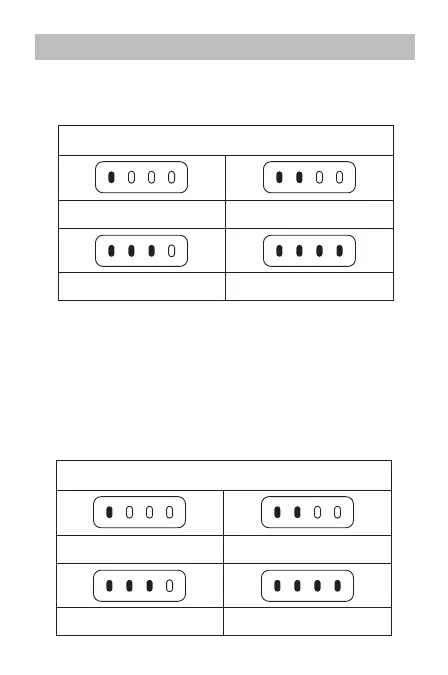
1 light solid on: Battery≥25%
Battery Level Indicator (non-charging state)
2 lights solid on: Battery≥50%
3 lights solid on: Battery≥75% 4 lights solid on: Battery=100%
1 light solid on: Battery≥25%
Battery Level Indicator (while charging)
2 lights solid on: Battery≥50%
3 lights solid on: Battery≥75% 4 lights solid on: Battery=100%


 To Next Page