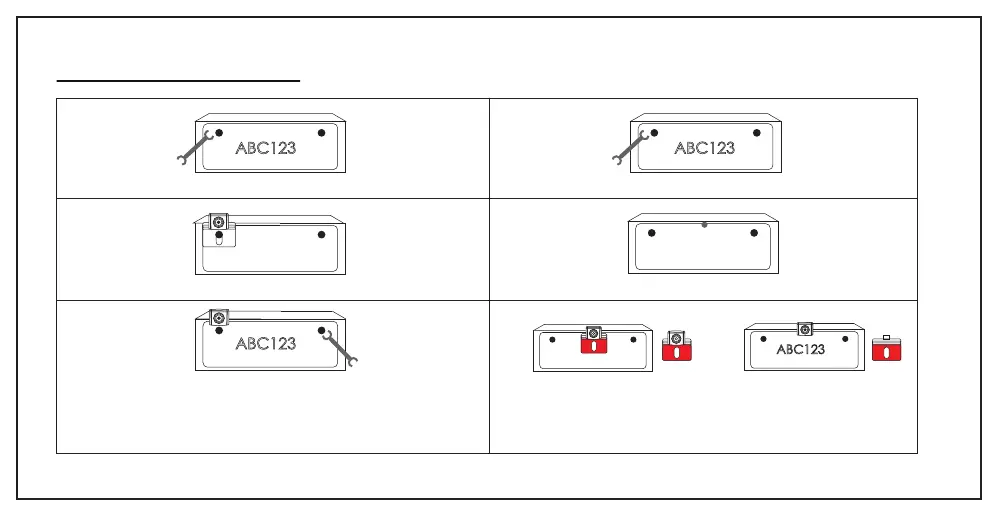
INSTALLING BACKUP CAMERA
Step1 Loose the screws on the license plate with wrench.
Step2 Install the camera bracket behind the license plate.
Step3 Tear off the film A of the 3M adhesive and fix it to the marked
location. Tear off the film B of the 3M adhesive then attach the license
plate. Then tighten the screws with wrench.
Step1 Take off the license plate with wrench.
Step2 Find a best location and make a mark.
Step3 Tear off the film A of the 3M adhesive and fix it to the marked
location. Tear off the film B of the 3 M adhesive then attach the license
plate. Then tighten the screws with wrench.
17
(1) (2)
ABC123 ABC123
ABC123
ABC123


 To Next Page