5
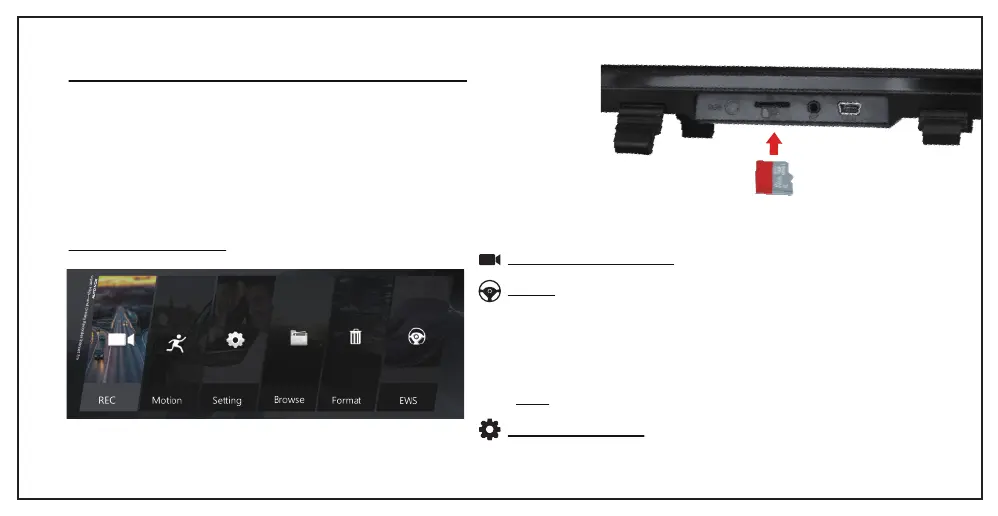
REC: Touch to start record
Motion:
• Select "on" to open this function. Then it can record automatically
if there's something moving within 3m even though you left the car.
• The precondition is that the device is in standby state able to get
power from fuse box. So it means you should buy a katallobar
hardwire to make it.
• Select "off" to close this function.
• Note: Please select "off" when driving.
Setting: Set up details
INSTALLING AND REMOVING THE MICRO SD CARD
Insert Micro SD (class 10 or higher with FAT 32) in to the card slot making sure to
follow correct orientation markings. Push the card until it clicks into place. Do not
remove or insert the memory card when dual dash cam M8 is powered on since it
may damage the card.
Memory card capacity should be at least 4G, but not over 64GB with class 10 and
FAT32. Please format the Micro SD card before the initial use to prevent some
abnormal problems.
MENU OPERATIONS


 To Next Page