8
3. Installing the Rear Camera
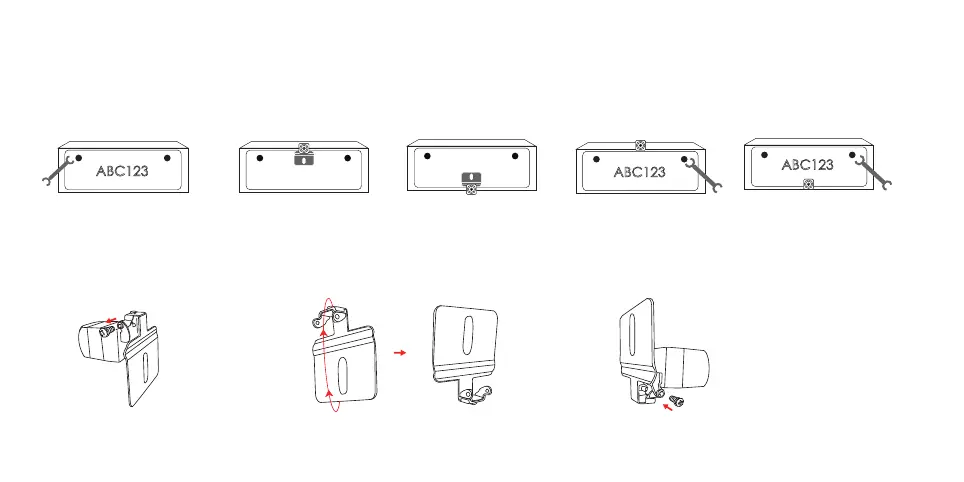
1. Install the rear camera on the license plate.
① Remove the screws and take off the license plate by a wrench or a screwdriver.
② Install the camera to a desired position on the top or bottom of the license plate.
③ Put the removed screws back into the license plate and tighten them
Note: The camera doesn’t have the function of flipping the image up and down. If needed, please remove the bracket of the camera, rotate the
bracket 180 degrees, and install it reversely.
ABC123
or or
ABC123
ABC123
① ② ③
① ②
180°
③



 To Next Page